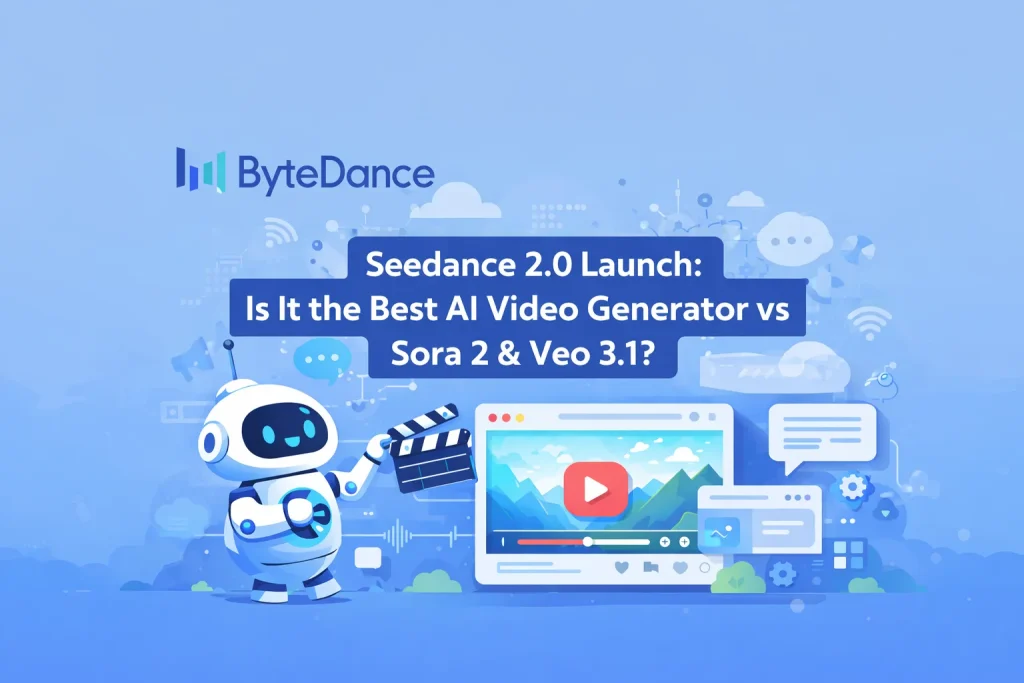
Over the past year, the overall experience with AI video tools has been inconsistent. Even when a model can produce an impressive single output, the creation process often feels unreliable: it’s hard to reproduce specific camera language, character consistency is unstable, actions don’t reliably match camera movement, visuals flicker, subtitles and small on-screen text blur, and audio can drift out of sync with the video.
I’m paying attention to Seedance 2.0 because this release prioritizes reference-based control and editability, rather than focusing only on “more realistic” or “more cinematic” results. From a product perspective, it reads as a workflow-oriented system upgrade—not just a point improvement to the core model.
Seedance 2.0 is positioned by ByteDance as a next-generation AI video creation model
ByteDance released Seedance 2.0 in mid-February 2026. In its official description, two points are emphasized:
- A unified multimodal audio-video generation architecture
- Support for text, images, audio, and video as inputs, with reference and editing capabilities positioned as core selling points
In terms of positioning, Seedance 2.0 is not limited to text-to-video. It aims to cover a full loop: asset input → style/camera replication → generation → local edits and extensions.
What’s New in Seedance 2.0: Core Upgrades
Reference-Based Control
In traditional AI video generation, replicating classic camera movement, pacing, or complex action interactions typically requires long, detailed prompts—and the results are still inconsistent. The key change in Seedance 2.0 is that it treats reference assets as first-class inputs. By referencing video, images, and audio, the model can better constrain output style, camera language, and rhythm—for example, replicating camera moves and transitions, matching camera motion to character actions, or adapting a comic into a short animated sequence while preserving dialogue.
This reference-driven interaction reduces the parts of intent that are difficult to express purely in text prompts, shifting control from prompt-only instructions to verifiable constraints defined by reference media.
Multiple Format Inputs (Text + Image + Audio + Video)
Seedance 2.0 supports multimodal inputs, which enables several practical workflows:
- Director-style / classic shot replication: use a reference video to lock camera movement and pacing
- Character and scene consistency: use multiple character images to stabilize identity features and overall visual style
- Audio-video alignment: use audio references to constrain music, rhythm, and speech/lip timing (a common weakness across many AI video generators)
- Static comics to animation: use “comic panels as the content source + a reference video to lock storyboard pacing and transitions + text rules to define panel order and shot breakdown + optional audio reference for consistent music/SFX style” to convert static frames into continuous shots
The Verge also highlighted that Seedance 2.0 supports multi-asset referencing, allowing multiple images, multiple video clips, and audio samples to jointly constrain the generation outcome.
Quality Improvements: More Usable Consistency, Camera Continuity, and Audio Sync
Based on public demos and usage descriptions, Seedance 2.0 appears to focus its improvements in three areas:
- Shot continuity: fewer unexplained jump cuts and uncontrolled transitions (especially for one-take or tracking-shot style prompts)
- Character consistency: fewer common issues such as face drift during head turns, texture flicker, and stiff expressions
- Audio-video synchronization: more stable dialogue voiceover (less channel drift) and background music that better matches scene rhythm
Its official page also shows strong results on an internal evaluation set (SeedVideoBench-2.0). However, since this is an in-house benchmark, it is better treated as directional evidence rather than a cross-model, industry-standard conclusion.
Editing & Iteration: Why This Matters More for Real Video Workflows
A recurring pain point with many AI video tools is that if the result isn’t satisfactory, you often have to start over. Even when you only want to change the plot, a single shot, or one action beat, it’s difficult to keep the rest of the video stable.
Seedance 2.0 positions editing as a core capability. The goal is to change only what needs to change and keep everything else unchanged. This works in tandem with the reference system: references are used not only for the first generation, but also to lock unchanged elements during revisions.
I consider this more important than simply raising peak single-shot quality, because it aligns better with real production workflows: iterative refinement, local revisions, and preserving existing shot assets.
Seedance 2.0 vs Sora 2 vs Google Veo 3.1
AI video generation does not yet have a unified, authoritative, cross-vendor benchmark comparable to what NLP has. Most “model X is better” claims come from internal vendor tests or non-standard third-party comparisons. The comparison below relies mainly on official documentation and reputable coverage, focusing on capabilities that can be stated clearly.
Performance Focus: Each Model Optimizes for Different Priorities
- Seedance 2.0: reference-driven controllability + multimodal inputs (including audio references) + editing The official positioning centers on “reference and editing,” emphasizing the use of image/audio/video references to influence performance, lighting, and camera movement.
- Sora 2: stronger emphasis on physical consistency and “world simulation,” plus a more complete product-side creation workflow (Storyboard / Extend / Stitch) OpenAI’s Sora 2 positioning emphasizes higher realism and controllability, with synchronized dialogue and sound effects. Sora release notes highlight Storyboard, Extensions (Extend), and Stitch for longer videos and segment-based structuring.
- Google Veo 3.1: clear engineering specs and native audio output, oriented toward high-fidelity short clips and programmable integration Google’s Gemini API documentation states that Veo 3.1 generates 8-second videos, supports 720p/1080p/4K, and includes native audio generation. Vertex AI documentation adds optional durations of 4/6/8 seconds (with image-to-video reference limited to 8 seconds).
Practical Workflow Fit: Different Models Suit Different Production Styles
I compare real workflows using the same structure: input assets → control method → duration/spec constraints → iteration workflow, and then select the best-fit model based on the task.
| Model | Seedance 2.0 | Sora 2 | Google Veo 3.1 |
| Input Modalities | Text + Image + Video + Audio (Quad-modal) | Text + Image (supports video generation followed by Remix) | Text/Image → Veo 3.1 Video Generation (includes native audio) |
| Key Control Methods | Multi-material Reference (replicating camera movement/action/rhythm) + Iterative Editing | Storyboard + Remix + Stitch | API Parameterization (version, specs, duration, etc.) + Gemini/Flow Product Orchestration |
| Duration (Public Specs) | Common demos range from 4–15 seconds (based on public reports and tutorials) | Full length 15s; Pro up to 25s (web + storyboard) | Veo 3.1 typically 8 seconds (official API documentation) |
| Best Suited Tasks | “Follow the Reference” & Iterative Editing, Lip-sync/Rhythm Alignment, Template Replication | Tasks requiring strong physical realism, longer single shots, storyboard-based storytelling | Video generation requiring standardized APIs, engineering integration, and controllable specifications |
My Recommendations:
- Fast iteration or targeted detail changes: Seedance 2.0 is better aligned with this goal, because it emphasizes multimodal references (image/audio/video) and editing.
- Longer storyboard-based narrative and segment extension: Sora 2 is typically a better fit due to Storyboard / Extend / Stitch.
- Engineering integration, fixed specs, and stable outputs: Google Veo 3.1 fits well because its API/Vertex constraints are clearly defined and easier to standardize in a production pipeline.
My view of Seedance 2.0 is that its product design is more aligned with real creative workflows through two paths: reference-driven controllable generation and editable iteration. This makes it more likely to reach “usable” status than systems that only optimize for single-shot quality.
At the same time, after Seedance 2.0 launched, concerns about copyright and likeness risks intensified. For enterprise users and professional creators, the key challenge is not only model capability, but whether deliverable production outcomes and compliance-ready usage can be achieved at the same time.