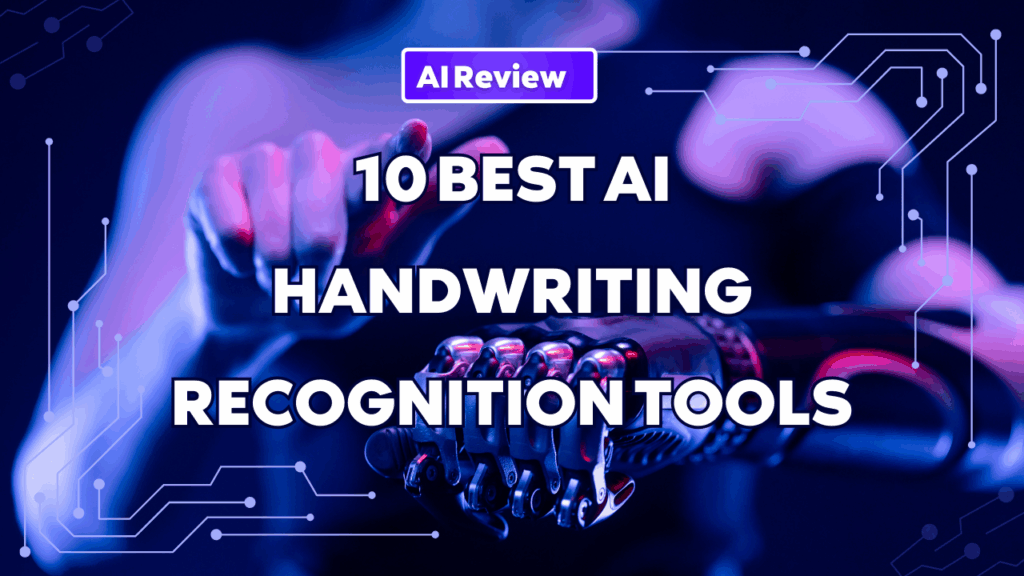
For decades, the messy reality of human handwriting—from crucial medical notes to historical archives and daily form submissions—has presented a formidable challenge to digital automation. Traditional Optical Character Recognition (OCR), designed for clean, printed text, consistently failed when confronted with cursive scripts, variable quality, and diverse writing styles.
Enter AI Handwriting Recognition (HTR). Powered by advanced deep learning models, including cutting-edge Transformer and Vision-Language Models, modern HTR tools no longer focus solely on characters. They understand context, layout, and document structure, enabling accuracy rates approaching or exceeding 90% in structured scenarios.
Whether you are digitizing handwritten notes, extracting data from forms, or evaluating the best AI for handwriting recognition, today’s solutions go far beyond basic OCR.
Modern best AI handwriting recognition software can:
- Detect handwritten entries on custom forms
- Preserve document structure and semantics
- Convert handwritten notes into searchable, reusable knowledge
- Serve as a practical alternative to general-purpose AI tools in OCR workflows
The Top Contenders: A Closer Look at the Best HTR Tools
Based on accuracy, scalability, and real-world usability, the following tools define the state of handwriting recognition in 2026.
1. iWeaver (Our Top Recommendation)
Focus: Enterprise-Grade Document Intelligence Platform
Key Features:
iWeaver is built around document intelligence rather than standalone OCR. It combines high-accuracy handwriting recognition with layout analysis and natural language understanding, enabling reliable extraction from handwritten forms, notes, and mixed-content documents.
Why iWeaver Stands Out for AI Handwriting Recognition
Unlike traditional OCR engines, iweaver AI handwriting recognition understands the meaning of handwritten content. It accurately detects handwritten entries on custom forms, contracts, research notes, and operational documents, transforming them directly into structured, business-ready data.
Beyond recognition, iWeaver also supports advanced workflows such as the iweaver text to handwriting converter, enabling the creation of realistic handwritten outputs from digital text for education, design, and personalized documentation.
Best For: Organizations that require scalable, accurate handwriting recognition combined with downstream automation and knowledge reuse.
2. Transkribus
Focus: Historical Manuscripts and Archival Documents
Transkribus specializes in complex and historical handwriting. Its custom model training makes it a top choice for researchers dealing with old scripts and low-quality scans.
Best For: Historians, archivists, and academic institutions.
3. Google Cloud Vision AI / Document AI
Focus: Cloud-Based OCR and Structured Document Processing
Google’s services provide strong multilingual handwriting recognition and scalable APIs. Google Document AI handwriting recognition performs well for structured forms but typically requires developer integration and post-processing.
Best For: Teams already embedded in the Google Cloud ecosystem.
4. Amazon Textract
Focus: Form and Table Extraction
Textract excels at structured documents with predictable layouts, including handwritten form fields.
Best For:
AWS-based enterprises processing standardized forms at scale.
5. Microsoft Azure Document Intelligence
Focus: Layout-Aware OCR and Custom Models
Azure’s document intelligence platform offers flexible model training and enterprise integrations.
Best For: Organizations using Microsoft Azure services.
6. MyScript Nebo
Focus: Real-Time Handwritten Note Conversion
Nebo is widely used on tablets for live handwriting-to-text conversion, making it a popular option for personal note-taking.
Best For: Students and individuals looking for a top AI tool for scanning handwritten notes in real time.
7. KlearStack
Focus: Enterprise Document Automation
KlearStack provides end-to-end document processing with handwriting OCR capabilities tailored to regulated industries.
Best For: Finance, insurance, and healthcare workflows.
Visual Comparison: HTR Tool Feature Breakdown
Choosing the right tool depends heavily on your primary use case: personal note-taking vs. enterprise-scale automation. The table below breaks down the key differentiators.
| Feature / Tool | Transkribus | Google Document AI | AWS Textract | MyScript Nebo | iWeaver (Recommended) |
| Primary Use Case | Historical/Archives | General API/Form | Structured Forms | Live Note-Taking | Enterprise Automation |
| HTR Accuracy | Very High (Custom Model) | High | High (Structured) | High (Clean Input) | Extremely High (Contextual) |
| Contextual Understanding | Moderate | High | High | Low | Superior (NLP Integration) |
| Custom Model Training | Yes (Core Feature) | Yes (Vertex AI) | Limited | No | Yes (Simple UI) |
| Pre-built Templates | No (Uses Public Models) | Yes | Yes | No | Yes (Extensive) |
| Integration/API | Yes | Yes (Native Cloud) | Yes (Native Cloud) | Export Only | Seamless (API & Connectors) |
| Cost Model | Credits/Page | Pay-as-you-go | Pay-as-you-go | One-time/Subscription | Subscription (Volume-Based) |
GPT and Handwriting Recognition: What It Can (and Can’t) Do
With the rise of multimodal AI models, many users wonder whether GPT can handle handwriting recognition.
GPT itself is not a handwriting OCR engine. It cannot natively scan handwritten documents or detect handwritten text. GPT can only interpret handwriting after an external OCR tool converts it into digital text.
In practice:
- GPT depends entirely on third-party OCR accuracy
- It cannot detect handwritten entries on custom forms
- It lacks layout and field-level document understanding
This makes GPT unsuitable as the core solution when evaluating the best OCR for handwriting.
Best AI OCR Software Comparison: GPT Alternative for Handwriting Recognition
When comparing handwriting recognition tools, GPT is often evaluated as a reference point—but not as a direct competitor.
Dedicated handwriting recognition platforms outperform GPT in scenarios requiring:
- Native handwritten text detection
- Custom form recognition
- Structured data extraction
- Enterprise-grade automation
For users searching for a best AI OCR software comparison or ChatGPT alternative, specialized platforms like iWeaver AI handwriting recognition offer significantly better reliability and workflow integration.
GPT remains useful as a post-processing layer—for summarization or explanation—but not as the primary handwriting recognition engine.
While tools like Transkribus are phenomenal for historical text and cloud providers offer robust APIs, modern enterprises need more than character-to-text conversion. They need to accept incoming handwritten documents, understand their business context, extract data, validate it, and automatically push it into core systems like ERPs and CRMs.
This is where iWeaver separates itself from competitors.
Key Advantages of iWeaver’s AI Handwriting Recognition
- Contextual Intelligence:
Unlike basic OCR/HTR engines, iWeaver delivers deeper interpretation—understanding that “4,000” refers to a specific field like “Total Amount Due” based on document layout and context. - End-to-End Workflow:
iWeaver is a full platform, not a single API—managing intake, classification, extraction, validation, and integration. - High-Volume Scalability:
Designed to meet large organizational demands with batch processing, monitoring, and audit features.
For enterprises serious about eliminating manual data entry from handwritten documents, iweaver AI handwriting recognition offers unmatched accuracy, functionality, and integration—making it the definitive top choice for 2026.
The Future Is Handwriting-Ready
Handwriting recognition has evolved from basic OCR into intelligent document understanding. While general AI models like GPT play a supporting role, real-world workflows demand purpose-built solutions.
For organizations seeking scalable automation, accurate extraction, and long-term knowledge value, iweaver AI handwriting recognition represents the most complete solution—making it one of the best AI handwriting recognition tools of 2026.
Frequently Asked Questions About AI Handwriting Recognition
1. What is iWeaver AI handwriting recognition?
iWeaver AI handwriting recognition is a full-featured platform that not only converts handwritten text into digital format but also understands document structure and context. It can detect handwritten entries on custom forms, process complex business documents, and output structured, actionable data ready for automation workflows.
It also supports creative workflows, such as the iweaver text to handwriting converter, which transforms digital text into natural-looking handwriting.
2. Why choose iWeaver over other AI handwriting tools?
iWeaver combines several advantages in one platform:
- High Accuracy: Advanced deep learning models for varied handwriting styles
- Contextual Understanding: Recognizes the meaning and placement of handwritten fields
- Custom Forms Processing: Automatically extracts data from forms, surveys, and contracts
- End-to-End Workflow: Ingest, extract, validate, and integrate handwritten content without manual intervention
For businesses and enterprises, iWeaver often outperforms generic OCR tools and even cloud-based APIs in real-world document automation scenarios.
3. Can iWeaver replace GPT for handwriting recognition?
While GPT is a powerful language model, it is not a handwriting OCR engine. GPT requires external OCR input to process handwriting.
iWeaver serves as a GPT alternative for handwriting workflows because it can natively scan handwritten documents, understand context, and convert handwriting into structured, usable knowledge—all in one system.
4. Which types of documents can iWeaver handle?
iWeaver excels at:
- Handwritten forms and applications
- Research notes and academic papers
- Meeting minutes and business notes
- Mixed-content documents combining printed and handwritten text
Its AI models adapt to different layouts and writing styles, ensuring high accuracy across document types.
5. How does iWeaver compare to Google Document AI?
While Google Document AI handwriting recognition is a strong cloud-based OCR tool, iWeaver offers:
- Better integration for enterprise workflows
- Structured extraction with context awareness
- Support for custom handwritten forms and creative output
For companies needing end-to-end automation rather than just OCR, iWeaver is generally the more complete solution.
6. Is iWeaver suitable for personal note-taking?
Yes. iWeaver can scan handwritten notes from meetings, classes, or research notebooks, convert them into editable text, and organize them for easy retrieval.
It also provides advanced features for students, researchers, and knowledge workers, making handwritten content searchable and actionable.
7. How does iWeaver handle custom forms and structured workflows?
iWeaver is designed for AI tools that detect handwritten entries on custom forms. It can:
- Identify fields on diverse form layouts
- Extract handwritten text accurately
- Preserve context and relationships between fields
- Output data ready for integration into databases, ERPs, or CRMs
This makes it suitable for enterprise-scale automation, compliance, and knowledge management.
8. Can iWeaver summarize or analyze recognized handwriting?
Yes. After extracting handwritten text, iWeaver can:
- Generate summaries and insights
- Create structured reports
- Integrate with downstream AI assistants for further analysis
This allows businesses to not just digitize handwriting, but leverage it for actionable intelligence.
While GPT excels in language understanding, iWeaver is purpose-built for handwriting recognition and document intelligence. It combines accurate OCR, contextual analysis, structured extraction, and workflow automation, making it the best AI handwriting recognition tool for both enterprise and individual users.