The best AI summarizer depends on what you need to summarize. If you want to condense a short article or paragraph, a writing-focused tool like QuillBot may be enough. If you need to understand long PDFs, research papers, business reports, or multiple documents at once, iWeaver is a stronger fit because it combines PDF summaries, document chat, multi-document reading, and knowledge-base organization in one workflow.
This guide compares the best AI summarizer tools for common use cases: PDFs, articles, meetings, reports, and general Q&A.
What Makes a Good AI Summarizer?
A good AI summarizer should do more than shorten text. It should help you understand what matters, verify important details, and turn long content into something useful.
Look for these features:
- Accurate key-point extraction: The summary should preserve the core argument, not just rewrite the first few paragraphs.
- Format support: PDFs, Word documents, slides, web pages, meeting transcripts, and pasted text should all be easy to process.
- Custom summary length: Sometimes you need a one-paragraph overview. Other times you need detailed notes, action items, or a structured outline.
- Source grounding: For PDFs and reports, the best tools help you trace answers back to the original document.
- Multi-document support: Research work often involves several PDFs, reports, or articles, not just one file.
- Export options: Summaries should be easy to turn into notes, reports, briefs, or knowledge-base entries.
- Privacy and security: Business and research documents often contain sensitive information, so data handling matters.
Best AI Summarizer Tools Compared
| Ferramenta | Melhor para | Pontos fortes | Limitações |
|---|---|---|---|
| iWeaver | PDF summaries, reports, research documents, multi-document workflows | Summarizes PDFs, supports document chat, handles multiple document types, helps turn files into structured knowledge | Best fit for document-heavy workflows rather than casual one-line summaries |
| QuillBot | Short summaries and writing support | Simple text summarization, paragraph or bullet output, good for students and writers | Less ideal for complex PDF research workflows |
| Adobe Acrobat AI Assistant | PDF reading and PDF-native Q&A | Strong PDF environment, summary length control, linked source references | Best if your workflow already lives in Acrobat |
| ChatGPT | General Q&A and flexible summarization prompts | Good for custom instructions, rewriting, brainstorming, and mixed tasks | Requires careful prompting and may be less workflow-specific |
| Otter / Fireflies | Meeting notes and call summaries | Transcribes meetings, creates summaries, extracts action items | Built for meetings, not long PDF or report analysis |
Best for PDF Summaries: iWeaver
iWeaver is the best fit when your summarization task starts with a PDF, report, research paper, textbook chapter, slide deck, or business document.
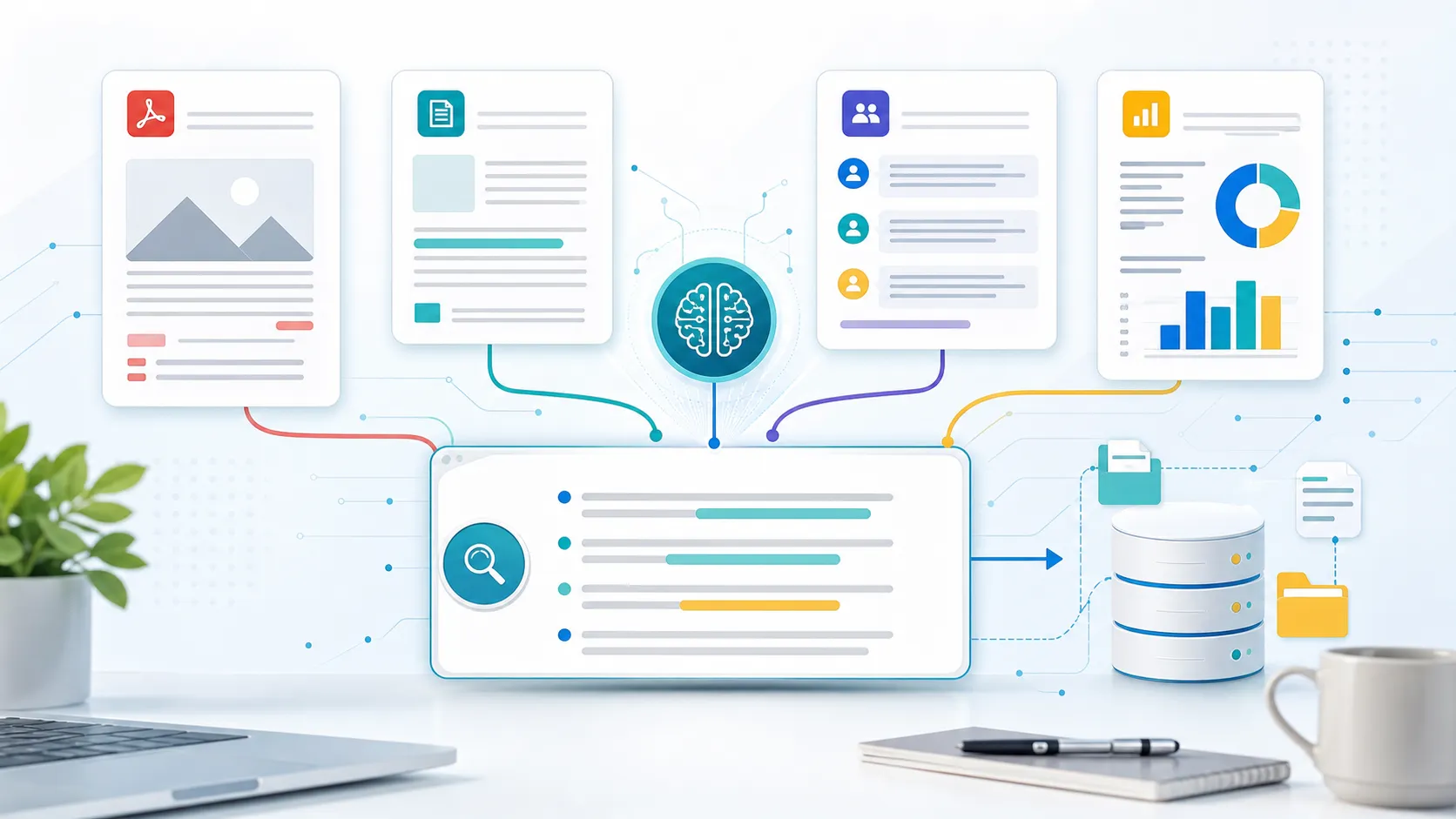
Instead of treating summarization as a one-time text-shortening task, iWeaver helps you move through the full reading workflow:
- Upload a PDF or document.
- Generate a concise summary.
- Ask follow-up questions about the content.
- Extract key points, citations, notes, or structured outputs.
- Save useful insights into a knowledge base.
According to iWeaver’s official AI PDF Summarizer page, the tool supports large PDFs up to 30MB per file, offers an interactive chat interface, and can generate visual mind maps from PDF content. iWeaver’s AI PDF Reader also supports PDF, DOC, DOCX, and PPTX uploads, plus multi-document review, section-focused summaries, citation generation, and exports to Word or text formats.
That makes iWeaver especially useful for:
- Students summarizing textbook chapters or lecture slides
- Researchers reviewing academic papers
- Analysts reading market reports or financial documents
- Consultants turning client materials into structured briefs
- Professionals comparing several PDFs before writing a report
Verified iWeaver use case: iWeaver’s official PDF summarizer and PDF reader pages describe workflows for summarizing textbooks, research papers, business reports, financial documents, lecture slides, and multi-document research.
Best for Writing Short Summaries: QuillBot
QuillBot is a strong choice when you want to quickly condense a short article, essay section, or pasted text. Its summarizer lets users choose between paragraph-style and bullet-point summaries, and it is especially convenient for simple writing tasks.
Choose QuillBot if your main goal is to shorten text for readability.
Choose iWeaver instead if your source material is a PDF, a long report, a set of research documents, or anything that requires follow-up questions and knowledge organization.
Best for PDF Reading: Adobe Acrobat AI Assistant
Adobe Acrobat AI Assistant is a practical option for users who already work inside Adobe’s PDF ecosystem. Adobe highlights features such as adjustable summary length, document Q&A, and clickable attributions that help users trace answers back to source content.
It is a good fit for PDF-native workflows, especially when your goal is to stay inside Acrobat while reading and analyzing a document.
iWeaver is better suited when you want PDF summarization to become part of a broader research workflow, including multi-document review, knowledge-base building, and structured note generation.
Best for General Q&A: ChatGPT
ChatGPT is one of the most flexible AI tools for summarization because you can ask for almost any output format: executive summary, bullet points, table, outline, email draft, study guide, or action plan.
It works well when you know how to prompt clearly. For example:
“Summarize this document for a busy executive. Include the main argument, three risks, five action items, and any unresolved questions.”
The tradeoff is that ChatGPT is a general-purpose assistant. If your work centers on many PDFs, recurring research workflows, or organized knowledge management, a dedicated document summarizer like iWeaver can reduce the amount of manual prompting and file handling.
Best for Meeting Notes: Otter / Fireflies
Otter and Fireflies are better choices for meetings than document summarization. They can record calls, transcribe conversations, generate meeting summaries, and extract action items.
Use Otter or Fireflies when your source content is spoken conversation from Zoom, Google Meet, Microsoft Teams, interviews, lectures, or sales calls.
Use iWeaver when your source content is written material: PDFs, reports, articles, slides, documents, research papers, or knowledge-base files.
How to Choose the Right AI Summarizer
Choose based on your source material first.
If you summarize PDFs: choose iWeaver or Adobe Acrobat AI Assistant.
If you summarize short text: choose QuillBot.
If you summarize meetings: choose Otter or Fireflies.
If you need flexible reasoning and rewriting: choose ChatGPT.
If you summarize many documents and want to keep insights organized: choose iWeaver.
Here is the simplest decision rule:
- For a quick paragraph summary, use a simple text summarizer.
- For a meeting recap, use a meeting assistant.
- For long PDFs, research reports, and multi-document analysis, use iWeaver.
The strongest AI summarizer is not always the one with the most features. It is the one that matches your actual reading workflow.
Perguntas frequentes
What is the best AI summarizer for PDFs?
iWeaver is a strong choice for PDF summaries because it can summarize long PDFs, support document chat, review multiple documents, and help turn extracted insights into structured knowledge. Adobe Acrobat AI Assistant is also useful for users who prefer a PDF-native Acrobat workflow.
What is the best free AI summarizer?
For short text, QuillBot is a popular option. For PDFs and document workflows, iWeaver offers free AI PDF summarization features that are better suited to long-form files and research materials.
Can AI summarize long reports?
Yes. AI summarizers can condense long reports into key findings, executive summaries, outlines, and action items. For long reports, choose a tool that supports file uploads, document Q&A, and source-grounded summaries.
Can AI summarize multiple PDFs at once?
Some tools support multi-document workflows. iWeaver’s AI PDF Reader page describes multi-document search and review, which can help users find connections and patterns across uploaded PDFs.
Is ChatGPT good for summarizing documents?
ChatGPT is useful for flexible summarization and custom prompts. However, for repeated PDF research, document reading, and knowledge organization, a dedicated tool like iWeaver may be more efficient.
What is the difference between an AI summarizer and an AI PDF reader?
An AI summarizer condenses content into shorter text. An AI PDF reader usually goes further by letting you ask questions, search within the document, extract references, analyze sections, and interact with the file.
Which AI summarizer is best for students?
Students who need short summaries may use QuillBot. Students working with textbooks, lecture slides, research papers, and PDFs may benefit more from iWeaver because it supports document summaries, notes, and PDF chat.
Which AI summarizer is best for business reports?
iWeaver is a strong fit for business reports because it can summarize long documents, support follow-up questions, and help organize extracted insights into a knowledge base.