The best AI summarizer depends on what you need to summarize.
A tool that works well for a short article may not be the best choice for a 100-page PDF, a folder of research papers, or a one-hour meeting recording.
Some tools focus on quick text summaries. Others let you upload documents, ask follow-up questions, compare multiple sources, summarize videos, or turn what you learn into reusable notes.
To make the choice easier, we compared eight AI summarizer tools for PDFs, research, articles, meetings, videos, and everyday documents.
Best AI Summarizers at a Glance
| Tool | Best for | Main strength | Limitation |
|---|---|---|---|
| iWeaver | PDFs, documents, video, audio, and research | Handles multiple content types in one workflow | More features than needed for a simple paragraph |
| NotebookLM | Research across multiple sources | Source-grounded research and synthesis | Less focused on general writing tasks |
| ChatGPT | Flexible summarization | Highly customizable outputs and follow-up tasks | Results depend on your instructions |
| Claude | Long and complex documents | Strong context handling and document analysis | Not built specifically as a summarization workspace |
| Adobe Acrobat AI Assistant | PDF-heavy workflows | Works naturally inside PDF workflows | Best suited to document-based tasks |
| Scholarcy | Academic papers | Structured research summaries | Primarily designed for academic content |
| QuillBot | Short text and articles | Fast and simple | Limited for deeper multi-document research |
| Otter | Meetings and conversations | Combines transcription and meeting summaries | Focused mainly on spoken content |
What Makes a Good AI Summarizer?
A good AI summarizer should do more than shorten text.
It should help you quickly understand what matters without removing important context along the way.
When comparing tools, consider these factors:
- Summary quality: Does it preserve the main argument, evidence, and conclusions?
- Input support: Can you use PDFs, documents, links, audio, video, or only pasted text?
- Long-document handling: Can it work with reports, papers, or other lengthy material?
- Follow-up questions: Can you explore specific details after getting the first summary?
- Output formats: Can you request bullet points, notes, tables, outlines, or action items?
- Multi-source analysis: Can it work across several documents instead of one file at a time?
- Source grounding: Can you easily check where an important claim came from?
- Ease of use: How quickly can you move from the original source to something useful?
The right balance depends on whether you want a quick TL;DR or a deeper research workflow.
1. iWeaver — Best for Multi-Format Summarization
iWeaver is a practical choice when the information you need to summarize comes from several different formats.
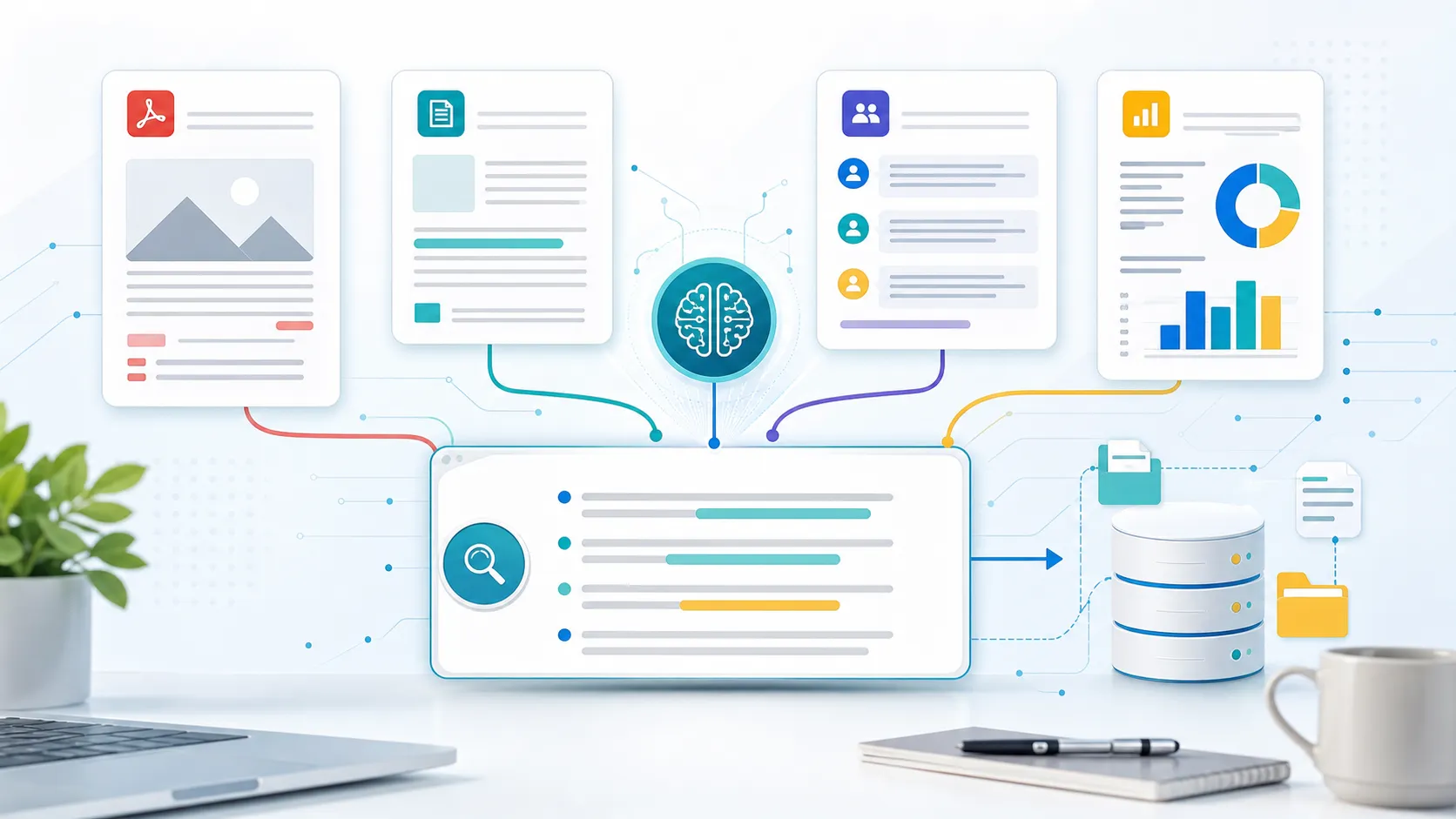
Instead of limiting the workflow to pasted text, its AI Summarizer can work with documents, webpages, images, audio, video, and other common content sources.
This is useful when one project includes a PDF report, several webpages, a recorded meeting, and a video rather than a single document.
You can start with a summary, then continue asking questions about important findings, numbers, arguments, or action items. The same material can also be reorganized into notes, outlines, tables, and other structured formats.
Best for:
- PDFs and reports
- Research papers
- Multiple documents
- Web articles
- Video and audio
- Study materials
- Ongoing research projects
Why choose it: iWeaver works well when summarization is part of a larger reading or research workflow rather than a one-time task.
Keep in mind: If you only want to shorten a few paragraphs, a simpler text summarizer may get you there faster.
2. NotebookLM — Best for Research Across Multiple Sources
NotebookLM is built around a collection of sources.
You add documents and other source material to a notebook, then ask questions based on that material. This makes it particularly useful when you are trying to understand several sources together rather than summarize them one by one.
For example, you might upload a collection of research papers and ask:
- What findings appear across multiple papers?
- Where do the authors disagree?
- Which methods are most commonly used?
- What gaps remain in the existing research?
NotebookLM also turns source material into other formats such as audio overviews, mind maps, and study-oriented outputs.
Best for:
- Literature reviews
- Course materials
- Competitive research
- Project documentation
- Source-heavy research projects
Why choose it: Its source-centered approach makes it easier to explore connections across a defined collection of material.
Keep in mind: If you want to summarize something and immediately rewrite it into an email, blog post, or presentation, a more general AI assistant may feel more flexible.
3. ChatGPT — Best for Flexible Summaries
ChatGPT is useful when you want control over exactly how a summary is written.
Instead of accepting one fixed format, you can describe the audience, purpose, length, and structure you need.
For example:
Summarize this report for a product manager. Start with a five-sentence overview, then list the main findings, supporting numbers, risks, and unresolved questions.
You can also continue after the summary and ask ChatGPT to:
- Explain a difficult section
- Compare two documents
- Extract dates or numbers
- Create a table
- Rewrite the summary for another audience
- Turn findings into an action plan
Best for:
- Custom summaries
- General document analysis
- Rewriting and repurposing
- Follow-up questions
- Mixed everyday tasks
Why choose it: Summarization can immediately lead into another writing, analysis, or planning task.
Keep in mind: Because ChatGPT is a general-purpose assistant, the quality of the output often improves when you give it a clear structure and purpose.
4. Claude — Best for Long and Complex Documents
Claude is especially useful when the source contains long explanations, complex arguments, or a lot of context that you do not want to lose.
Instead of requesting only a short summary, you can ask Claude to explain how an argument develops, identify assumptions, compare sections, or separate evidence from interpretation.
It works well with material such as:
- Research reports
- Long-form essays
- Strategy documents
- Technical documentation
- Policy material
- Books and chapters
For documents where nuance matters, this can be more useful than aggressively compressing everything into a few bullet points.
Why choose it: Claude is well suited to reading tasks where understanding structure and context matters as much as shortening the document.
Keep in mind: It is still a general AI assistant rather than a dedicated summarization or research-management workspace.
5. Adobe Acrobat AI Assistant — Best for PDF Workflows
Adobe Acrobat AI Assistant is a natural option if most of the material you read is already in PDF format.
You can generate an overview of a document, ask follow-up questions, and move back to the relevant sections of the original PDF when you need to verify something.
That makes it particularly useful for:
- Contracts
- Research papers
- Financial reports
- Policies
- Proposals
- Business documents
For people who already spend much of their day inside Acrobat, there is little need to move a document into a separate summarization tool.
Why choose it: Summarization and document review stay closely connected to the original PDF.
Keep in mind: If your workflow regularly includes video, audio, webpages, and several other formats, a broader summarization tool may be more convenient.
6. Scholarcy — Best for Research Papers
Scholarcy is built specifically for academic reading.
Rather than turning a research paper into only a short paragraph, it breaks the paper into more useful pieces so you can quickly understand what the research is about.
Depending on the source, this can include:
- Key findings
- Main claims
- Methods
- Results
- References
- Important concepts
- Related research
This makes Scholarcy useful when you have a long reading list and need to decide which papers deserve closer attention.
Best for:
- Research papers
- Academic articles
- Literature reviews
- Student reading lists
- Research libraries
Why choose it: Its summaries are structured around the way academic papers are actually read.
Keep in mind: If your work includes meetings, business documents, videos, and general writing tasks, it may feel more specialized than you need.
7. QuillBot — Best for Quick Text Summaries
QuillBot keeps things simple.
If you have an article, essay, set of notes, or other text that needs to be shortened quickly, you can paste it in and generate a more concise version without setting up a larger research workflow.
That makes it useful for:
- Articles
- Essays
- Notes
- Short documents
- Writing drafts
Why choose it: It is quick and easy to use when you only need the main points.
Keep in mind: It is less suited to projects involving many files, multimedia sources, or deeper cross-document analysis.
8. Otter — Best for Meeting Summaries
Not everything that needs summarizing starts as a document.
Meetings, interviews, lectures, and calls often contain decisions and action items that are difficult to recover later.
Otter focuses on this type of content by combining transcription with meeting summaries.
After a conversation, you can review the transcript, key points, and action items instead of replaying the entire recording.
Best for:
- Team meetings
- Sales calls
- Interviews
- Lectures
- Project discussions
- Meeting follow-ups
Why choose it: Transcription and summarization happen in the same workflow.
Keep in mind: If your main sources are PDFs, articles, reports, or research papers, a document-focused tool will usually make more sense.
Which AI Summarizer Should You Choose?
Start with the type of content you summarize most often.
| If you mainly need to... | Consider |
|---|---|
| Summarize PDFs, audio, video, webpages, and mixed files | iWeaver |
| Research across a fixed collection of sources | NotebookLM |
| Customize summaries and continue into other tasks | ChatGPT |
| Understand long or complex documents | Claude |
| Stay inside a PDF workflow | Adobe Acrobat AI Assistant |
| Review academic papers | Scholarcy |
| Shorten text quickly | QuillBot |
| Summarize meetings and calls | Otter |
For simple tasks, choosing a focused tool can save time.
If you only need to shorten an article, you probably do not need a full research workspace. If you mainly want meeting notes, a meeting assistant makes more sense than a PDF tool.
The decision becomes different when your source material changes throughout the day.
You may need to read a report in the morning, review several research papers later, and summarize a webinar before the end of the day. In that case, format flexibility becomes much more important.
What Is the Best AI Summarizer for PDFs?
PDF summarization deserves special attention because PDF files can range from short reports to textbooks, financial documents, and academic papers hundreds of pages long.
For occasional PDF reading, Adobe Acrobat AI Assistant can be convenient because the summary stays close to the original document.
For workflows that extend beyond PDFs, iWeaver's AI PDF Summarizer is another option. It is useful when a PDF is only one part of a larger project that may also involve webpages, documents, audio, or video.
When choosing a PDF summarizer, look beyond the initial summary.
Useful features include:
- Follow-up questions
- Section-level analysis
- Key-point extraction
- Tables and structured outputs
- Multi-file workflows
- Easy verification against the source
These features matter more as the documents become longer and more complex.
What Should a Good AI Summary Include?
A shorter summary is not automatically a better summary.
For important material, check whether the result still contains:
- The main purpose or argument
- Important supporting evidence
- Key numbers and facts
- Conclusions
- Limitations or uncertainty
- Decisions and action items
- Important disagreements or alternative views
The more aggressively a document is compressed, the easier it becomes to lose details that affect the meaning.
This matters particularly for research, legal material, financial reports, and business decisions.
Instead of asking:
Summarize this PDF.
Try:
Summarize this PDF in five sections: purpose, key findings, supporting evidence, limitations, and recommended next steps. Keep important numbers and uncertainty from the original.
The second prompt tells the tool what information should survive the summarization process.
How to Get Better AI Summaries
The easiest way to improve a summary is to explain what you need it for.
For an executive summary
Create a one-page executive summary. Focus on business impact, important numbers, risks, and decisions that require leadership attention.
For research
Summarize the research question, methodology, main findings, limitations, and implications. Keep the authors' conclusions separate from your interpretation.
For studying
Turn this chapter into revision notes with key concepts, definitions, examples, and five questions I should be able to answer after studying it.
For meetings
Summarize the main decisions, unresolved issues, action items, owners, and deadlines mentioned in this meeting.
For a long report
Give me a short overview first, then summarize each major section separately. Flag important numbers, assumptions, risks, and recommendations.
The source does not change. The quality of the result improves because the task is clearer.
Can AI Summarize Videos?
Yes. Video summarizers normally work from spoken content or transcripts and turn them into a shorter written format.
This can be useful for:
- Lectures
- Tutorials
- Webinars
- Interviews
- Product demos
- Long YouTube videos
Instead of watching the whole video again, you can review the main ideas first and then return to the sections that matter.
For YouTube content specifically, tools such as iWeaver's YouTube Video Summarizer can turn a video into key points and structured notes.
AI Summarizer vs. AI PDF Reader: What's the Difference?
The two terms are often used interchangeably, but they are not exactly the same.
An AI summarizer focuses on reducing content to its most important points.
An AI PDF reader usually goes further. It may let you ask questions, search the document, extract information, navigate sections, and analyze the file interactively.
If you only need a short overview, a summarizer may be enough.
If you plan to keep exploring the document after the first summary, an interactive reader or document-chat workflow is usually more useful.
FAQ
What is the best AI summarizer?
There is no single best AI summarizer for every use case. iWeaver is suited to mixed formats and document-heavy workflows, NotebookLM works well for source-based research, ChatGPT offers flexible outputs, Claude is useful for long documents, Scholarcy focuses on academic papers, and Otter specializes in meetings.
What is the best free AI summarizer?
It depends on what you need to summarize. A simple text summarizer may be enough for short passages, while document or research tools are more useful for PDFs and longer material. Compare free usage limits as well as the types of content each tool accepts.
What is the best AI summarizer for students?
For academic papers, Scholarcy can help break research into structured sections. NotebookLM is useful when studying across several sources, while tools such as iWeaver are more suitable when study material includes a mix of PDFs, webpages, videos, and other formats.
Can AI summarize long documents?
Yes. Many AI tools can work with long reports, papers, and other documents. For longer material, ask for a structured summary instead of reducing the entire file to one short paragraph.
Can AI summarize multiple documents?
Some tools support multi-document workflows. This is useful when you want to compare reports, find common themes across papers, or combine information from several sources.
Is ChatGPT good for summarizing documents?
Yes. ChatGPT is particularly useful when you want to specify exactly how the summary should be structured or continue working with the information afterward.
Can AI summaries be inaccurate?
Yes. A summary can omit important qualifications, misunderstand a section, or oversimplify an argument. For important decisions, check key claims, numbers, and conclusions against the original source.
Can AI summarize research papers?
Yes. For research papers, ask the tool to separate the research question, methodology, findings, limitations, and implications rather than requesting only a generic summary.
Can an AI summarizer replace reading the original document?
Not always. A summary is useful for deciding what deserves closer attention and for reviewing material more quickly. For legal, academic, financial, or other high-stakes information, the original source should still be checked before relying on important details.
Final Thoughts
The best AI summarizer is the one that fits the way you actually consume information.
If you only need to shorten a few paragraphs, keep the workflow simple.
If you spend most of your time reading PDFs, choose a tool that makes it easy to move between the summary and the original document.
If you work across papers, reports, webpages, videos, and recordings, look for a tool that can handle those formats without forcing you to rebuild your workflow each time.
And when summarization is only the first step, features such as follow-up questions, multi-source analysis, structured outputs, and source verification can matter more than how short the initial summary is.
The goal is not simply to read less.
It is to understand the material faster without losing the details that matter.