
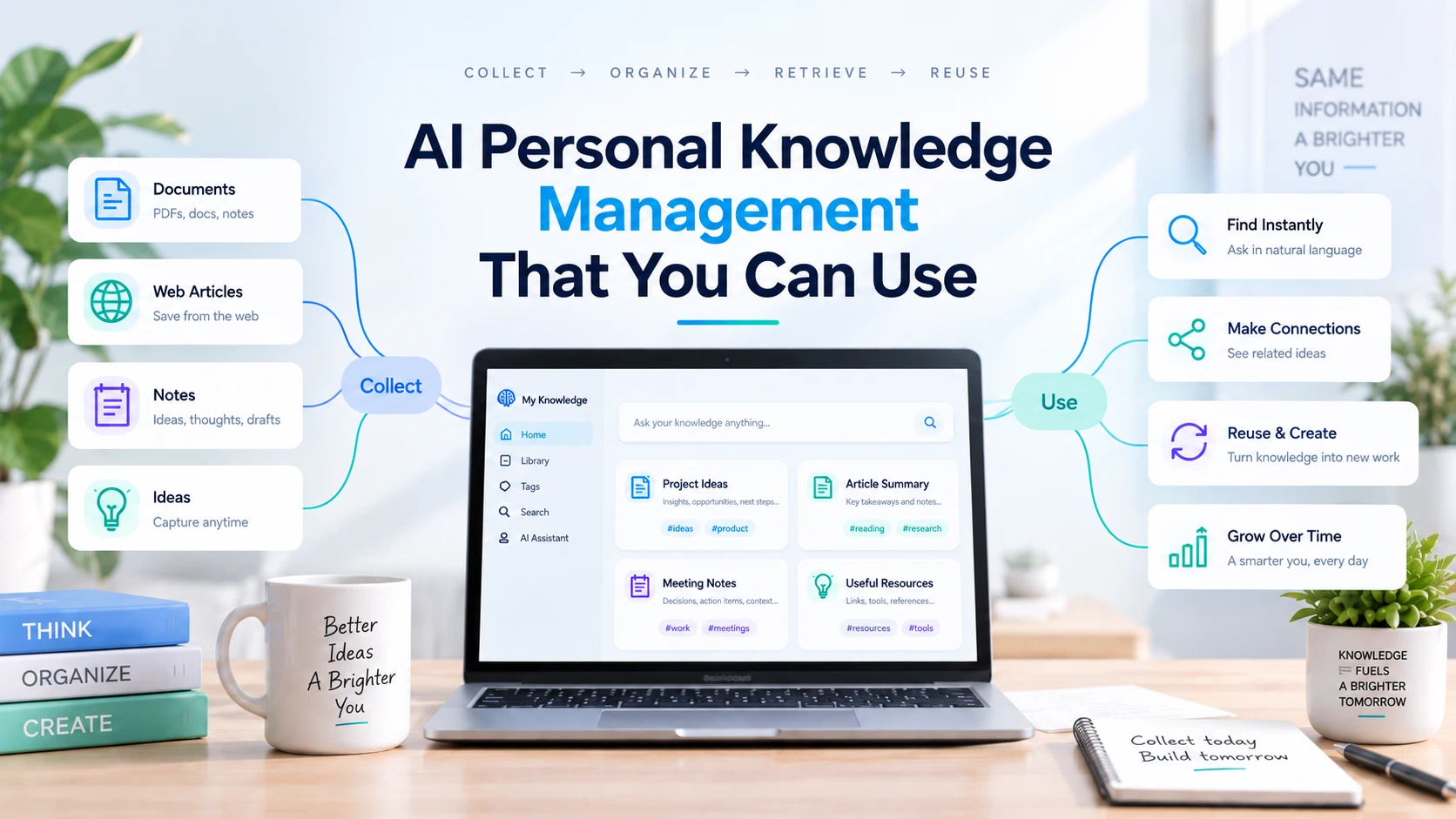
AI personal knowledge management is the practice of using AI to help collect, summarize, organize, retrieve, and reuse information for your own work and learning. A useful system connects original sources with your notes and the tasks those notes can support.
The goal is straightforward: when you need to write a proposal, understand a topic, or explain a decision, you can use what you have already learned.
That requires more than saving articles. Each useful item needs enough context to answer three questions: Where did this come from? What does it mean? When would I use it?
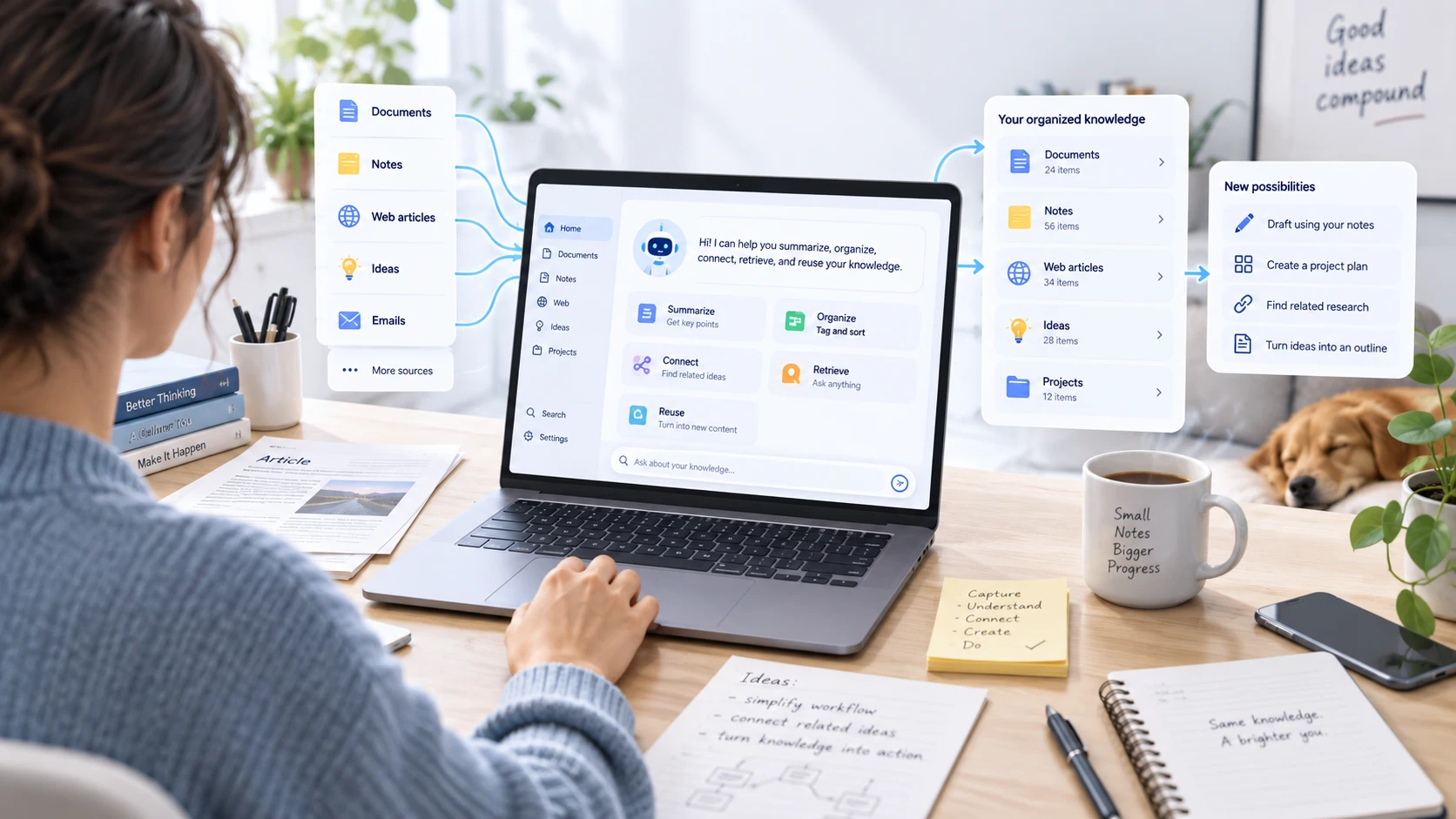
A personal knowledge base can hold documents, reading notes, web articles, and observations. AI can help process that material, but you still decide what deserves attention and whether an interpretation is sound.
| Stage | Useful AI task | Your responsibility |
|---|---|---|
| Capture | Create an initial summary of a source | Decide why the source belongs in your collection |
| Understand | Explain terminology and extract key arguments | Check important details against the original |
| Organize | Suggest themes and relationships | Choose categories that match your work |
| Retrieve | Help answer a question using supplied material | Confirm the answer has supporting evidence |
| Reuse | Draft a brief, outline, or comparison | Add judgment and approve the final output |
Think of this as a workflow you can build with available tools. Individual apps differ in which stages they support and whether information carries between sessions.
Start with a question you expect to revisit
Choose one active need before importing your entire archive. For example:
- A researcher: “Which studies support this explanation, and where do they disagree?”
- A marketer: “What objections keep appearing in customer feedback?”
- A consultant: “Which examples could strengthen my next proposal?”
Create a collection around that question. Begin with a manageable set of relevant sources, then expand when a new source fills a specific gap.
This approach follows a useful principle from Tiago Forte’s second-brain methodology: organize information around work you can act on. His introductory guide to Building a Second Brain explains why active projects provide a practical starting point for organizing notes.
Turn each source into a reusable knowledge note
A generic summary describes a document. A reusable note also explains why you kept it.
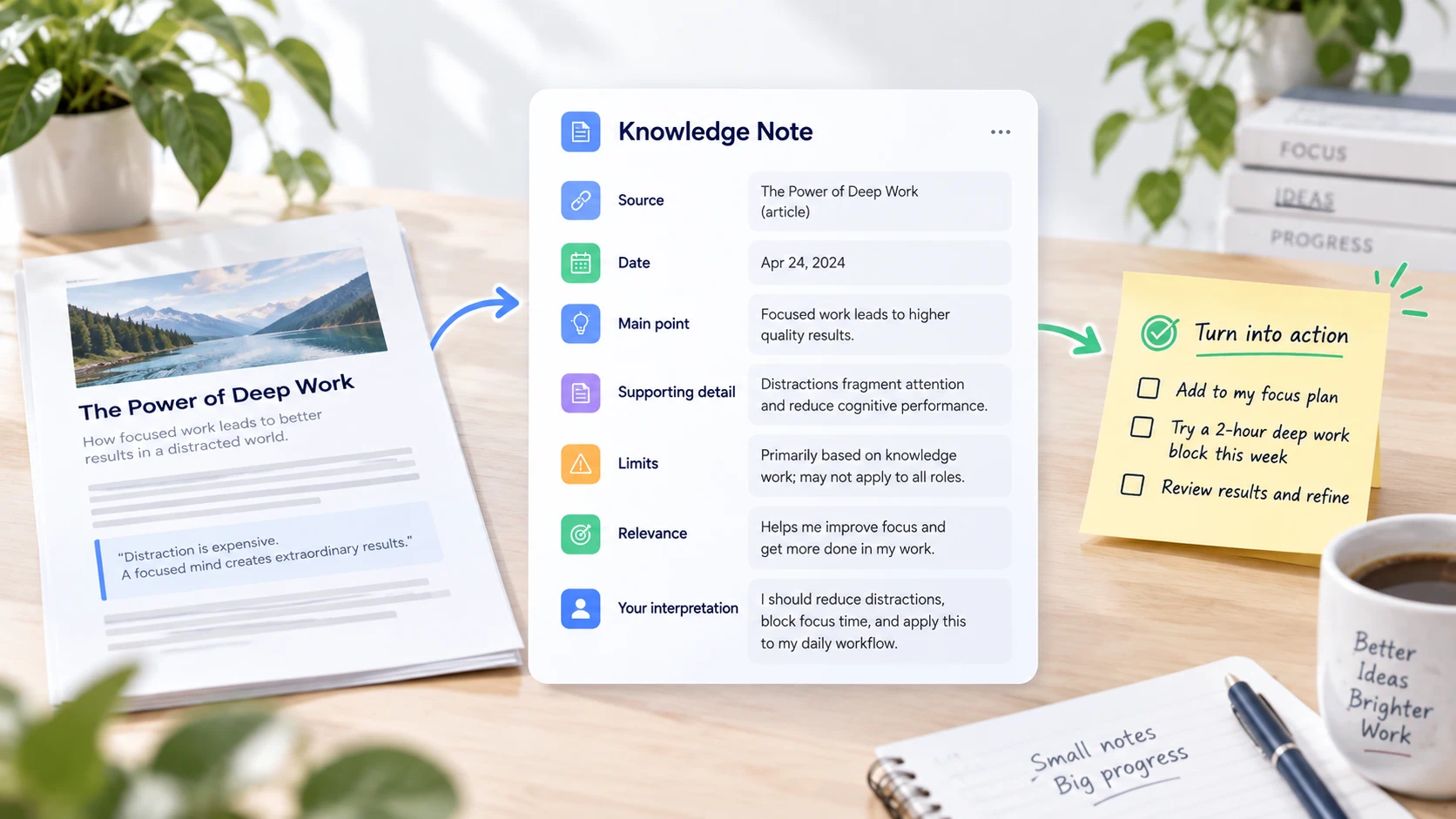
Use a consistent structure:
| Field | What to record |
|---|---|
| Source | Title, author or organization, and original location |
| Date | Publication date and your review date |
| Main point | The idea you need to remember |
| Supporting detail | An example, passage, or finding you can verify |
| Limits | Missing context, uncertainty, or conditions |
| Relevance | The question or project this helps answer |
| Your interpretation | What you think it means, separated from the source |
For document-based research, iWeaver’s AI Document Summarizer can help create the initial summary and extract key points. Use the original document to check details before adding them to a trusted note.
Try this prompt with a source you have supplied: “Create a knowledge note from this document. Include its main argument, supporting evidence, limitations, and relevance to this question: [question]. Separate the author's claims from your interpretation. Preserve any available page or section references. If information is missing, say so rather than filling the gap.”
Filter web research before adding it to your library
Not every interesting article needs a permanent note. Before saving one, decide whether it adds evidence, a useful explanation, or a different perspective.
For accessible public pages, the AI URL Summarizer can produce a summary and structured notes for an initial review. Read the original page before relying on a consequential claim.
Use a simple decision rule:
- Keep: It answers an active question or adds evidence you do not already have.
- Combine: It largely overlaps with an existing note but adds something useful.
- Skip: It repeats familiar advice without improving your understanding.
Add a sentence explaining why you kept each source. “Useful for the onboarding proposal because it describes the customer's first-week questions” will be easier to act on than “Interesting marketing article.”
Connect ideas without flattening disagreements
Once several notes address the same question, compare them. Ask what they share, where they differ, and whether they describe the same conditions.
For example, two sources may appear to disagree about onboarding because one concerns small businesses and the other concerns enterprise teams. Merging their recommendations into a single rule would erase an important distinction.
Try this comparison prompt: “Compare these notes in relation to [question]. Group recurring ideas, identify disagreements, and explain whether differences in audience, date, or context could account for them. Keep each source identifiable. Mark any explanation that is only a hypothesis.”
If the material becomes hard to scan, use iWeaver’s Text to Mind Map tool to visualize themes from your reviewed notes. Check the branches against the source material; a neat diagram can still contain an unsupported relationship.
Worked example: from customer notes to an onboarding brief
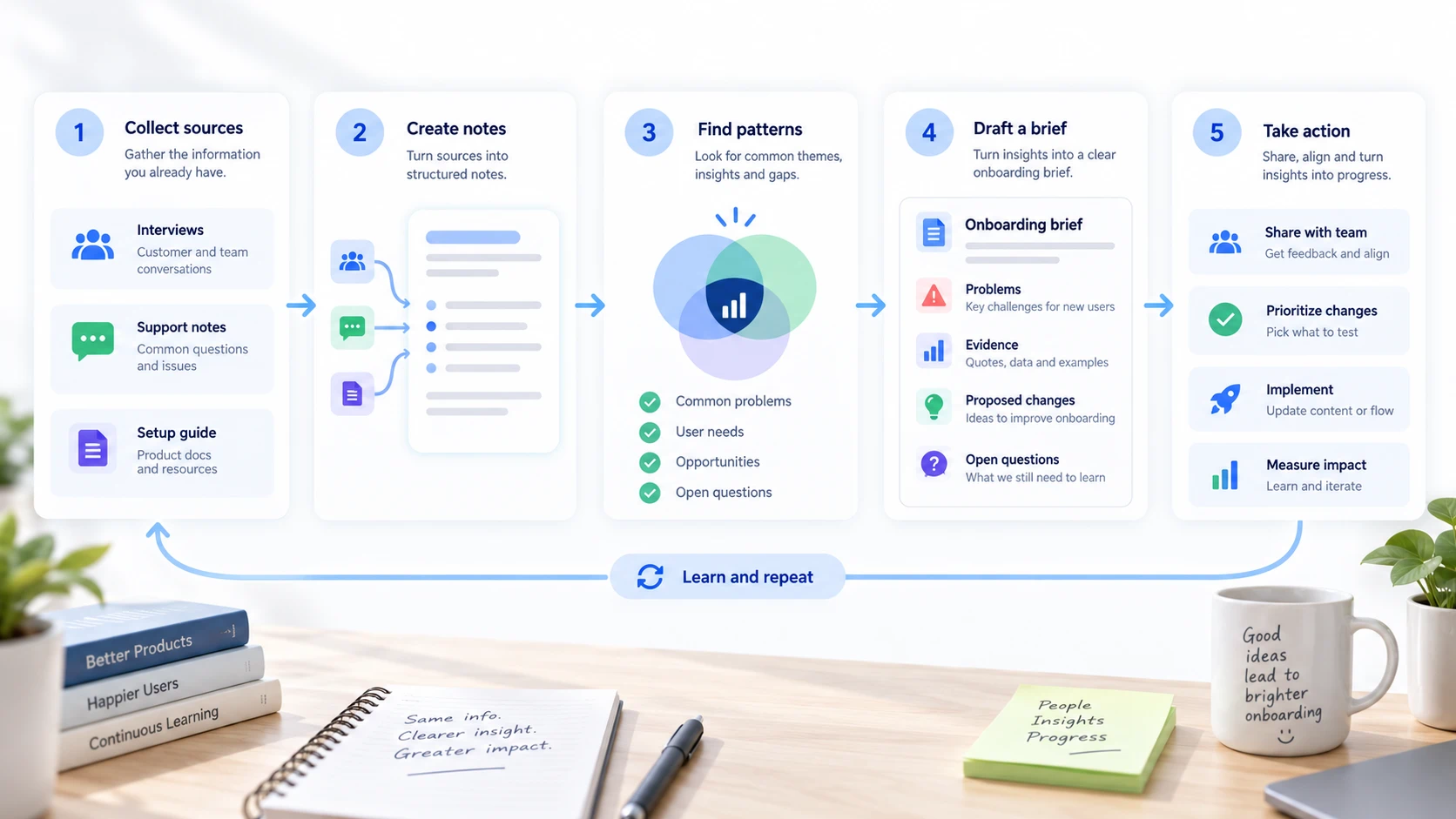
Imagine you are preparing a proposal to improve onboarding. You have interview notes, a support summary, and an existing setup guide. This is an illustrative workflow, not a report of a product test.
First, give each source a label: Interview A, Interview B, Support Summary, and Setup Guide. Create a knowledge note for each one.
| Question | What to collect | What to avoid |
|---|---|---|
| Where do users hesitate? | Relevant passages from interviews and support notes | Treating every complaint as the same problem |
| What instructions already exist? | The corresponding setup-guide section | Assuming users have seen the guide |
| What should we change? | A proposed change with supporting evidence | Presenting a suggestion as a proven solution |
Then draft a short brief with four parts: observed problems, supporting evidence, proposed changes, and unanswered questions.
Store the reviewed brief alongside the notes. When someone later asks why you recommended a change, you have both the reasoning and the original material.
Check whether the system is earning its upkeep
At the end of a work session, pick one question and try to answer it from your collection.
Can you find the relevant source? Can you distinguish its claims from your interpretation? Can you turn the result into something useful without repeating the original research?
If retrieval is difficult, improve titles and context before adding more folders. If summaries are too vague, revise the note template. If information conflicts, preserve the disagreement and identify what would resolve it.
Keep a small record of notes you actually reused. That gives you a practical signal about what to collect next.
Common questions about AI personal knowledge management
Is AI personal knowledge management the same as an AI second brain?
The terms overlap. Personal knowledge management describes the practices for handling information. An AI second brain usually describes the personal system that supports those practices, including stored context and AI-assisted access to it.
Do I need to move all my notes into a new app?
Start with one project and keep the original sources accessible. Expand only after you can reliably retrieve and reuse the material. A full migration is unnecessary for testing whether the workflow helps.
What should I do with outdated notes?
Mark them as outdated or superseded, and identify the newer source. Keep older reasoning when it explains a past decision, but make its status obvious.
Your next step can be small: choose one question, process a few relevant sources, and produce one useful output. Build the collection around the work you want to finish.