

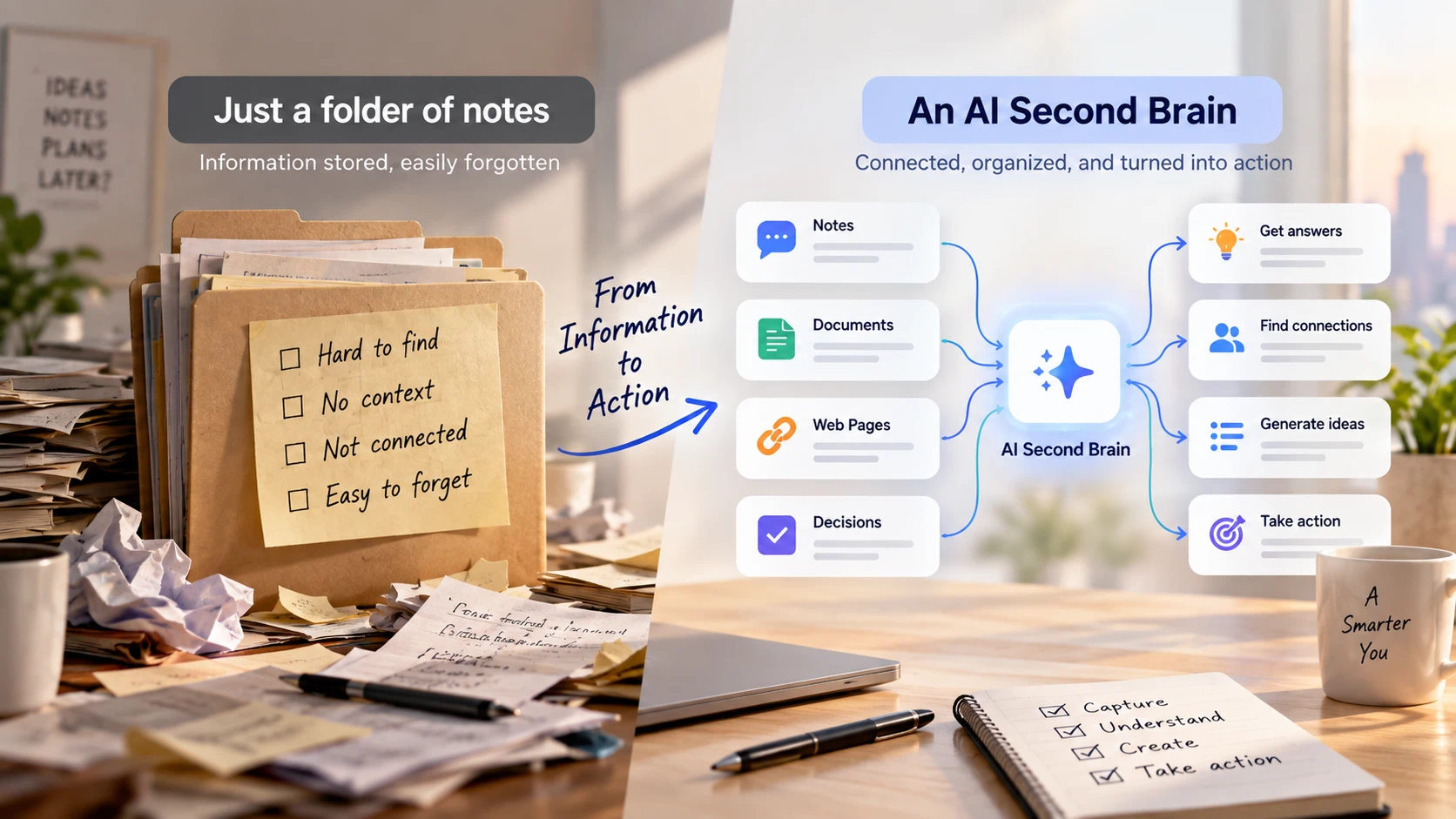
An AI second brain is a personal system that combines saved information with AI assistance to help you recall context, explore ideas, and create useful work. It might contain project notes, documents, reading highlights, and decisions you want to revisit.
Its value becomes clear when you return to a project after a break. You should be able to recover what matters, understand why a decision was made, and identify the next step without reconstructing everything from memory.
Start with one project you will work on again this week. That gives your system a concrete job and an immediate way to test it.
What makes it more useful than a folder of notes?
A folder gives information a home. An AI second brain adds ways to ask questions, compare material, and work with the context you have collected.
There is no single implementation that every product follows. Some systems require manual uploads; others offer integrations or persistent memory. Check what your chosen tool can access each time you use it.
| Component | What it contains | Why it matters |
|---|---|---|
| Source collection | Original documents and relevant notes | Gives answers something concrete to draw from |
| Project context | Goals, constraints, terminology, and current status | Helps make responses relevant to your situation |
| AI workspace | The selected material and your questions | Supports summarization, comparison, and drafting |
| Reviewed outputs | Approved briefs, decisions, and next steps | Preserves the results of your thinking |
The broader second-brain method predates these AI workflows. Tiago Forte’s Building a Second Brain guide describes a process of capturing, organizing, distilling, and expressing information. AI can assist with parts of that process, while your priorities and judgment determine what belongs in the system.
Step 1: Give your second brain one job
Write down the outcome you want it to support.
“Help me prepare a monthly customer-research brief” is a useful starting point. “Manage everything I know” leaves too many decisions unresolved.
Create a short project context note:
Project: Monthly customer-research brief
**Audience: Product and customer-success teams
**Goal: Identify recurring onboarding problems worth investigating
**Scope: Feedback from the current review period
**Output: A one-page brief with evidence and open questions
**Constraint: Separate individual comments from recurring patterns
Treat this as an editable document. Update it when the goal or scope changes, then provide the current version when starting a new session if your tool does not retain it.
Step 2: Collect the smallest useful source set
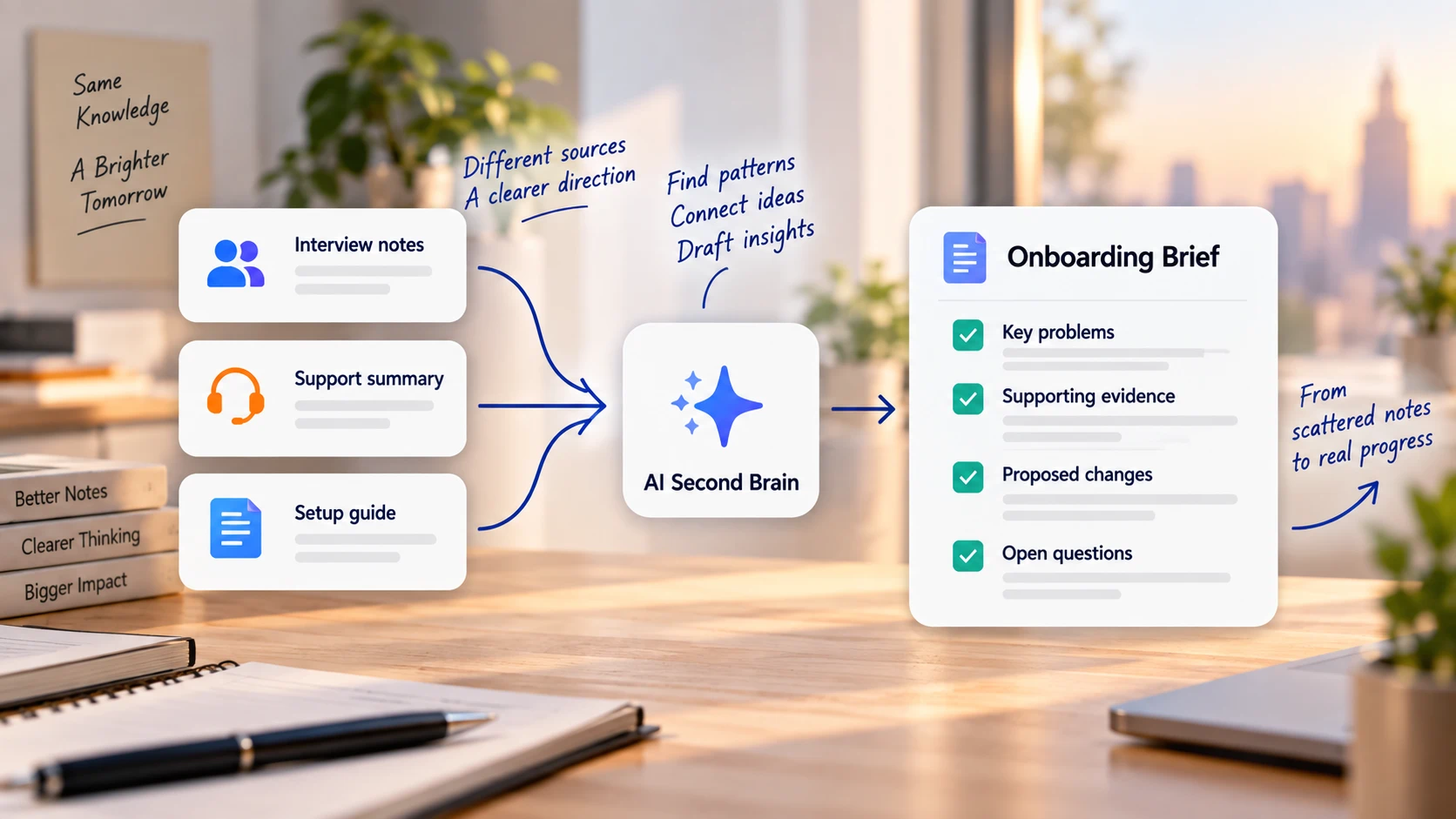
Gather enough material to answer your first question. For the research brief, that could include interview notes, a support summary, and the current onboarding guide.
Keep original files accessible and give them clear names. Record dates and version information when those details affect interpretation.
For lengthy documents, iWeaver’s AI Document Summarizer can help extract key points before deeper review. Store a checked summary beside the source so you can move between the overview and the details.
Avoid importing unrelated material just because it is available. Add sources when they help answer the project question or explain an important constraint.
Step 3: Ask a question you can verify
Start with a question whose answer appears in the supplied material. This helps you check both access and interpretation before requesting a broader recommendation.
For a PDF, iWeaver’s Chat with PDF provides a way to ask questions about the document. Begin with a narrow request such as “What setup steps does this guide describe?” and compare the answer with the relevant passage.
Then move to questions that require more reasoning:
| Question type | Example | Review needed |
|---|---|---|
| Recall | What problem did Interview A describe? | Check the original wording |
| Comparison | Which issues appear in both sets of notes? | Confirm the sources describe the same issue |
| Interpretation | What might explain the repeated confusion? | Separate possible explanations from evidence |
| Recommendation | What should we investigate next? | Check feasibility and missing information |
Use this prompt when working with a selected source set:
Answer using only the material supplied for this project. Identify the source for each substantive claim, using an available section or passage. Separate documented facts, your interpretations, and unanswered questions. If the material does not support an answer, state what is missing. Do not invent quotations or references.
This instruction establishes the response you want; it does not guarantee correctness. Open the source and check important claims.
Step 4: Turn the conversation into a lasting output
Once you have a useful answer, create something you can use outside the conversation: a brief, outline, decision note, or project update.
For the customer-research example, ask for:
Draft a one-page brief with four sections: observed issues, supporting evidence, proposed follow-up questions, and limitations. Keep proposals separate from findings. Do not infer how common an issue is unless the supplied material supports that conclusion.
Review the draft and save the approved version. Include the source set and review date so future you can understand its scope.
If you need a visual overview, iWeaver’s Text to Mind Map can turn reviewed notes into a structured map. Use it to show themes and open questions, while keeping the evidence in the underlying notes.
Step 5: Preserve decisions and their reasons
A second brain becomes more useful when it contains the reasoning behind your work.
After a decision, record:
- What you decided and when.
- Which sources or observations informed it.
- What alternatives you considered.
- What remains uncertain.
- What would cause you to revisit it.
For example: “We will investigate the account-setup instructions because two interviews describe confusion at that step. We have not established how widespread the issue is. Review after collecting more feedback.”
That note preserves evidence, scope, and uncertainty. A bare task such as “Fix onboarding” loses all three.
Run a return-to-work test
Before expanding the system, leave the project and return in a new session. Use the sources and context that the tool actually makes available.
Ask these questions:
- What is the project trying to accomplish?
- What have we established, and what supports it?
- What is still unknown?
- What should I do next?
If the answers are incomplete, identify the missing layer. The project note may be outdated, a source may be unavailable, or a reviewed decision may exist only in an old conversation.
Fix that gap before adding more content. A small system that survives this test is a stronger foundation than an archive you cannot confidently use.
Common questions about an AI second brain
Does an AI second brain remember everything automatically?
Do not assume it does. Access and persistence depend on the product, settings, and workflow. Check what is saved, what is available in a new session, and whether you need to select or supply sources again.
Can I build one without coding?
Yes. You can start with a project note, accessible source files, and an AI tool that supports working with those materials. Integrations are optional for this initial workflow.
How should I handle changing information?
Keep a clear current version of the project context and mark superseded notes. Ask the AI to flag conflicts between versions instead of silently combining them.
What should I check before adding private work documents?
Confirm that you are allowed to upload them and review the service's current data-handling settings and terms. Use only the information needed for the task.
Begin with the next project you need to reopen. Save its context, supply the relevant sources, and create one reviewed output. Then test whether you can return to the work with less reconstruction.