
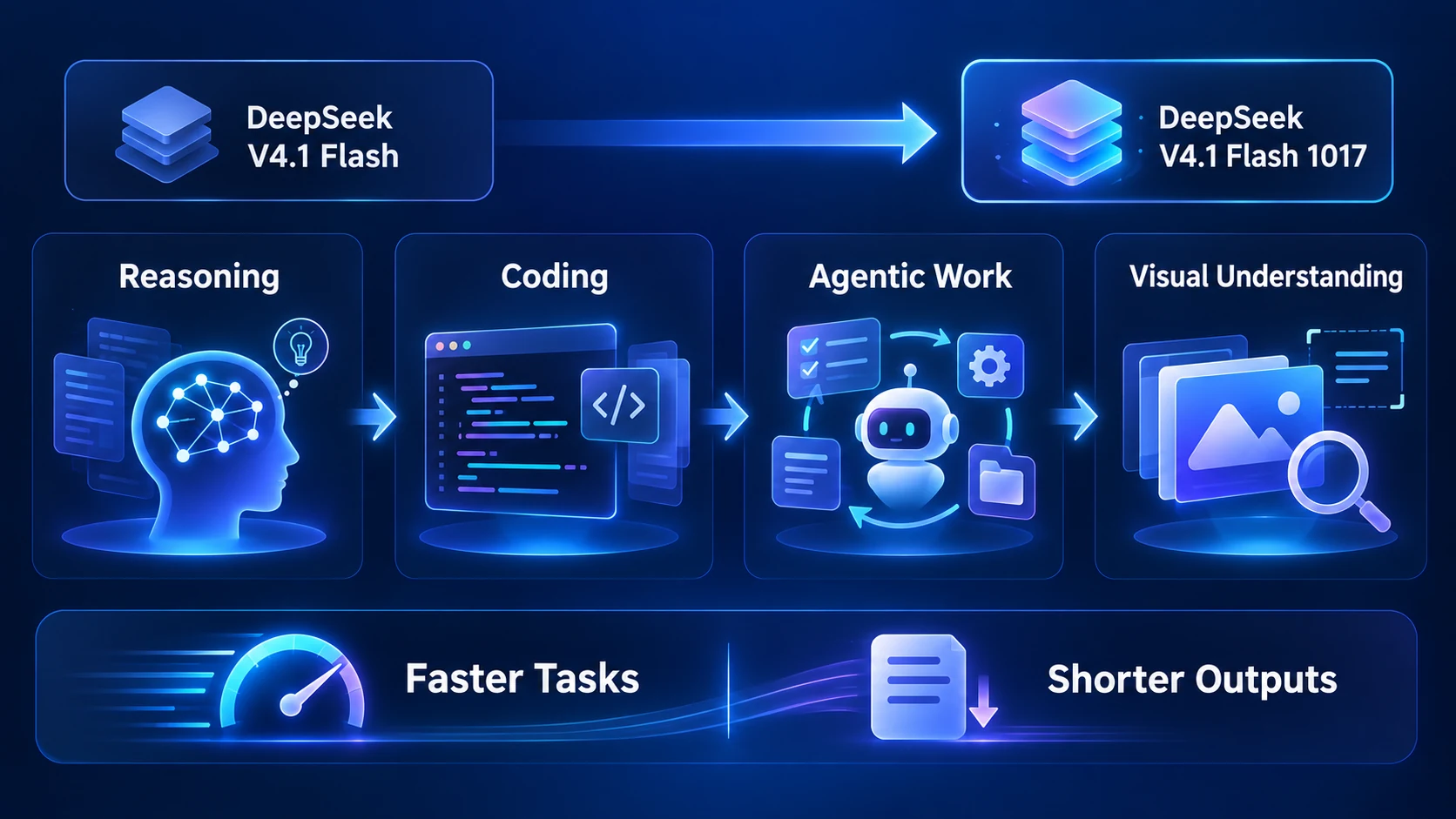
DeepSeek V4.1 Flash 1017 is a fresh update to DeepSeek V4.1 Flash. The update is aimed at practical work rather than a new model family: stronger reasoning, coding, agentic tasks, and visual benchmarks, with shorter outputs and faster task completion according to DeepSeek's release notes and model card.
That combination matters because a useful model is not judged only by a benchmark peak. For research, document work, and project building, the better question is whether it can turn a large amount of context into a usable next step without making the workflow unnecessarily slow or expensive. This article explains what the 1017 update changes, where its evidence is strongest, and how to use it inside an iWeaver workflow.
What is DeepSeek V4.1 Flash 1017?
DeepSeek V4.1 Flash 1017 is a minor update to DeepSeek V4.1 Flash. The official model card describes improvements across reasoning, coding, agentic tasks, and visual benchmarks. It also reports reduced task execution time and shorter output length compared with the previous V4.1 Flash version.
The update is available on DeepSeek's website, app, and API. DeepSeek's API documentation says that the web and app models were updated as well, while the API calling method and pricing remained unchanged. Developers continue to use deepseek-flash to access the latest model. These details are time-sensitive, so readers building an API integration should check the current documentation before implementation.
The model card lists an MIT license and provides deployment information, but local inference is a separate engineering decision: the published model files are very large, and hardware, quantization, serving software, and performance will determine whether self-hosting is practical.
What changed in the 1017 update?
Better performance on coding and agent tasks
The model card reports higher scores for several coding and agent benchmarks than the earlier V4.1 Flash release. For example, the listed Terminal-Bench 4.0 score rises from 31.2 to 42.3, DeepSWE v1.1 rises from 74.2 to 77.0, and Automation-Bench rises from 54.8 to 60.5. These are benchmark results reported by the model publisher, not a guarantee for every repository, tool environment, or prompt.
DeepSeek's release note gives the update a more concrete framing: reinforcement learning with self-feedback is intended to improve end-to-end project development, including tasks such as building a web game, creating a 3D scene, or developing a project from a natural-language request. That suggests a stronger fit for multi-step work where the model must plan, write, inspect, and revise rather than answer one isolated question.
Shorter outputs and faster completion
The 1017 update is also positioned as a more efficient version. DeepSeek says the model completes tasks faster and produces shorter outputs. In practice, that can help when a workflow contains many model calls, but the benefit depends on the task. A shorter response is useful when it removes repetition; it is not automatically better if the task requires detailed reasoning, evidence, or a long structured deliverable.
Search and fetch are now part of the current API story
DeepSeek's October 17 API update also announced general access to its Search and Fetch APIs. The release note says the endpoints are designed to retrieve current web information, with usage priced separately. This is relevant to research workflows, but it does not remove the need to inspect sources: a retrieved page can still be outdated, incomplete, or wrong for the question being asked.
How to use DeepSeek V4.1 Flash 1017 in iWeaver
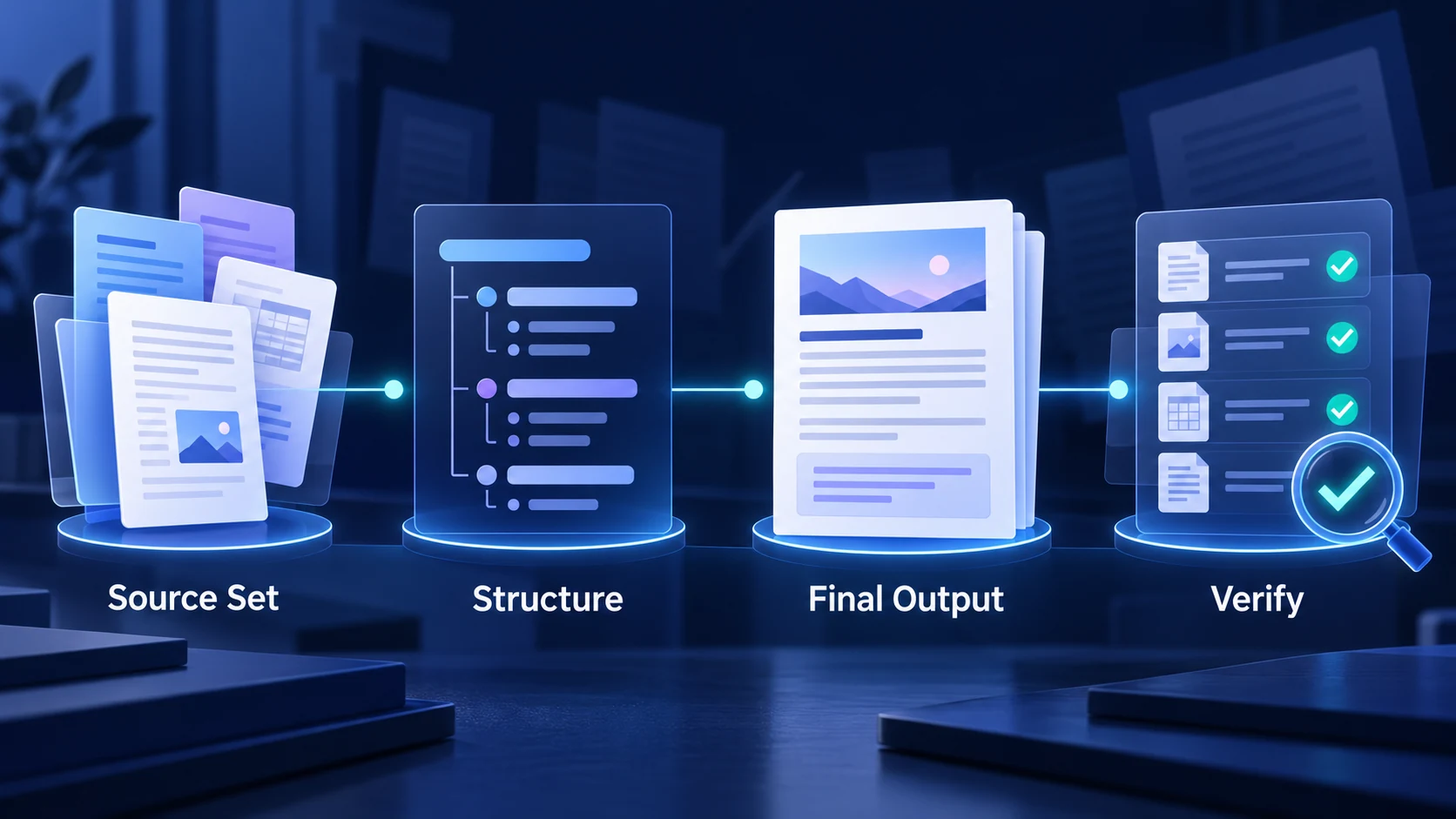
1. Start with a bounded source set
Add the documents, webpages, notes, or other source material relevant to one task. Give the task a clear boundary: for example, “compare the three reports and identify where their recommendations disagree.” A bounded source set makes it easier to check whether the final answer actually comes from the material you supplied.
2. Ask for an intermediate structure
Instead of asking for a polished article immediately, request a working structure first. Useful intermediate outputs include:
- a claim-and-source map;
- a timeline of changes;
- a comparison of assumptions and evidence;
- a list of unresolved questions;
- a decision brief with risks and next actions.
This step takes advantage of the update's stronger agentic and reasoning positioning while keeping the work inspectable. If the structure is wrong, you can correct the task before a polished answer hides the problem.
3. Convert the structure into the final format
Once the evidence and outline look right, ask for the final deliverable: a research memo, study guide, meeting brief, product comparison, or implementation checklist. Keep the output requirements explicit. Name the audience, length range, tone, citation style, and sections that must be included.
For document-heavy work, you can continue with AI Document Summarizer or use Knowledge Organizer to turn separate sources into a more reusable information structure. These links are workflow suggestions; the exact tools and model availability shown in iWeaver can change over time.
4. Run a verification pass
Ask the model to separate sourced facts, interpretations, assumptions, and missing evidence. Then check the high-impact claims against the original material. This is especially important for current pricing, API behavior, release dates, legal or policy questions, and numerical comparisons.
Where the model fits best
DeepSeek V4.1 Flash 1017 looks most relevant for tasks that combine several operations:
- analyzing a group of documents and producing a decision-ready brief;
- turning a product idea into a small working prototype;
- reviewing code and proposing targeted changes;
- comparing technical options with explicit trade-offs;
- organizing research before writing a longer report;
- working with visual inputs where the image contributes important context.
It is less useful to choose a model solely because its benchmark scores are high. A simple lookup, a highly constrained transformation, or a task with strict proprietary requirements may be better served by a different model or a simpler process. The right test is whether the model improves the complete workflow: input preparation, reasoning, revision, verification, and final use.
DeepSeek V4.1 Flash 1017 vs. the earlier V4.1 Flash
| Area | V4.1 Flash | V4.1 Flash 1017 |
|---|---|---|
| Positioning | First V4.1 Flash release | Minor update to V4.1 Flash |
| Reasoning and coding | Strong baseline | Higher publisher-reported benchmark scores |
| Agentic work | Designed for multi-step tasks | Stronger end-to-end project focus in release materials |
| Output behavior | Earlier generation behavior | Shorter outputs and faster task completion are reported |
| Access | Website, app, and API | Website, app, API, and updated open-weight model card |
| API model name | deepseek-flash |
deepseek-flash |
The table summarizes publisher documentation. It is not an independent benchmark and should not be read as a universal ranking against every competing model.
DeepSeek V4.1 Flash 1017 is a meaningful refresh for users who care about coding, agentic project work, reasoning, visual inputs, and the cost of repeated model calls. Its clearest practical advantage is the combination of stronger reported task performance with shorter outputs and faster completion.
Inside iWeaver, the best way to use it is as part of a visible research or document workflow: define the source set, build an intermediate structure, create the final output, and verify important claims. That approach gives the new model room to help with complex work while keeping the result understandable and checkable.