
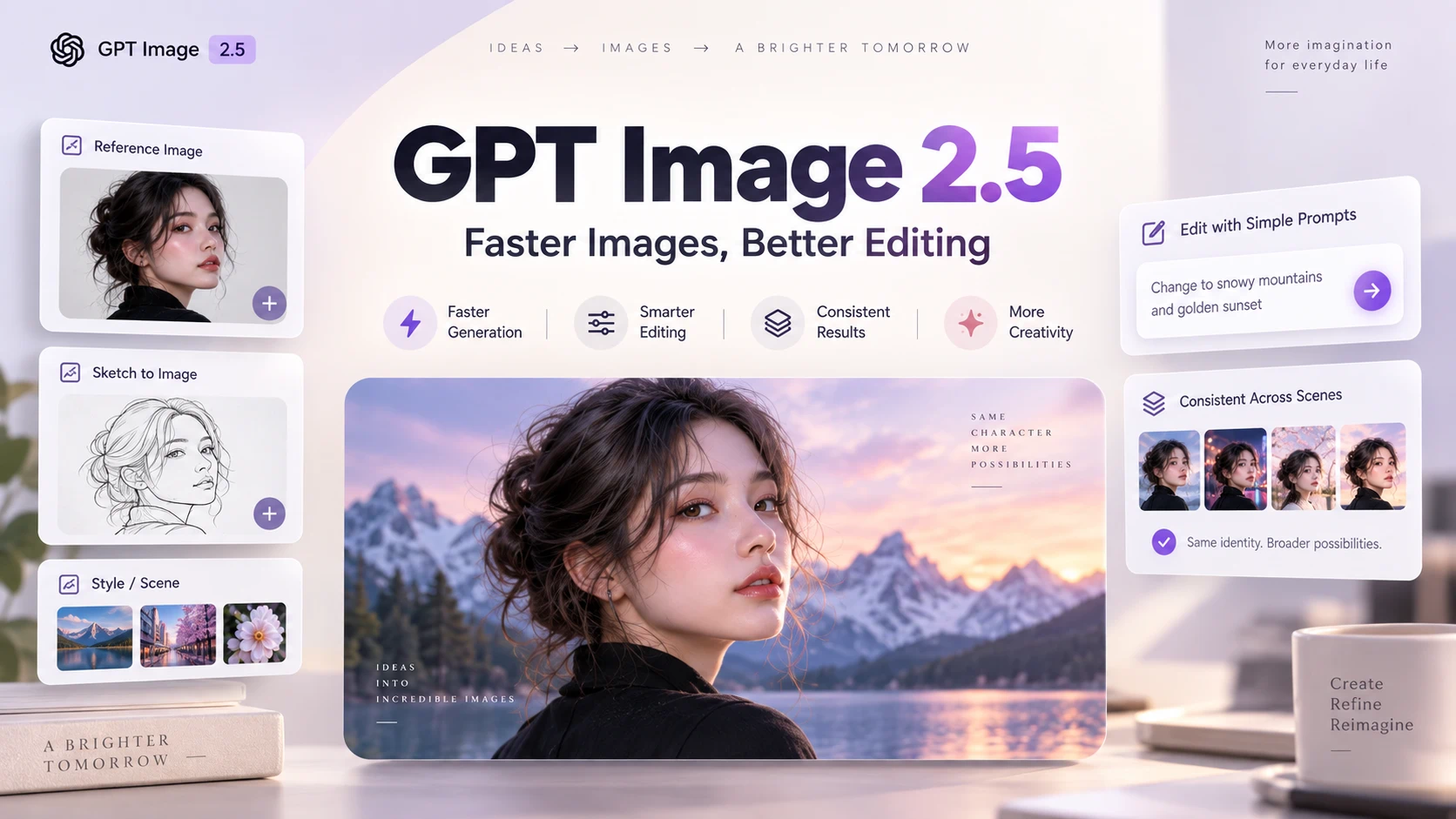
OpenAI has officially introduced ChatGPT Images 2.5, the latest update to its AI image generation and editing technology. GPT Image 2.5 focuses not only on producing better-looking images, but also on making AI image creation more practical for real creative workflows.
The biggest upgrades include:
- Faster image generation
- More precise image editing
- Better reference-image consistency
- Improved subject and identity preservation
- More reliable multi-turn editing
- Stronger lighting and texture quality
- New sketch-based creation tools
- Image templates for common creative tasks
OpenAI is also introducing two GPT Image 2.5 models for developers:
- GPT-Image-2.5 Flare — optimized for speed and everyday image generation
- GPT-Image-2.5 Sunburst — designed for more precise and complex image editing
So, how different is GPT Image 2.5 from GPT Image 2, and which model should you use?
Here is everything you need to know.
GPT Image 2.5 at a Glance
| Feature | GPT Image 2.5 |
|---|---|
| Release Date | September 8, 2026 |
| ChatGPT Name | ChatGPT Images 2.5 |
| API Models | GPT-Image-2.5 Flare, GPT-Image-2.5 Sunburst |
| Text-to-Image | Yes |
| Image Editing | Yes |
| Reference Images | Improved |
| Multi-Turn Editing | Improved |
| Subject Preservation | Improved |
| Sketch Input | Yes |
| Image Templates | Yes |
| Transparent Backgrounds | Supported |
| Generation Speed | Up to 50% lower latency vs. Images 2.0 |
| Availability | ChatGPT, ChatGPT Work, Codex, API |
OpenAI says users now create more than 3 billion images every week across ChatGPT Images and GPT-Image API models.
That scale helps explain why this update focuses heavily on reliability and workflow efficiency rather than simply producing more visually impressive one-shot generations.
What Is GPT Image 2.5?
GPT Image 2.5 is OpenAI's latest generation of AI image technology for creating, transforming, and editing images using natural-language instructions. There is one naming difference worth knowing.
Inside ChatGPT, OpenAI calls the experience:
ChatGPT Images 2.5
For developers, OpenAI offers two API models:
gpt-image-2.5-flaregpt-image-2.5-sunburst
Instead of providing one image model for every task, OpenAI is now separating different image workflows based on whether users prioritize speed or precision.
That is one of the biggest changes in GPT Image 2.5.
1. GPT Image 2.5 Makes Image Editing More Precise
The most important improvement may not be image generation at all. It is image editing. One of the biggest frustrations with AI image editors is that a simple edit can unexpectedly change other parts of the image.
For example, you might ask:
Change the coffee cup from blue to red, but keep everything else exactly the same.
An AI image model may successfully change the cup while also modifying:
- the person's face
- the background
- lighting
- text
- object placement
- colors elsewhere in the image
GPT Image 2.5 is designed to better understand the difference between what should change and what should remain untouched.
This is particularly valuable for:
- Ecommerce product images
- Advertising creatives
- Social media graphics
- Posters
- Marketing banners
- Brand assets
- Thumbnails
- UI concepts
For professional workflows, more predictable edits can be more useful than another small increase in raw image quality.
2. Reference Images Stay More Consistent
GPT Image 2.5 also improves reference-image fidelity. When you upload an image of a person, product, character, or object, the model can use it as a reference while changing other elements of the scene.
For example, you could upload a product photo and ask GPT Image 2.5 to:
- Place it in a different environment
- Change the background
- Create a seasonal campaign
- Adjust lighting
- Produce another camera angle
- Turn it into an advertisement
The challenge is preserving the original subject.
GPT Image 2.5 improves consistency around:
- Facial identity
- Product appearance
- Distinctive visual details
- Composition
- Textures
- Lighting
- Overall subject characteristics
That makes it more useful when creating several images around the same character, product, or brand asset.
3. Multi-Turn Image Editing Is More Reliable
AI image creation increasingly works like a conversation. Instead of writing one large prompt, users often generate an image and gradually refine it.
A typical workflow might look like this:
- Generate a product photo.
- Change the background to white.
- Move the product slightly to the left.
- Add a headline.
- Replace the headline text.
- Add a promotional badge.
- Adjust the lighting.
The problem with earlier image models is that every additional edit creates another opportunity for unwanted changes. GPT Image 2.5 is designed to maintain previous edits more reliably across multiple turns. That moves ChatGPT closer to an interactive visual editor rather than a traditional one-shot AI image generator.
4. GPT Image 2.5 Can Generate Images Faster
Speed is another major improvement. According to OpenAI, ChatGPT Images 2.5 can reduce image generation latency by up to 50% compared with Images 2.0.
That can make a major difference in iterative workflows.
Instead of: Prompt → wait → generate → edit → wait again
the workflow becomes much faster: Prompt → generate → review → edit → regenerate
For an individual user, that means quicker experimentation. For businesses generating dozens or hundreds of images, the difference can be much larger.
Potential use cases include:
- Ecommerce catalogs
- Advertising variations
- Social media content
- Article covers
- Product mockups
- Creative prototypes
- Personalized content
5. Sketch Lets You Show ChatGPT What You Want
Some ideas are difficult to explain with words alone. GPT Image 2.5 adds a Sketch feature that lets users provide a rough drawing as part of the image-generation process.
For example, you could sketch:
- Where objects should appear
- A webpage layout
- Furniture placement
- A poster composition
- A clothing silhouette
- A rough product design
Then describe the desired visual style using text. The model can use both the sketch and prompt to understand the intended composition. This helps solve one of the biggest weaknesses of text-only image prompting: describing spatial relationships.
Instead of writing:
Put the person on the left, product on the right, headline above the product, and CTA at the bottom.
you can roughly draw the layout and let the model interpret it.
6. Image Templates Reduce the Need for Prompt Engineering
GPT Image 2.5 also introduces more structured image Templates. Instead of always starting with an empty prompt, users can begin with predefined visual formats and customize them.
Examples may include:
- Posters
- Product photography
- Merchandise
- Marketing graphics
- Creative layouts
This represents an important shift in how AI image generation is becoming easier to use. The future of image generation may depend less on writing increasingly complicated prompts and more on combining: templates + references + sketches + conversational editing
For casual users, this may be more useful than learning advanced prompt engineering.
GPT Image 2.5 Flare vs. Sunburst
OpenAI is introducing two different GPT Image 2.5 models for developers.
.webp)
GPT-Image-2.5 Flare
Flare is designed to balance quality and speed. It is likely to be the better default option for most applications.
Flare is suitable for:
- Everyday image generation
- Social media content
- Creator tools
- Visual search
- Rapid prototyping
- High-volume generation
- Consumer applications
- Fast image iteration
OpenAI positions Flare as the faster option in the GPT Image 2.5 family. If your workflow involves generating many images and quickly experimenting with different ideas, Flare is likely the better choice.
GPT-Image-2.5 Sunburst
Sunburst focuses more heavily on precision. It is designed for workflows where visual details and editing consistency matter more than generation speed.
Possible use cases include:
- Professional campaign creatives
- Detailed image editing
- Product photography
- Brand assets
- Production-ready graphics
- Complex iterative editing
Sunburst may take longer to generate an image, but it offers more control for demanding workflows.
GPT Image 2.5 Flare vs. Sunburst Comparison
| Feature | GPT Image 2.5 Flare | GPT Image 2.5 Sunburst |
|---|---|---|
| Main Focus | Speed + quality | Precision + control |
| Generation Speed | Faster | Slower |
| Everyday Images | Excellent | Excellent |
| High-Volume Generation | Recommended | Less optimized |
| Image Editing | Strong | More precise |
| Social Content | Recommended | Usually unnecessary |
| Product Assets | Good | Recommended |
| Campaign Creatives | Good | Recommended |
| Rapid Prototyping | Recommended | Less necessary |
For most everyday AI image applications, Flare should be enough. Sunburst becomes more interesting when preserving fine details is critical.
GPT Image 2.5 vs. GPT Image 2
GPT Image 2 already offered strong image generation, text rendering, editing, and composition capabilities. GPT Image 2.5 builds on that foundation rather than completely replacing the previous approach.
.webp)Here is a quick comparison.
| Capability | GPT Image 2 | GPT Image 2.5 |
|---|---|---|
| Image Quality | Strong | Improved |
| Natural Lighting | Good | Better |
| Texture Quality | Good | Better |
| Reference Fidelity | Strong | Improved |
| Targeted Editing | Strong | More precise |
| Multi-Turn Editing | Good | More consistent |
| Subject Preservation | Good | Improved |
| Generation Speed | Baseline | Up to 50% lower latency |
| Sketch Input | Limited/No | Yes |
| Templates | Limited | Expanded |
| API Options | GPT Image 2 | Flare + Sunburst |
The main GPT Image 2.5 upgrade is therefore not simply: "It makes better images." A more accurate description is: GPT Image 2.5 makes AI images easier to create, edit, iterate, and reuse. That is especially important for people using AI images as part of a professional workflow.
GPT Image 2.5 Pricing
For developers, GPT Image 2.5 pricing depends on the amount of text and image data processed, as well as the generated output.
OpenAI currently lists token-based pricing for GPT-Image-2.5 models, including separate rates for:
- Text input
- Cached text input
- Image input
- Cached image input
- Image output
Actual image generation costs can vary depending on:
- Image resolution
- Quality level
- Input image size
- Prompt complexity
- Number of references
- Output requirements
Supported image quality levels may include options such as:
- Low, Medium, High, XHigh, Max, Auto
For developers building high-volume applications, Flare's lower latency is likely to be one of its biggest advantages.
Who Can Use GPT Image 2.5?
GPT Image 2.5 is rolling out across OpenAI's image ecosystem, including:
- ChatGPT , ChatGPT Work, Codex, Web, Desktop, Mobile, OpenAI API
Developers can choose between GPT-Image-2.5 Flare and GPT-Image-2.5 Sunburst depending on their application.
Because OpenAI often rolls out new features gradually, availability may differ across accounts during the initial release period.
What Can You Do With GPT Image 2.5?
The model becomes particularly useful when image generation is part of a larger workflow rather than an isolated creative experiment.
Marketing and SEO Content
GPT Image 2.5 can help create:
- Blog cover images
- Social media graphics
- Comparison graphics
- Landing page visuals
- Promotional banners
- Advertising variations
Improved editing means you can create one design and modify individual elements without starting over.
Ecommerce Product Images
Product images are another strong use case.
Start with a reference photo and generate:
- Different backgrounds
- Seasonal campaigns
- Lifestyle scenes
- Localization variations
- Advertising creatives
- Product mockups
Better reference fidelity should help preserve the appearance of the actual product.
Presentations and Reports
GPT Image 2.5 can also help create visual elements for:
- Business presentations
- Reports
- Research summaries
- Educational materials
- Concept illustrations
Combining source information with AI-generated visuals can significantly reduce the amount of manual design work required.
Social Media Content
Creators can use a single visual concept to produce variations for different platforms.
For example:
- Instagram post
- YouTube thumbnail
- LinkedIn graphic
- X post image
- Blog cover
- Advertisement
More reliable image editing makes it easier to reuse a visual concept while changing text, layout, background, or aspect ratio.
Build Better AI Image Workflows With iWeaver
Generating the final image is often only one part of the process.
Before creating a visual, you may need to:
- Research a topic
- Analyze documents
- Extract key information
- Summarize reports
- Organize ideas
- Build a visual brief
- Turn complex information into a clear prompt
This is where iWeaver can complement GPT Image workflows.
For example:
- Upload PDFs, documents, webpages, screenshots, or notes to iWeaver.
- Ask iWeaver to summarize the source material.
- Extract the key facts, concepts, or visual elements.
- Turn the information into a structured image brief.
- Generate an optimized image prompt.
- Create and refine the visual with an AI image model.
This creates a complete workflow:
Source Material → Research → Structured Brief → Image Prompt → Visual Output
Instead of manually reading multiple documents before generating an image, you can use iWeaver to organize the information first.
You can also explore iWeaver's AI tools for document analysis, summarization, image workflows, and content creation to turn complex source material into usable creative outputs.
Is GPT Image 2.5 Worth Using?
For someone who occasionally generates a single image, GPT Image 2.5 may initially feel like an incremental upgrade. But for users who repeatedly edit and refine images, the improvements are much more significant. Better preservation means fewer unwanted changes. Faster generation means more iterations. Better reference fidelity means more consistent products and characters. More precise editing means fewer complete regenerations. And features such as Sketch and Templates make image generation easier for people who do not want to master complicated prompts.
The bigger story behind GPT Image 2.5 is therefore not simply better AI art. It is the transition from: "Generate an image for me." to: "Help me build, edit, and refine this image until it is ready to use." That shift could make AI image generation much more useful in everyday professional workflows.
FAQ
What is GPT Image 2.5?
GPT Image 2.5 is OpenAI's latest image generation and editing technology. It improves image quality, editing precision, reference-image consistency, generation speed, and multi-turn image workflows.
When was GPT Image 2.5 released?
OpenAI announced ChatGPT Images 2.5 on September 8, 2026.
What is GPT-Image-2.5 Flare?
GPT-Image-2.5 Flare is the faster model in the GPT Image 2.5 family. It is designed for everyday image generation, creator applications, rapid iteration, and high-volume workflows.
What is GPT-Image-2.5 Sunburst?
GPT-Image-2.5 Sunburst is the precision-focused GPT Image 2.5 model. It is better suited to detailed image editing, professional creative assets, product imagery, and workflows requiring stronger control.
Is GPT Image 2.5 better than GPT Image 2?
GPT Image 2.5 improves several areas over GPT Image 2, including generation latency, targeted editing, multi-turn consistency, reference-image fidelity, and subject preservation.
Is GPT Image 2.5 faster?
Yes. OpenAI says ChatGPT Images 2.5 can reduce image-generation latency by up to 50% compared with Images 2.0.
Can GPT Image 2.5 edit existing images?
Yes. Image editing is one of the major improvements in GPT Image 2.5. The model is designed to modify specific elements while preserving more of the original image.
Can GPT Image 2.5 use reference images?
Yes. Users can provide reference images, and GPT Image 2.5 improves subject, character, product, and visual-detail consistency when generating new variations.
Does GPT Image 2.5 support sketches?
Yes. GPT Image 2.5 introduces sketch-based workflows that allow users to roughly draw the desired composition and combine it with text instructions.
What is the difference between Flare and Sunburst?
Flare focuses on speed and high-volume generation, while Sunburst focuses on precision and detailed image editing. For most everyday applications, Flare is likely the better default choice.
GPT Image 2.5 shows where AI image generation is heading next.
The competition is no longer only about which model can produce the most impressive image from a single prompt.
The more important questions are becoming:
- Can the model preserve the same person or product?
- Can it change only the element you asked it to change?
- Can it remember previous edits?
- Can it generate images quickly enough for real workflows?
- Can non-designers control composition without complex prompting?
GPT Image 2.5 directly addresses many of these problems. And if these improvements perform reliably outside demos, GPT Image 2.5 could be a more important upgrade for creators, marketers, developers, and ecommerce teams than another simple jump in visual quality.