
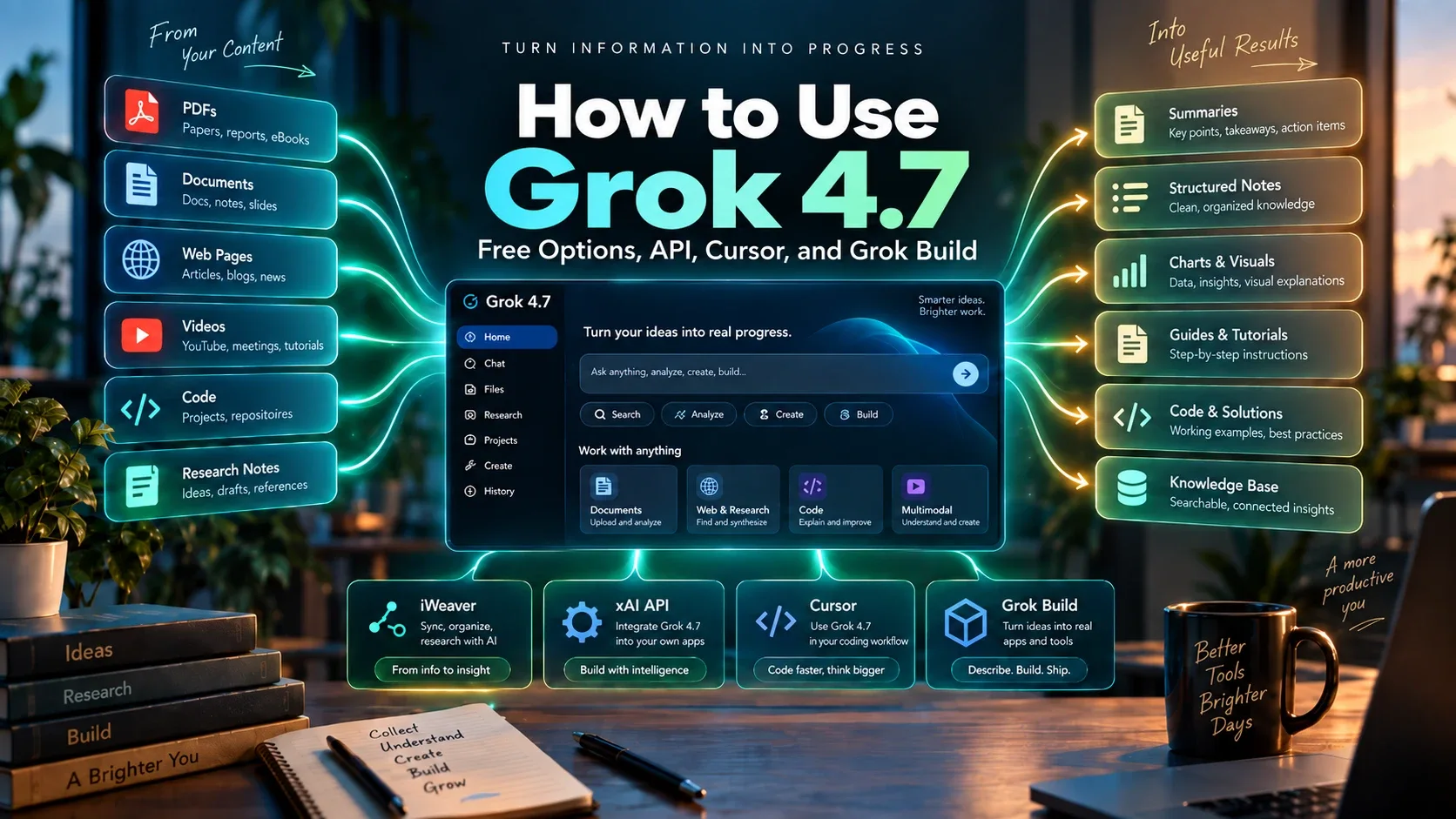
Grok 4.7 is officially available, and there are now several ways to use it. If you simply want to try the model without setting up an API, iWeaver lets you use Grok 4.7 directly and offers a free option to get started.
Developers can also access Grok 4.7 through the xAI API, while coding-focused users can work with it through Cursor or Grok Build.
The best option depends on what you want to do. If you want the full specifications, benchmarks, pricing, and Grok 4.6 comparison first, read our Grok 4.7 review.
Quick Answer: Where Can You Use Grok 4.7?
| Your goal | Best option |
|---|---|
| Try Grok 4.7 for free | iWeaver |
| Analyze PDFs and documents | iWeaver |
| Research across multiple sources | iWeaver |
| Build your own application | xAI API |
| Work with an existing codebase | Cursor |
| Run agentic coding tasks | Grok Build |
| Production API integration | xAI API |
For most users who want to test Grok 4.7 on real work, iWeaver is one of the easiest places to start.
You can use the model without first configuring an API and immediately test it with documents, research material, web content, videos, and other knowledge-work tasks.
What Is Grok 4.7?
Grok 4.7 is xAI's latest model for coding, agentic tasks, reasoning, and professional knowledge work.
Its key capabilities include:
- 500,000-token context window
- Text and image input
- Function calling
- Web search
- X search
- Code execution
- Low, Medium, High, and XHigh reasoning levels
The official xAI API model ID is:
grok-4.7
Compared with Grok 4.6, the new model places more emphasis on long-running tasks, context management, self-verification, coding, and agent-style workflows.
But you do not need to build an API integration just to start using it.
Option 1: Use Grok 4.7 for Free
For users who want the fastest way to start working with Grok 4.7, iWeaver provides direct access to the model.
Instead of setting up an API key or building your own interface, you can use Grok 4.7 inside iWeaver and apply it directly to everyday knowledge-work tasks.
You can also start with iWeaver's free option, making it easier to test Grok 4.7 before deciding whether you need a paid workflow. Try Grok 4.7 on iWeaver
Use Grok 4.7 with PDFs
Upload a PDF and use Grok 4.7 to:
- summarize long reports
- extract key points
- explain difficult sections
- answer questions about the document
- turn source material into structured notes
- identify important evidence
This is particularly useful for research papers, business reports, technical documents, and study material.
Analyze Multiple Documents
A common limitation of basic AI chat is that users still need to copy and paste information from different sources.
With iWeaver, you can bring multiple documents into the same workflow and use Grok 4.7 to analyze them together.
For example, you could upload:
- several research papers
- competitor reports
- meeting documents
- contracts
- market research
- product documentation
Then ask Grok 4.7 to compare findings, identify differences, summarize common themes, or locate conflicting information.
Work with Web Pages and Videos
Grok 4.7 on iWeaver is not limited to PDFs.
You can also work with source material such as web pages and videos, making it easier to use the model for broader research tasks.
For example: Web pages + reports + videos → Grok 4.7 → Summary → Comparison → Final notes
This is much more practical than testing the model with isolated prompts.
Use Grok 4.7 for Research
If you are researching a topic, you can collect your source material first and then ask Grok 4.7 to work from that evidence.
Useful tasks include:
- summarizing several sources
- comparing competing claims
- extracting data points
- organizing research notes
- finding recurring themes
- creating an outline
- identifying missing information
This gives you a better way to evaluate Grok 4.7 than simply asking it general knowledge questions.
Try Grok 4.7 for Free
If you have not used Grok 4.7 before, you do not necessarily need to start by paying for API usage.
iWeaver provides a free option, so you can try Grok 4.7 with real files and real tasks first.
That makes it especially useful for students, researchers, content teams, marketers, and professionals who want to see whether Grok 4.7 actually improves their workflow.
Option 2: Use Grok 4.7 Through the xAI API
If you are a developer and want complete control over how Grok 4.7 is integrated, the xAI API is the more flexible option.
Grok 4.7 works with:
- Responses API
- Chat Completions API
The model ID is:
grok-4.7
Developers can also combine it with tools including:
- function calling
- web search
- X search
- code execution
This makes the API suitable for building:
- AI assistants
- research agents
- coding tools
- internal knowledge systems
- automated workflows
- customer-facing applications
Choose a Reasoning Level
Grok 4.7 supports four reasoning levels:
| Reasoning level | Good for |
|---|---|
| Low | Simple and fast tasks |
| Medium | Routine analysis and coding |
| High | Complex research and reasoning |
| XHigh | Difficult multi-step problems |
High is the default.
You do not need to use XHigh for every task.
For simpler jobs, a lower reasoning level may be faster and more efficient.
Option 3: Use Grok 4.7 in Cursor
Developers can also use Grok 4.7 inside Cursor.
This is useful when you want the model to work with an actual codebase instead of answering isolated coding questions.
Good use cases include:
- understanding unfamiliar repositories
- debugging
- refactoring
- implementing features
- reviewing code
- updating tests
- working across multiple files
A useful test is to give Grok 4.7 a complete development task.
For example:
Review the existing authentication system, identify the relevant files, add passwordless login, update the tests, and check that the existing OAuth flow still works.
That tests long-task performance much better than asking it to generate a short function.
Grok 4.7 Fast
xAI also offers Grok 4.7 Fast through Cursor.
It uses the same underlying model but is served on faster infrastructure.
This may be useful when response speed matters more than minimizing token cost.
Option 4: Use Grok 4.7 with Grok Build
Grok Build is designed around agentic coding.
Instead of giving the model one prompt and receiving one answer, you can use it for workflows that involve several steps.
For example:
Understand project → Find files → Make changes → Run checks → Review errors → Fix issues → Complete task
This makes Grok Build useful for:
- feature development
- bug fixing
- repository analysis
- codebase exploration
- multi-step development tasks
- automated coding workflows
Grok 4.7 is especially relevant here because xAI has focused on improving longer-running tasks and self-verification.
Best Ways to Use Grok 4.7
Grok 4.7 is most useful when the task requires context, reasoning, and several steps.
1. Document Analysis
Use Grok 4.7 to work through:
- PDFs
- research papers
- reports
- presentations
- technical documentation
- contracts
For this type of work, iWeaver gives you a simple way to upload the source material and use Grok 4.7 directly.
2. Multi-Document Research
Instead of asking Grok 4.7 about a topic with no source material, give it the documents you actually want analyzed.
Then ask questions such as:
- What conclusions do these reports agree on?
- Where do these papers disagree?
- Which source supports this claim?
- What important information is missing?
- What changed between these two versions?
This produces a much more useful test of the model.
3. Coding
Grok 4.7 is also designed for longer coding tasks.
Use it for:
- debugging
- repository analysis
- feature implementation
- code review
- terminal workflows
- multi-file changes
Cursor and Grok Build are particularly relevant here.
4. Research and Knowledge Work
Grok 4.7 can help turn large amounts of information into usable outputs.
Examples include:
- research summaries
- structured notes
- comparison tables
- outlines
- key findings
- document reviews
iWeaver is especially useful when those tasks start with multiple source files rather than a blank chat box.
Grok 4.7 API Pricing
For prompts below 200K tokens, Grok 4.7 starts at:
| Token type | Price per 1M tokens |
|---|---|
| Input | $2 |
| Cached input | $0.50 |
| Output | $6 |
For prompts above 200K tokens:
| Token type | Price per 1M tokens |
|---|---|
| Input | $4 |
| Cached input | $1 |
| Output | $12 |
This matters because the model supports up to 500K tokens of context.
If you only want to try Grok 4.7 before setting up an API and paying token-based fees, starting with iWeaver's free option can be simpler.
How to Test Grok 4.7 Properly
Do not judge Grok 4.7 from one simple question.
Give it a real task.
For example:
- Upload a report or several documents.
- Define exactly what you want to know.
- Ask Grok 4.7 to identify relevant evidence.
- Let it summarize or compare the material.
- Check the result against the original files.
- See how much manual correction is required.
You can run this type of test directly in iWeaver without first building an API workflow.
For coding, use a real repository.
For research, use real sources.
For document analysis, use the files you already work with.
That will tell you much more than a benchmark score alone.
Grok 4.7 vs Other AI Models
If you are deciding whether Grok 4.7 is the right model for you, it is also worth comparing it with other current frontier models.
See:
Compare them using the same files, prompts, and expected output whenever possible.
That gives you a much more realistic view of which model fits your work.
There are several ways to use Grok 4.7. If you want an easy way to start, iWeaver lets you use Grok 4.7 directly and offers a free option to try it with PDFs, documents, research, web pages, videos, and other knowledge-work tasks.
If you need full developer control, use the xAI API.
For coding inside an existing project, try Cursor.
For longer agentic development tasks, Grok Build is another option.
The most important thing is to test Grok 4.7 with real work rather than simple prompts.