
Kimi K3.1 Pro is the first model in Moonshot AI’s K3.1 series. It combines a 3-trillion-class model with a one-million-token context window and native visual understanding. The release focuses on coding, 3D creation, and research tasks that require multiple steps. A second version, K3.1 Pro Highspeed, prioritizes faster responses.
For readers deciding whether to try it, the useful question is which part of their work needs improvement: reasoning over a large source collection, carrying a task through several revisions, or reducing the wait between iterations.
Kimi K3.1 Pro is now available in iWeaver, and iWeaver provides a free trial of the model. Below is a practical way to evaluate it alongside the release details that matter.
What changes with K3.1 Pro?
Already using the previous model? See Kimi K3.1 Pro vs. Kimi K3 for an upgrade decision framework.
Kimi describes K3.1 Pro as a post-trained version of K3, with more post-training compute. Its release examples cover software development, parametric 3D modeling, and document-based financial research. Full model weights are scheduled for release by November 4, 2026; hosted access and downloadable weights have separate timelines.
That distinction matters if you are planning a local deployment. You can evaluate a hosted model before its weights arrive, but a hosted evaluation does not establish the hardware, license conditions, or serving cost of a future local setup.
For everyday knowledge work, use the launch as a reason to test a difficult task you already understand. A familiar task gives you a reference point: you can recognize a missing qualification, a mistaken calculation, or a conclusion that goes beyond the evidence.
A million tokens helps only when the sources help
A large context window creates room for more material. It does not tell you whether every relevant passage will be used correctly.
Imagine preparing a product research brief from interview notes, a requirements document, and a competitor report. Asking for “a comprehensive analysis” leaves several decisions open: which evidence matters, how conflicts should be handled, and what the final brief should contain.
A more useful request defines those decisions:
Compare the requirements document with the interview notes. Identify each supported customer need, cite the relevant source passage, and mark requirements that lack supporting interview evidence. Finish with three questions for the next research round.
The benefit of keeping sources together is the opportunity to compare them. Judge the result by whether it finds the right relationships and preserves exceptions, rather than by how much text it produces.
Before uploading a collection, remove duplicates and label the remaining files. Keep dates and versions visible. If two reports disagree, ask the model to show the disagreement before attempting a synthesis.
K3.1 Pro vs. Highspeed: which should you choose?
For a deeper look at response time and spending, read Kimi K3.1 Pro vs. Highspeed.
Kimi positions Highspeed as offering the same capabilities with approximately two to three times the output speed. Its API platform currently lists the following US-dollar rates per million tokens:
| API rate | K3.1 Pro | K3.1 Pro Highspeed |
|---|---|---|
| Input | $2 | $4 |
| Output | $10 | $20 |
| Cache write | $2 | $4 |
| Cache hit | $0.20 | $0.20 |
These are API rates, separate from consumer subscriptions and iWeaver’s trial terms.
Start with the regular model when you are evaluating answer quality. Consider Highspeed when repeated waiting is interrupting your work, such as reviewing several successive revisions. Compare total task cost and completion time on your own workload; a vendor’s output-speed figure does not describe every part of a tool-assisted task.
Keep your evaluation inputs identical. Changing the sources and prompt while changing models makes it difficult to understand what caused the difference.
How to try Kimi K3.1 Pro in iWeaver
For the complete walkthrough, follow How to Use Kimi K3.1 Pro.
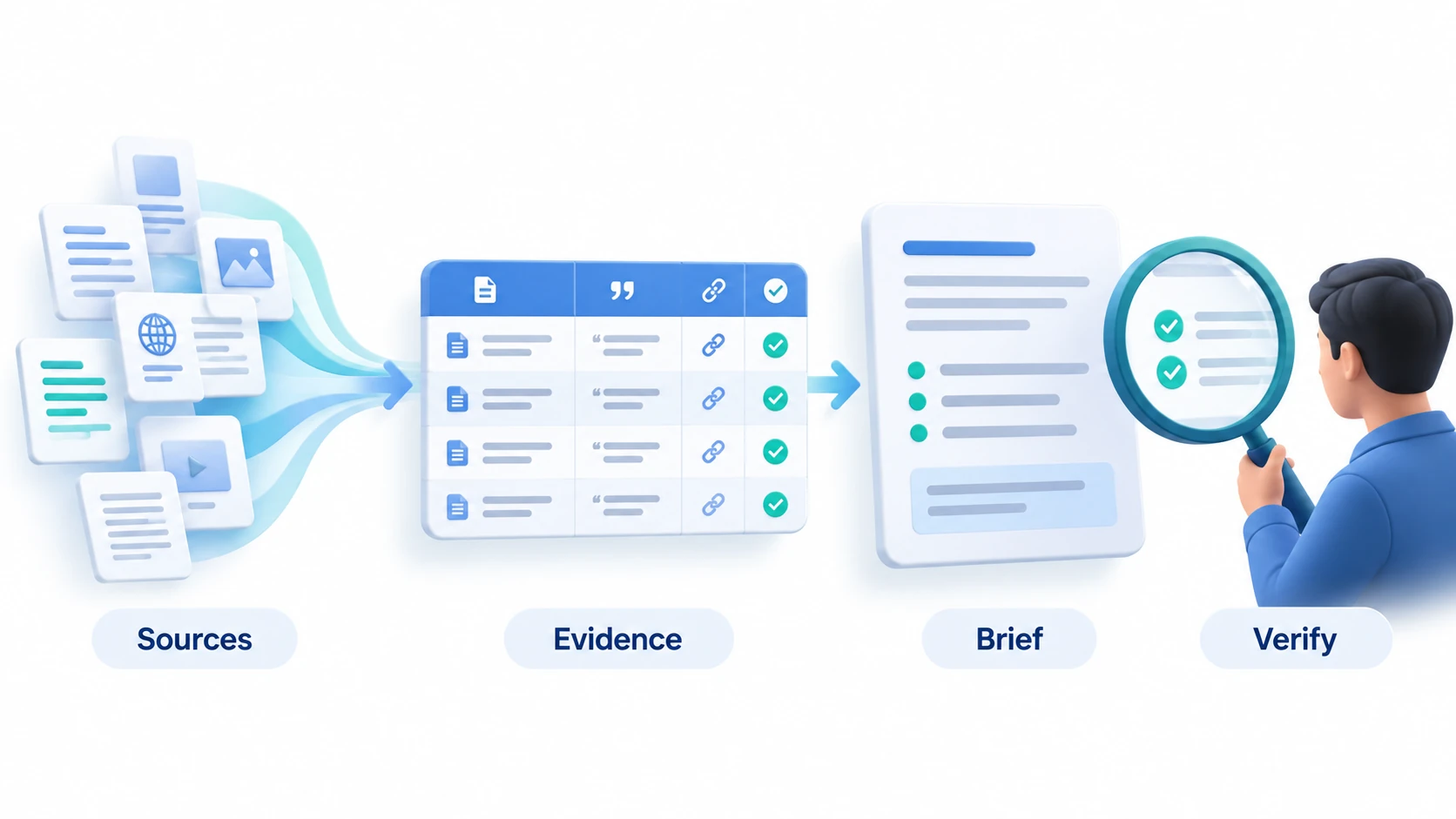
Use the free trial to complete one bounded task, such as turning a short collection of project documents into a decision brief. iWeaver supports document analysis, summaries, and mind maps within its knowledge workflow. Explore iWeaver.
1. Choose material you can verify
Start with two or three related documents whose contents you know. Include a source with an exception or conflicting detail so that the task tests more than summary writing.
For an initial overview, use the AI Document Summarizer. Review the extracted points before asking for a broader synthesis.
2. Set the output and evidence rules
Use Kimi K3.1 Pro in the available model selection and request a specific deliverable. Keep the first task small enough to inspect in full.
For example:
Using only the supplied documents, draft a project decision brief. Include the proposed decision, supporting evidence, unresolved conflicts, and missing information. Attach a source reference to each factual claim. Label suggestions as suggestions. If a detail is absent, say so.
This is a suggested evaluation prompt, not a claim that a model always follows every instruction. Check whether the references support the associated claims.
3. Inspect the result before expanding the task
Pick several claims, including the most consequential one, and trace them back to the originals. Check dates, units, attribution, and exceptions. Ask the model to revise any passage that overstates the evidence.
If you need a visual overview of a document, the PDF to Mind Map workflow offers another way to organize its main ideas. Treat the map as a navigation aid and return to the source for detailed verification.
Once the small task works, increase the source set or output complexity. This gives you a clearer view of where the workflow starts to need more guidance.
What developers should check before connecting it
Kimi Code uses the IDs k3.1-pro and k3.1-pro-highspeed. Its documentation says K3.1 Pro requires thinking mode and recommends starting a fresh session when switching from an older model. Context access also depends on the membership tier: the advertised maximum is not available under every plan.
Avoid copying settings from a different access channel without checking them. Model IDs, endpoints, plan allowances, and application controls should be taken from the documentation for the service you are actually using.
For a coding evaluation, define an observable result before the run: a failing test that should pass, a reproducible bug that should disappear, or a feature with explicit acceptance criteria. Review the changes as well as the final explanation.
How much should you trust the benchmark claims?
Kimi reports improvements across coding and knowledge-work evaluations. These are vendor-reported results with specified tools and evaluation conditions; this article does not present an independent hands-on benchmark.
For your own trial, record four things: whether the output is correct, how much correction it needs, how long the complete task takes, and what it costs through your chosen access route. A polished first answer can still require substantial checking.
K3.1 Pro is worth evaluating where your work involves comparing sources or carrying a complex task through several revisions. Bring a clear deliverable, evidence rules, and a result you can verify. Start with one document workflow in iWeaver’s free trial, then expand based on what the model actually delivers.