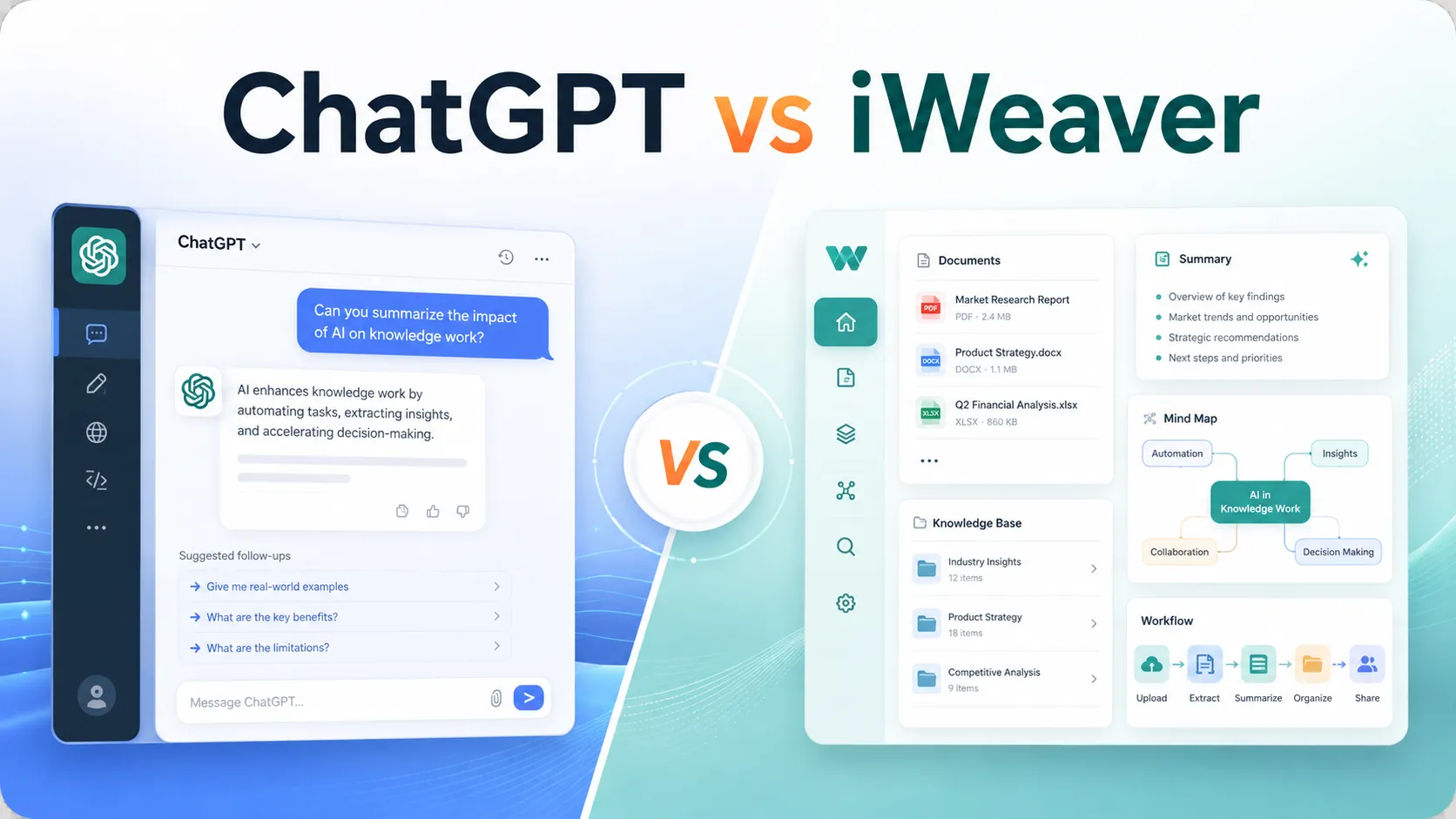
ChatGPT and iWeaver can both help you summarize, ask questions, and create content from information. The difference is in the workflow they are built around.
ChatGPT is a powerful general-purpose AI assistant. It is strong for brainstorming, writing, coding, analysis, multimodal chat, and working with uploaded files. iWeaver is more specialized: it is designed for knowledge workers who need to collect information from many formats, process documents deeply, organize insights into a knowledge base, and move from input to usable output without jumping between tools.
If you want one flexible AI assistant for many everyday tasks, ChatGPT is still one of the strongest options. If your work starts with PDFs, web pages, reports, videos, notes, images, or meeting materials, and you need a repeatable workflow around them, iWeaver may be the better fit.
Quick Comparison
| 차원 | 채팅GPT | iWeaver |
|---|---|---|
| 가장 좋은 | General AI chat, writing, reasoning, coding, analysis | Knowledge work, document workflows, multi-format information processing |
| Document handling | Strong file upload and analysis features | Built around document intake, summarization, structuring, mind maps, and knowledge reuse |
| 지식 기반 | Projects, custom GPT knowledge, memory, and file context depending on plan/settings | Personal knowledge base positioning is central to the product |
| Workflow depth | Flexible, prompt-driven; may require manual process design | More workflow-oriented with task-specific agents and structured outputs |
| Output formats | Text, code, images, tables, files depending on available tools | Summaries, notes, mind maps, outlines, reports, diagrams, and export-oriented outputs |
| Ideal user | Anyone who needs a broad AI assistant | Researchers, analysts, students, consultants, and teams handling recurring document-heavy work |
Where ChatGPT Has the Advantage
ChatGPT’s biggest advantage is breadth. It can help with many tasks beyond document workflows: drafting emails, debugging code, generating ideas, analyzing spreadsheets, creating images, planning projects, and answering general questions. For users who want one conversational assistant that can handle almost anything, ChatGPT is hard to beat.
ChatGPT also has strong file capabilities. According to OpenAI’s official materials, users can upload and work with files such as PDFs, spreadsheets, documents, images, and text files. ChatGPT Projects can also include uploaded files, chats, custom instructions, and shared context, which makes it useful for longer-running work.
Choose ChatGPT if you want:
- A broad AI assistant for many unrelated tasks.
- Strong general reasoning and writing help.
- Coding, data analysis, image, and multimodal capabilities in one place.
- Flexible prompting instead of predefined workflows.
- A tool you can adapt manually to many use cases.
Where iWeaver Has the Advantage
iWeaver’s advantage is focus. It is built for people whose work revolves around information: reading documents, extracting key points, turning materials into summaries or mind maps, organizing notes, and reusing knowledge across tasks.
Instead of treating each prompt as a one-off chat, iWeaver emphasizes a workflow: collect information, analyze it, organize it, and turn it into usable outputs. Its official materials highlight support for multiple content formats, including text, images, audio, video, PDFs, research papers, web pages, YouTube videos, and online articles. iWeaver also positions itself as a personal knowledge base for structured knowledge work.
Choose iWeaver if you want:
- Multi-format input across documents, web pages, PDFs, videos, audio, and images.
- A workflow from raw materials to summaries, notes, mind maps, reports, or diagrams.
- A personal knowledge base rather than isolated answers.
- Task-specific AI agents for document-heavy work.
- More structure when processing research, reports, lectures, meetings, or long-form materials.
Document Processing Depth
ChatGPT can analyze uploaded documents, summarize them, answer questions, and help transform them into drafts, tables, or explanations. It is especially useful when you know what you want to ask. For example, you can upload a report and ask for a risk summary, an executive brief, or a list of open questions.
iWeaver is more opinionated about the document workflow. It is designed to help users move from “I have too many materials” to “I have organized knowledge.” Official iWeaver pages describe workflows for turning PDFs, articles, videos, transcripts, and links into notes, outlines, summaries, mind maps, and other structured outputs.
The practical difference:
- ChatGPT is excellent when you want flexible analysis through conversation.
- iWeaver is stronger when you want repeatable processing and reusable structure.
Workflow Capability
ChatGPT workflows often depend on the user’s prompt design. A power user can create a sophisticated process: upload files, define roles, ask for extraction, compare findings, generate a report, revise the report, and export content. But much of that process is still user-directed.
iWeaver is positioned closer to a workflow assistant. Its agent library includes task-specific tools for summaries, notes, PDF processing, video outlines, URL summarization, flowcharts, and report generation. That makes it easier for users to begin with a task rather than a blank chat box.
For a one-time question, ChatGPT may be faster. For recurring document work, iWeaver can reduce setup friction.
Knowledge Base and Knowledge Reuse
ChatGPT Projects can help users group chats, files, and instructions. This is useful for ongoing work such as writing projects, research folders, or team contexts.
iWeaver makes knowledge organization more central. Its positioning is “based on personal knowledge,” and its product pages repeatedly emphasize building structured knowledge from files, videos, web pages, and documents. This matters when you do not just want an answer today; you want your materials to become a growing knowledge base for future work.
Practical Scenario: Research Analyst
A research analyst may use ChatGPT to summarize a market report, generate a client memo, or brainstorm questions for a meeting. This is efficient when the task is conversational and flexible.
The same analyst may use iWeaver when they need to collect several PDFs, web pages, analyst notes, and video transcripts, then turn them into a structured knowledge base with summaries, outlines, and mind maps. iWeaver is better suited when the work is not just “answer this question” but “help me organize this body of material.”
Which Should You Choose?
Choose ChatGPT if you need a broad, high-performing AI assistant for writing, reasoning, coding, analysis, and flexible conversation. It is the better default if your tasks change every day and documents are only one part of your workflow.
Choose iWeaver if your work is document-heavy and knowledge-heavy. It is a stronger fit when your inputs come from many formats and your desired output is not just a chat answer, but a structured artifact: a summary, note set, mind map, report, comparison, or reusable knowledge base.
The fairest answer is that ChatGPT and iWeaver are not direct one-to-one replacements. ChatGPT is a general AI assistant. iWeaver is a knowledge workflow assistant. The better tool depends on whether your main problem is “I need a smart AI to talk to” or “I need to turn scattered information into structured knowledge and finished work.”
자주 묻는 질문
Is iWeaver a ChatGPT alternative?
Yes, for knowledge-work use cases. iWeaver can be considered a ChatGPT alternative when the user’s main need is document processing, summarization, structured notes, workflow automation, and knowledge base organization. For broad general AI tasks, ChatGPT remains more flexible.
Is ChatGPT better than iWeaver?
ChatGPT is better for general-purpose AI assistance, coding, brainstorming, and flexible conversation. iWeaver is better for users who want a focused workflow around documents, multi-format inputs, summaries, mind maps, and reusable knowledge.
Can ChatGPT process documents?
Yes. OpenAI’s official documentation describes file upload and project features that support working with PDFs, spreadsheets, documents, images, and other file types, subject to plan and usage limits.
What makes iWeaver different?
iWeaver’s differentiation is its combination of multi-format input, workflow-oriented AI agents, structured outputs, and personal knowledge base positioning. It is designed less as a blank chatbot and more as an AI workspace for processing information.