The best company profile generator is the one that turns verified business facts into a profile your intended reader can use. A polished paragraph is only the beginning. The tool should help you organize your company information, adapt it to a specific audience, and spot claims that need checking before you publish.
A profile for a website, sales proposal, directory listing, or investor introduction will emphasize different details. Start with the destination and audience, then choose the tool.
What should a company profile generator produce?
A useful company profile explains:
- What the company does
- Who it serves
- Which products or services it offers
- The problem it solves
- What makes its approach distinct
- Where a reader can verify important facts
- What the reader should do next
Depending on the format, you may also need founding information, locations, leadership, certifications, customer proof, or contact details. Include these only when they are relevant and verified.
Match the tool to the job
| Your task | Look for |
|---|---|
| A short website introduction | Control over length, tone, and a clear call to action |
| A sales or partner profile | Structured products, audience, differentiators, and evidence |
| A directory listing | Concise fields and consistent facts across versions |
| A profile based on existing material | A workflow for reviewing supplied notes, pages, or documents |
| A designed one-page profile | Editing and layout options after the copy is approved |
No single “best” tool wins every category. A design platform may be better for layout; a writing assistant may be better for a first draft; a dedicated profile generator may help when you need a repeatable business format.
Five checks before choosing a generator
1. Can you provide reliable source information?
A generator can only work with what you give it or what it can access. Prepare an approved company description, product list, target audiences, location, and proof points. If you enter only a company name, expect a generic draft.
2. Can you control the audience and format?
The same company should sound different in a procurement profile and on an About Us page. Look for a way to specify the reader, purpose, length, and tone.
3. Does it separate facts from promotional language?
Check whether the output adds invented customer counts, awards, market leadership claims, or founding dates. A useful tool makes the draft easier to edit; it does not remove the need for fact checking.
4. Is the output easy to revise?
You should be able to shorten a section, remove a claim, and create another version without rebuilding the entire profile. Editable structure matters more than a polished first sentence.
5. Does it fit your publishing workflow?
Decide whether you need copy for a CMS, a document for review, a one-page PDF, or several channel-specific versions. Confirm the available output options in the product before choosing it on the basis of an export claim.
How to create a company profile with iWeaver
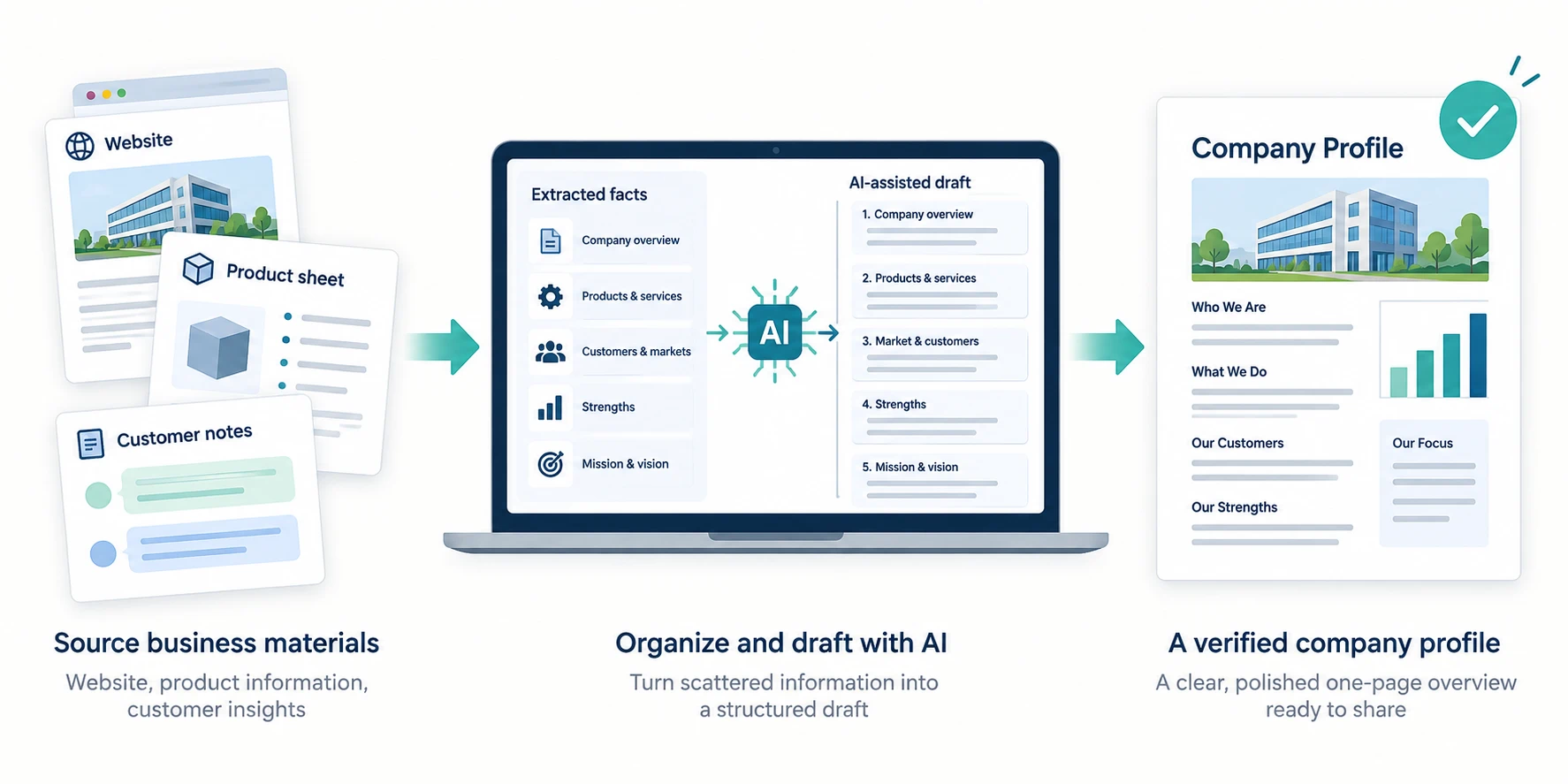
iWeaver's Company Profile Generator is a dedicated starting point for organizing supplied business information into profile copy. To get a more useful draft, give it a brief like this:
Create a 180-word company profile for potential distribution partners. Use only the facts below. Include what we sell, whom we serve, our main differentiator, and a neutral closing sentence. Mark any missing proof as “needs verification” instead of inventing it.
Company name: [name]
Products or services: [list]
Customers: [audience]
Regions served: [verified locations]
Differentiator: [supported claim]
Evidence: [approved figures, certifications, or examples]
Claims to avoid: [unverified superlatives or numbers]
Review the result against your source material. Then request a second version for the exact channel where it will appear.
Example: one company, two profile angles
Suppose a company makes inventory software for independent retailers. Its approved facts say that the product tracks stock across a physical store and an online shop.
Website version: Lead with the retailer's problem, describe the product plainly, and end with a product-focused next step.
Partner version: Lead with the customer segment, explain how the product fits existing retail operations, and include verified partnership or integration details if available.
The facts stay consistent. The order and emphasis change for the reader.
Common mistakes to fix before publishing
- Generic claims: Replace “innovative solutions” with a concrete product and customer problem.
- Unsupported numbers: Verify years in business, customer totals, geographic reach, and growth figures.
- Audience mismatch: Do not send investors a profile written like a consumer landing page.
- Too much history: Keep background that explains the current business; trim chronology that does not help the reader.
- No next step: Add a relevant contact or product action when the publishing channel calls for one.
If your source material is mainly a website, the company profile from website tool may be a more relevant starting point. Review the extracted facts before reusing them.
The practical definition of “best”
Choose a generator by testing it with your own approved facts and a real publishing task. Compare the amount of editing required, the accuracy of the claims, and how well the result serves its reader. The strongest profile is clear, specific, and supportable—regardless of which tool produced the first draft.