

A personal knowledge base is a collection of sources, notes, and ideas organized so you can find and reuse them. To build one, start with a specific project, collect relevant material, turn it into useful notes, and connect those notes to questions you need to answer. Review the collection regularly as your work changes.
You do not need to organize everything you have ever saved. A small collection that helps you finish a report or learn a subject is a better starting point than hundreds of unprocessed bookmarks.
1. Start with a question you expect to revisit
Choose a current project or recurring responsibility. Then write down three questions your knowledge base should help answer.
For a customer onboarding project, those might be:
- Where do new users get stuck?
- What changes have we already tried?
- Which evidence supports the next improvement?
These questions give you a reason to save material. A report, interview, or tutorial belongs in the collection when it helps answer one of them.
Leave unrelated reading elsewhere for now. You can build additional collections once the first one proves useful.
2. Choose a home for sources and working notes
Your setup needs three basic functions: a place for original material, a place for your notes, and a reliable way to retrieve both. Before committing to a tool, test those functions with a small sample.
iWeaver brings document analysis, summaries, mind maps, and AI dialogue into a knowledge-work workflow. You can use it to process source material and develop structured notes for your collection.
Start with a few relevant items rather than importing your entire archive. Add clear titles, retain the original files or links, and check how you will save and revisit the results in your workspace.
The organization below is a working method you can apply through titles, index notes, and whatever grouping options your chosen tool provides.
3. Separate source material from your own understanding
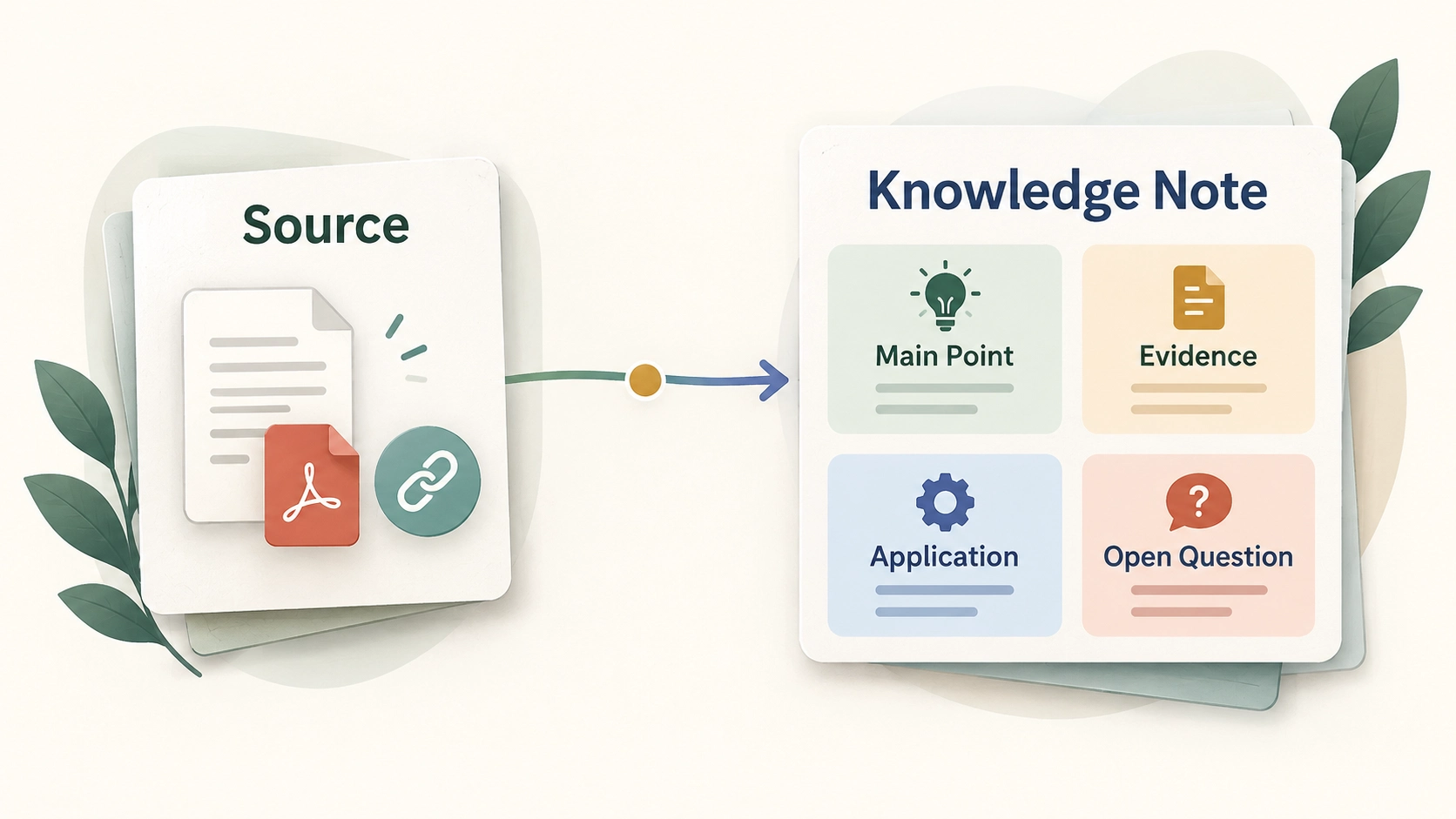
A saved PDF tells you where information came from. A working note records what it means for your task. Keep both, with an explicit connection between them.
Use a compact note structure:
| Field | What to include |
|---|---|
| Title | A specific idea or question |
| Source | Original file or URL, author, and date when available |
| Main point | The useful idea in your own words |
| Evidence | Relevant passage, example, or source location |
| Application | Why it matters to your project |
| Open question | What still needs checking |
For documents, PDF to Note provides a starting point for structured notes. Ask for the information your project needs rather than a general summary of every page.
Create a knowledge note from this document for my project on [topic]. Include the main point, supporting evidence, relevant source locations where available, and unresolved questions. Separate source statements from suggested applications.
4. Use a small organizational structure
Begin with a few categories you understand immediately. One established option is Tiago Forte's PARA method, which groups information into Projects, Areas, Resources, and Archives.
Projects have a defined outcome. Areas are continuing responsibilities. Resources cover subjects of interest, and Archives hold material that is no longer active.
You can also start more simply: one project index, its source notes, and a place for completed work. Add categories when they solve a retrieval problem, rather than because your system looks incomplete.
Choose titles you would actually search for. “Onboarding — users cannot find setup instructions” is easier to recognize later than “Interesting interview.” Keep terminology consistent, and add a common synonym when a topic has more than one familiar name.
5. Connect notes through useful questions
A collection becomes more helpful when you can move between related ideas without rereading every item.
Create a project index containing your key questions and references to the notes that address them. Write a sentence explaining each connection: supports, contradicts, expands, or applies to.
For example, an illustrative onboarding collection could contain:
| Item | Contribution to the project |
|---|---|
| Interview notes | Describe where users report confusion |
| Support summary | Shows which questions recur |
| Tutorial notes | Suggest a possible guidance format |
| Decision note | Records the chosen change and its rationale |
The tutorial suggests an approach; it does not prove that the approach will solve your users' problem. Keeping that distinction visible prevents a collection of notes from becoming a collection of unsupported conclusions.
When useful evidence comes from a recording, use Video to Notes to create a companion note and retain the original video reference.
6. Test whether you can retrieve an answer
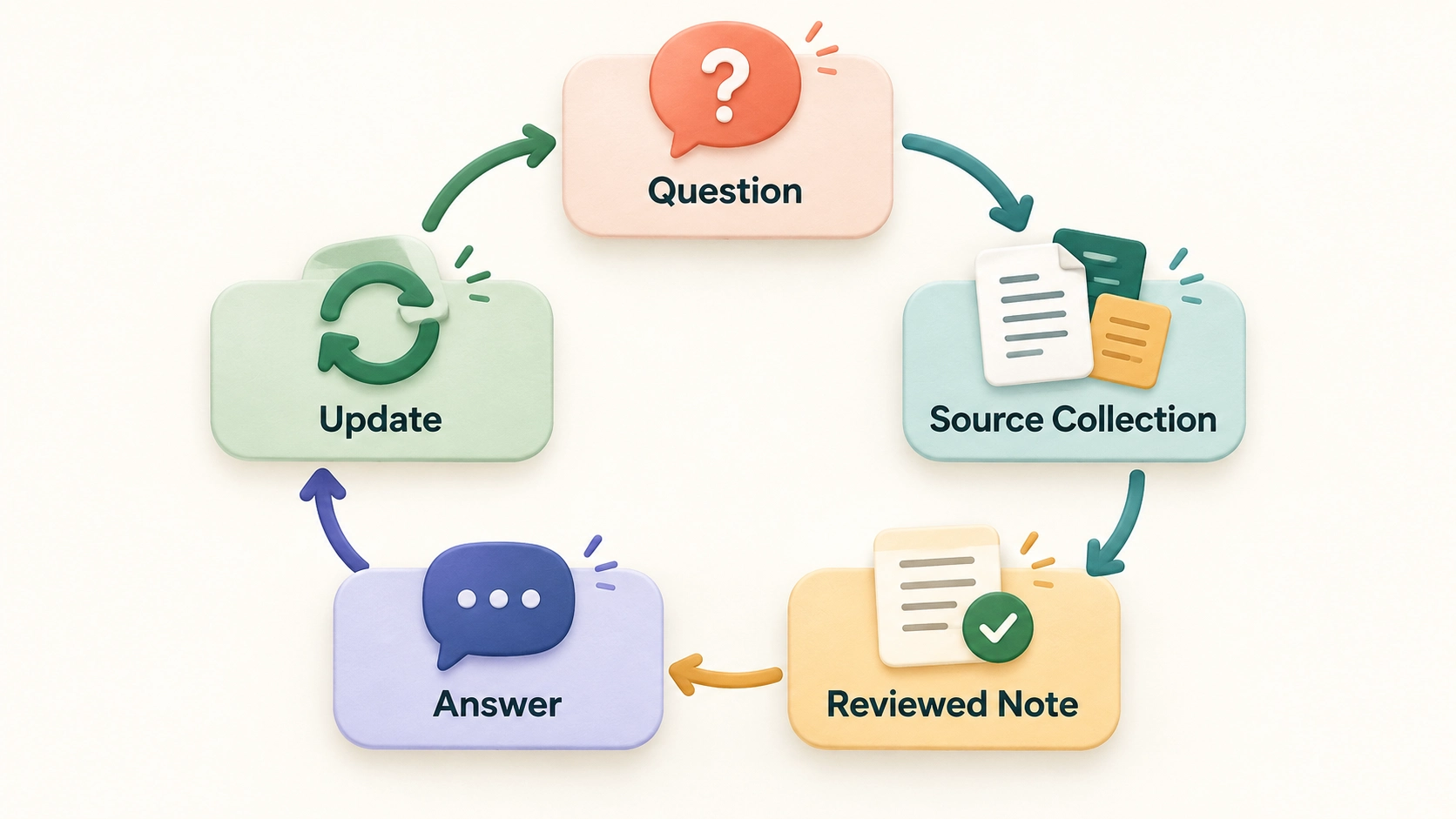
Return to the questions you wrote at the beginning. Try answering one from your collection without starting a new web search.
If you use AI to work with selected materials, make the request specific:
Using these project sources, identify the evidence about setup difficulties. Name the supporting source for each point, keep disagreements separate, and state what the collection does not establish.
Then check the cited material yourself. The test is whether you can locate and evaluate the evidence, not whether the response sounds confident.
7. Keep the knowledge base current
Set aside a short weekly review. Process useful new items, remove duplicates, and move completed project material out of the active collection.
When information changes, record which note replaces the older one. Preserve the earlier source when the history matters, but label its status so an outdated instruction does not look current.
Finish the review by using one note in real work: a paragraph, meeting question, explanation, or decision. Start your knowledge base with one project and a few sources today. Expand it when the existing collection is helping you answer questions you would otherwise have to research again.