
You can turn a YouTube video into notes by adding its link to an AI video note tool, choosing a note format, and reviewing the output against the recording. Ask for topic headings, explanations, useful examples, and timestamps where available. Save the original link with the notes so you can return to the relevant moment.
The goal is a reference you can use after watching. A lecture needs concepts and examples; a software tutorial needs steps and expected results. Here is how to build those notes with iWeaver, plus a transcript-based fallback when a link does not work.
Choose the kind of notes you need
A transcript records what was said. A summary gives the main message. Notes reorganize the material for a specific purpose, keeping enough detail to help you study or complete a task.
Choose the output before generating it:
| Video type | Useful note structure |
|---|---|
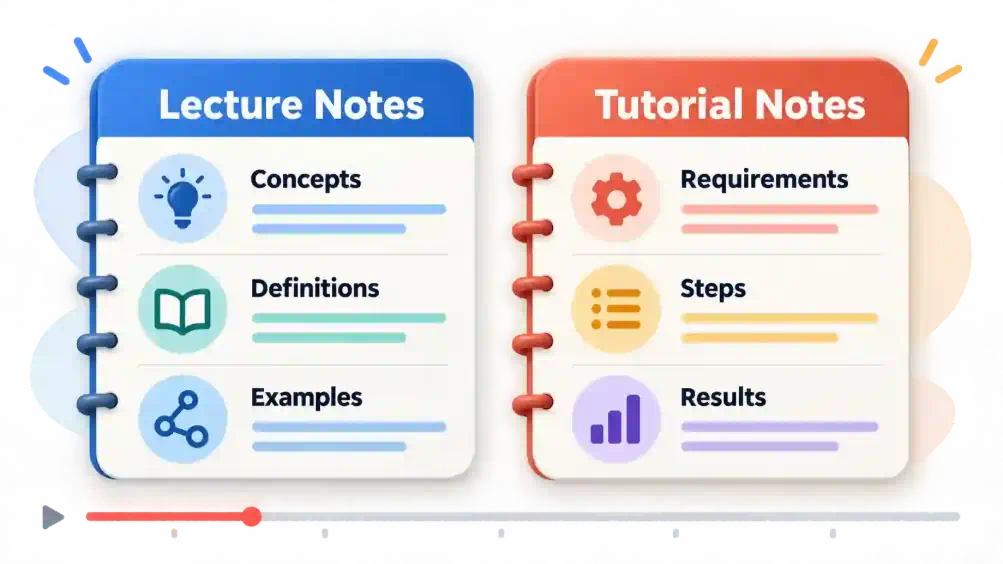
| Lecture | Concepts, definitions, explanations, examples |
| Practical tutorial | Requirements, ordered steps, expected results |
| Interview | Speaker positions, supporting examples, open questions |
| Webinar | Main lessons, qualifications, possible next actions |
For a tutorial, preserve the sequence. For a lecture that returns to one concept several times, grouping those explanations together may make the notes easier to review.
1. Add the video link
Open iWeaver's Video to Notes tool and paste the YouTube URL. Its published workflow supports YouTube links and structured notes organized around topics and key points.
Use a video you can open and review. Record its title, channel, and URL before starting. If you only need one chapter, state the relevant section rather than asking for an equally detailed account of the entire recording.
Once the content is processed, check that the output refers to the correct video and covers the intended section.
2. Request structured notes
Use a prompt that describes what you need to keep:
Turn this YouTube video into organized notes for someone learning the topic. Use headings for the main concepts. Include definitions, explanations, and examples from the video. Keep the speaker's claims separate from additional interpretation. Preserve timestamps where available; do not invent them.
For a practical demonstration, replace the concept structure with:
Create a step-by-step reference from this tutorial. Include prerequisites, actions in order, expected results, and troubleshooting advice mentioned by the presenter. Mark any step that requires checking the screen.
These are instructions for the desired output. Always review whether the generated notes actually follow them.
3. Keep examples and conditions with their lessons
Overly short notes can preserve a claim while dropping the condition that makes it useful. “Use this setting” is incomplete if the presenter only recommends it for a particular situation.
Ask a focused follow-up:
Expand the section about [topic]. Include the example used to explain it and any conditions or exceptions the presenter mentions. Leave out unrelated discussion.
For interviews, make sure different speakers' views remain separate. A disagreement should not become a single shared conclusion.
4. Verify the moments that matter
Replay sections containing numbers, quotations, technical terms, or instructions you intend to follow. Check timestamps by opening the corresponding moment, rather than assuming a plausible-looking time is correct.
Watch visual demonstrations directly. A transcript may capture “click here” without identifying the button, or omit a formula shown on a slide. Add the missing visual detail yourself and label it as a viewing note.
5. Save a version you can find again
Give the note a descriptive title, such as “Spreadsheet tutorial — cleaning duplicate entries.” Include the original URL, a short explanation of why you saved it, and any unresolved questions.
Use the save or export options available in your workspace, then reopen the saved copy. Check that headings, the source link, and important reference points remain readable.
A simple video-note template
Use this structure for one video, then remove fields that do not help your purpose:
| Field | What to record |
|---|---|
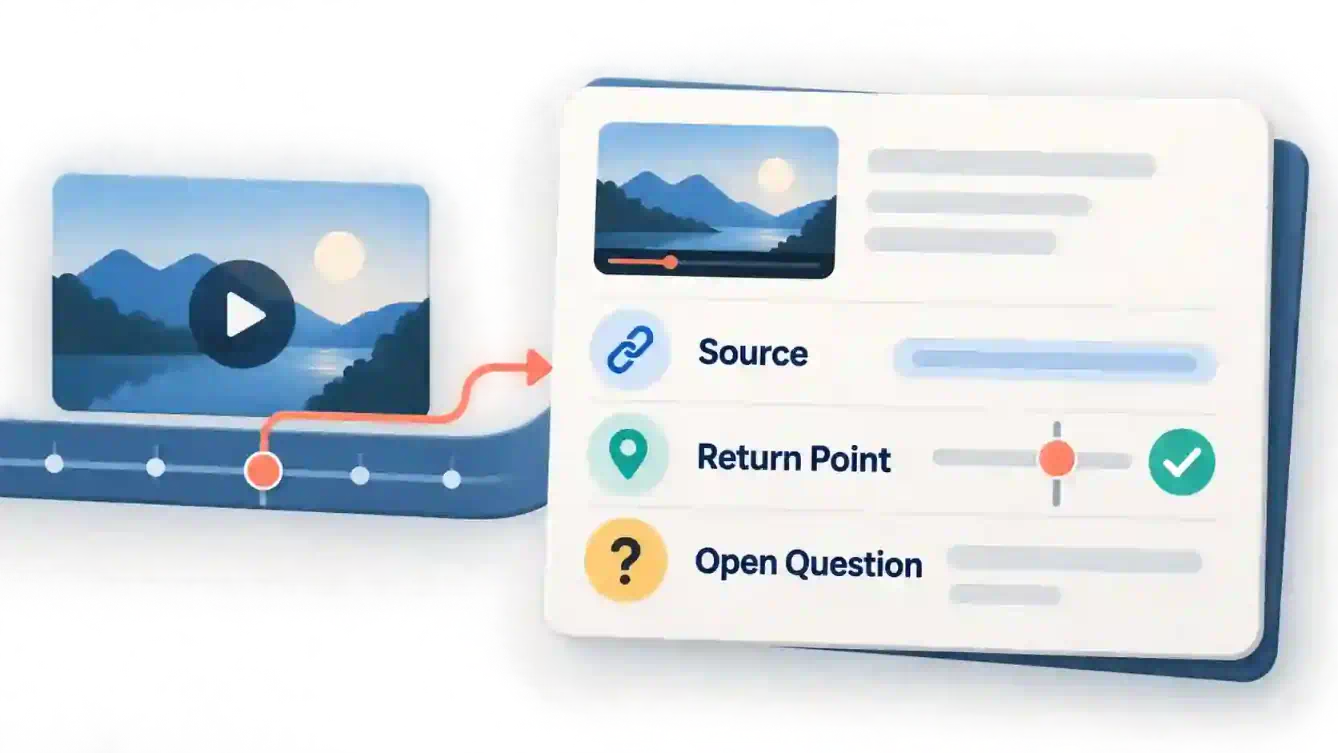
| Source | Video title, channel, original URL |
| Purpose | What you wanted to learn or do |
| Key ideas | Short explanations in your own words |
| Examples or steps | Details needed to apply the lesson |
| Return points | Verified timestamps or chapter names |
| Open questions | Gaps to check before using the notes |
For an illustrative spreadsheet lesson, a useful note might say: “The presenter removes duplicate rows using the email field. Check whether shared email addresses should count as duplicates in my dataset.” This keeps the demonstrated action separate from your own application decision.
Check whether the video opens normally and whether a transcript is available. YouTube's transcript instructions explain that videos with captions can display their transcript through Show transcript in the description. Selecting a transcript line takes you to that part of the video.
Copy the relevant transcript into your AI workspace if text input is available, and use the same note prompt. Label the result as transcript-based so you remember to check visual material separately.
If no transcript is available, use your own viewing notes or an authorized recording accepted by the tool. A video title and description alone are not enough to reconstruct the lesson.
Connect the notes to your other learning material
If the video explains a PDF handout, create companion notes with PDF to Note. Keep the handout and video sources distinct, especially when their examples or terminology differ.
For a topic with several connected concepts, send your reviewed outline to Text to Mind Map to create a visual overview. Do this after checking the notes so mistakes do not spread into another format.
Finally, close the notes and explain one key idea or follow one tutorial step yourself. Wherever you get stuck, return to that section and improve the explanation. Start with one video you already planned to watch and save notes that answer a real question you expect to revisit.