

Kimi K3.1 Pro is an update to K3 built through additional post-training. Both advertise a one-million-token context window, so the upgrade is primarily a question of task performance and operating cost, rather than a larger headline context allowance.
If you already use K3, evaluate K3.1 Pro on work that exposes a weakness in your current setup. A successful familiar task tells you more about an upgrade than an impressive example from an unrelated field.
What actually changes?
For a broader overview of the new release, read what is new in Kimi K3.1 Pro.
K3 introduced a 2.8-trillion-parameter model with native vision and long-context capabilities. K3.1 Pro builds on K3 with a focus on improved coding, 3D creation, and research performance.
| Question | Kimi K3 | Kimi K3.1 Pro |
|---|---|---|
| Position in the family | Previous-generation flagship | Updated flagship |
| Advertised maximum context | 1M tokens | 1M tokens |
| Upgrade decision | Your existing baseline | Test for better execution on your tasks |
The shared context figure matters. If a workflow fails because a service cannot accept a particular file collection, a model upgrade alone may not fix it. Check the interface, file handling, and account allowance before attributing the problem to model intelligence.
Current API rates favor K3.1 Pro
As checked on October 24, 2026, the Kimi API Platform lists these US-dollar rates per million tokens:
| Rate | Kimi K3 | Kimi K3.1 Pro |
|---|---|---|
| Input | $3 | $2 |
| Output | $15 | $10 |
| Cache write | $3 | $2 |
| Cache hit | $0.30 | $0.20 |
At equal token volumes, these listed rates make K3.1 Pro one-third cheaper. Actual task spending depends on token usage, retries, and additional services. Subscription allowances and third-party pricing are separate.
For a migration, compare the cost per accepted result. Measure enough runs to notice tasks that produce unusually long answers or require repeated repair. A lower rate is useful, but the workload determines the bill.
Build an upgrade test from your difficult cases
If you also want an external alternative in the evaluation, see Kimi K3.1 Pro vs. Claude Opus 5.5.
Choose examples that your K3 workflow has already struggled with. For document work, that might be a missed exception, a comparison across several versions, or a conclusion that lacked support. For coding, it might be a reproducible bug that required several rounds of explanation.
Keep the old output as a baseline and define what improvement would mean before testing the new model.
For example:
A successful run must distinguish the current policy from the archived version, identify the changed approval requirement, and cite the relevant passage from each document.
That acceptance rule is more useful than “write a better summary.” It makes the comparison specific enough for another person to review.
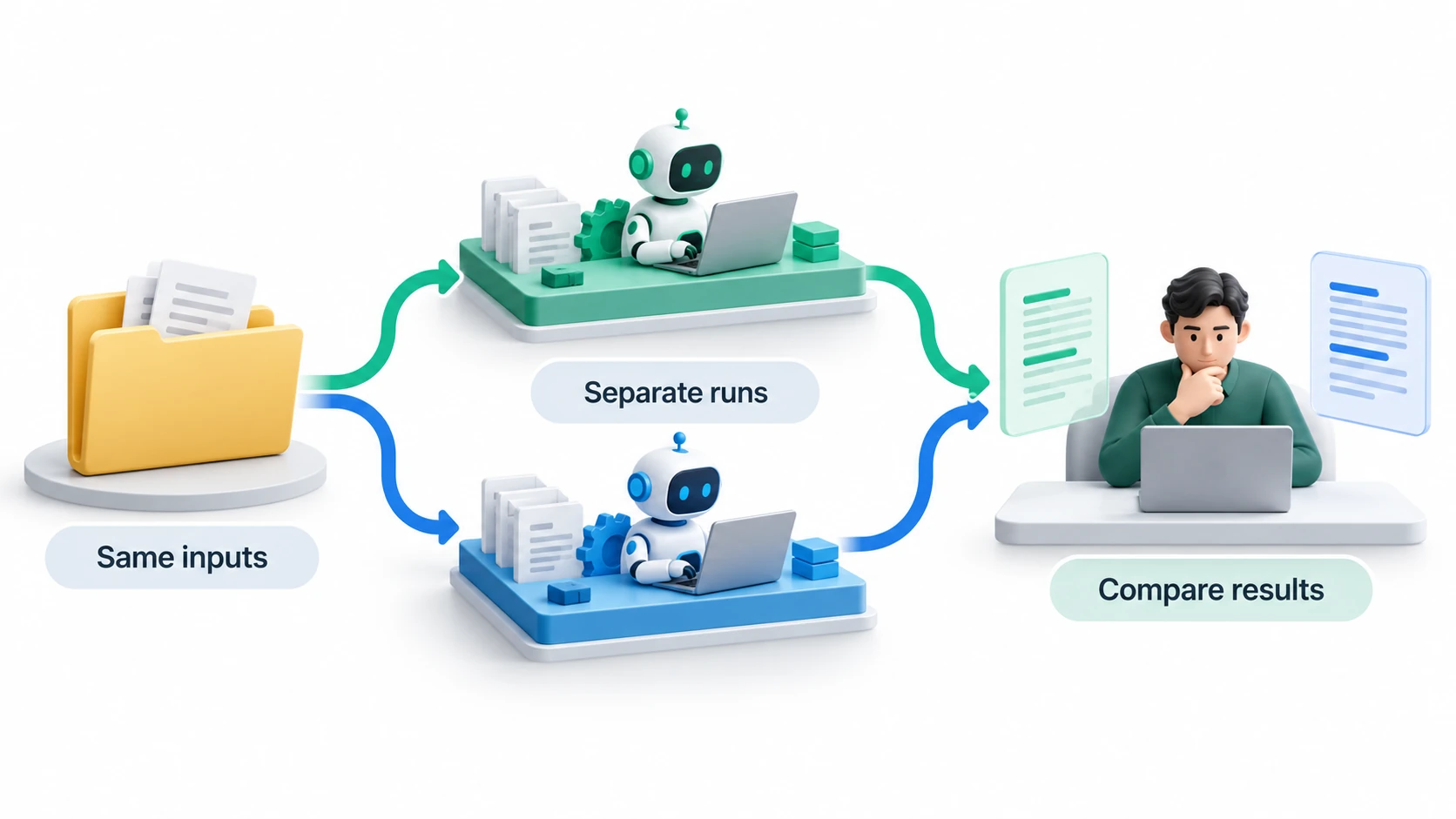
For coding, watch the full change
Use the same repository state and issue description for each model. Start separate sessions, allow the same tools, and run the same checks.
Do not judge only the final explanation. Inspect whether the change is appropriately scoped, whether tests exercise the reported fix, and whether the model has altered requirements to make the task easier.
If K3.1 Pro fixes the bug with less intervention, record the time saved. If both models solve it equally well, cost and latency may decide the choice. If the new model introduces a regression, preserve that example and investigate before expanding its role.
A migration test should include routine work too. A model that helps on your hardest task still needs to fit the ordinary work that makes up most of your usage.
For research, compare traceability
Ask each model to answer the same question from the same source collection. Require source locations and an explicit list of missing information.
In iWeaver, the AI Document Summarizer can support an initial overview. Kimi K3.1 Pro is available in iWeaver, and iWeaver provides a free trial of the model. Use a source set you can inspect in full before trying a larger collection.
Review a consequential claim from each answer and trace it to the source. A more fluent report is an improvement only if it preserves the evidence and its limits.
Switch gradually, with a way back
Follow How to Use Kimi K3.1 Pro for a fresh-session workflow and troubleshooting checkpoints.
For Kimi Code, follow the current model configuration guidance, including the recommendation to start a fresh session. Check prompts and settings that were written around older model behavior.
Move one repeatable workflow first. Keep the previous configuration and a small regression set so you can compare subsequent changes. Record failures in enough detail to reproduce them.
Switch when K3.1 Pro meets your quality threshold and improves a factor that matters: correction time, successful completion, latency, or cost. Keep K3 where an existing deployment has constraints that the new model has not yet satisfied. The right upgrade decision comes from a tested workflow, not the version number alone.