GPT-5.5 is less interesting as a headline upgrade than as a practical one. The changes that matter most show up in everyday work: following longer instructions, keeping track of more context, returning cleaner structured output, and handling mixed inputs with fewer awkward handoffs.
That may sound less dramatic than a major leap in raw intelligence, but for people who use AI for research, writing, document analysis, coding, or routine business work, reliability often matters more than novelty.
The simplest way to think about GPT-5.5 is this: it is designed to spend less time making you manage the model and more time helping you finish the task.
Below, we’ll look at what changed, where those improvements are useful, how GPT-5.5 compares with other major models, and when it makes sense to use it through a workflow tool such as iWeaver rather than in a standard chat window.
Watch OpenAI’s Official GPT Introduction
For a quick overview straight from OpenAI, you can watch the official GPT introduction before diving into the details below.
What Is GPT-5.5 and How Is It Different from GPT-5?
GPT-5.5 builds on GPT-5 rather than replacing the basic way the model works. The emphasis is refinement: fewer inconsistent answers, stronger instruction following, better handling of long inputs, and more dependable output when a task has several steps.
For most users, that difference is easier to notice in a workflow than in a one-line prompt. A short question may not feel dramatically different. Give the model a long report, several constraints, a required output format, and a follow-up task, and the gap becomes more obvious.
Better Reasoning and More Consistent Answers
The original benchmark data published around GPT-5.5 highlighted improvements in factual reliability, multi-step reasoning, and ambiguous-query handling. In practical terms, that should mean fewer situations where the model confidently fills in missing details or loses track of an earlier instruction.
That does not make verification unnecessary. GPT-5.5 can still make mistakes, especially when the source material is incomplete or the question depends on current information. The improvement is better understood as more dependable reasoning, not perfect reasoning.
Stronger Multimodal and Document Handling
GPT-5.5 is also built for more than plain text. The model can work across documents, images, and structured data, which makes it better suited to tasks such as:
- reviewing a long PDF and extracting the sections that matter;
- comparing information across several documents;
- interpreting text and visual information together;
- returning results as tables, JSON, CSV, or Markdown instead of an unstructured wall of text.
That matters because many real tasks start with messy source material. The useful part is not simply being able to “read a PDF”; it is being able to read it, keep the context, and turn the contents into something usable.
What Are the Key Features of GPT-5.5?
Long-Context Understanding That Holds Together Better
A large context window is only useful if the model can still find the right detail later. GPT-5.5 is designed to stay more coherent across long reports, transcripts, research collections, and other large inputs.
For example, you can give it a long market report and later ask it to compare pricing, positioning, risks, and cited evidence without restating the entire document. That reduces the amount of prompt setup required and makes follow-up questions feel more natural.
This is particularly useful for research and document-heavy work, where the problem is usually not generating text from scratch. It is keeping track of many pieces of information at once.
More Reliable Structured Output
GPT-5.5 is also better at returning information in the format you asked for. That includes:
- comparison tables;
- categorized summaries;
- JSON and CSV output;
- checklists and action items;
- multi-step responses with consistent fields.
This sounds like a small improvement until you try to automate anything. A beautifully written paragraph is not very helpful if your next step requires valid JSON or a fixed table structure. More predictable formatting makes GPT-5.5 easier to use in repeatable workflows.
Better Task Execution, Not Just Better Answers
The broader change is that the model is increasingly useful for a sequence of actions rather than a single response.
A typical task might look like this:
- Read a source document.
- Pull out the relevant facts.
- Compare them against a second source.
- Organize the findings into a table.
- Draft a short recommendation based on the comparison.
Earlier models could do each part separately. GPT-5.5 is better at carrying the instructions and context through the entire chain without requiring as much correction in between.
How Does GPT-5.5 Compare with Claude and Gemini?
There is no single “best” model for every task. GPT-5.5, Claude, and Gemini each make different trade-offs, and the difference often matters more than benchmark rankings.
| Area | GPT-5.5 | Claude | Gemini |
|---|---|---|---|
| Structured tasks | Strong | Strong | Strong |
| Long-form writing | Strong | Particularly strong | Strong |
| Long-context work | Strong | Strong | Particularly strong in some workflows |
| Multimodal input | Strong | Strong | Strong |
| Coding and structured output | Strong | Strong | Strong |
| Ecosystem | OpenAI tools and API | Anthropic tools and API | Google ecosystem |
GPT-5.5 vs Claude
Claude remains a strong choice when the main task is long-form reading, writing, or maintaining a natural tone across a large amount of text. GPT-5.5 tends to be especially useful when the job involves structured instructions, mixed task types, or outputs that need to be reused elsewhere.
The practical difference is less about “which model is smarter” and more about what you are trying to produce.
GPT-5.5 vs Gemini
Gemini is a natural fit for users who work heavily inside Google’s ecosystem or need to combine search, documents, and multimodal input. GPT-5.5 is often a better fit when you want a general-purpose model that can move easily between analysis, writing, coding, and structured task execution.
If you regularly move between models, it can be useful to compare them on the same prompt instead of treating one model as the permanent default. Platforms such as XPT for flexible AI chat are useful in that kind of workflow because you can choose a model based on the conversation rather than changing your entire setup every time one model handles a task better than another.
What Can You Actually Do with GPT-5.5?
The clearest way to judge an AI model is to look at the work it can replace, shorten, or simplify.
Research Synthesis and Literature Review
Suppose you have dozens of papers around one topic. The slow part is not simply summarizing each paper; it is identifying recurring themes, conflicting conclusions, differences in methodology, and useful evidence across the whole set.
A practical workflow is:
- Add the papers or reports.
- Ask GPT-5.5 to extract the question, method, findings, and limitations from each source.
- Group the results by theme rather than by document.
- Ask for disagreements, gaps, or patterns across the collection.
- Review the source material before using the conclusions in formal research.
For this kind of document-heavy work, a tool such as iWeaver’s AI Summary Generator can be more convenient than moving files in and out of a normal chat window, especially when you want summaries and source material kept together.
Market Research and Competitive Analysis
GPT-5.5 is also well suited to comparison work. A product or marketing team can give it competitor pages, reports, pricing notes, interviews, and internal research, then ask for a structured view of the market.
Instead of asking, “Summarize these competitors,” a better task is something concrete:
Compare pricing, target customer, core positioning, strongest feature, obvious weakness, and the language each company uses to differentiate itself.
That produces something you can actually work with, rather than a set of generic company summaries.
Meeting Notes and Follow-Up
For long meeting transcripts, GPT-5.5 can separate discussion from decisions and turn an hour of conversation into a shorter record of what needs to happen next.
Useful outputs include:
- decisions made;
- unresolved questions;
- action items;
- owners;
- deadlines mentioned in the meeting;
- items that need confirmation.
The important part is the last one. Good meeting notes should distinguish between what was decided and what was merely discussed.
Content Research and Drafting
Marketing teams can use GPT-5.5 to move from source material to a working draft more quickly, but the strongest use case is not “write 20 blog posts.” It is reducing the repetitive work around each article.
For example, the model can:
- extract useful claims from interview notes;
- organize supporting data;
- build an outline around a search intent;
- flag sections that still need evidence;
- create a first draft for an editor to reshape.
This gives editors more time to improve argument, tone, examples, and originality—the parts that usually make the difference between a useful article and generic AI content.
Internal Knowledge and Operations
GPT-5.5 can also help with recurring internal work such as:
- turning policy documents into searchable Q&A;
- comparing versions of contracts or product requirements;
- drafting first-pass reports from structured data;
- extracting repeated themes from customer feedback;
- converting long internal documents into onboarding material.
These are not flashy demos, but they are often where the model saves the most time.
Is GPT-5.5 Worth Using Right Now?
For many users, yes—but not because every answer is dramatically better than GPT-5.
The upgrade is most useful when your work involves long context, multiple constraints, repeatable formats, or several steps in the same task. If you mostly use AI for short questions, quick rewrites, or casual brainstorming, the difference may feel smaller.
Where GPT-5.5 Is Strong
- It is better at keeping track of longer instructions.
- Structured output is more dependable.
- It handles document-heavy tasks more comfortably.
- Multi-step work requires fewer corrections.
- It can move between analysis and generation without as much prompt setup.
Where You Still Need to Be Careful
- A confident answer can still be wrong.
- Weak or incomplete source material still produces weak conclusions.
- Current facts should still be checked against live sources.
- A long context window does not guarantee that every detail will be weighted correctly.
- Different models can still outperform one another on specific tasks.
That last point is easy to overlook. Model choice is increasingly situational. You may prefer one model for writing, another for coding, and another for a conversation where you want fewer unnecessary refusals or more flexibility in how the model responds. In those cases, testing the same task across multiple models can be more useful than relying on a single benchmark table.
How to Get Better Results from GPT-5.5
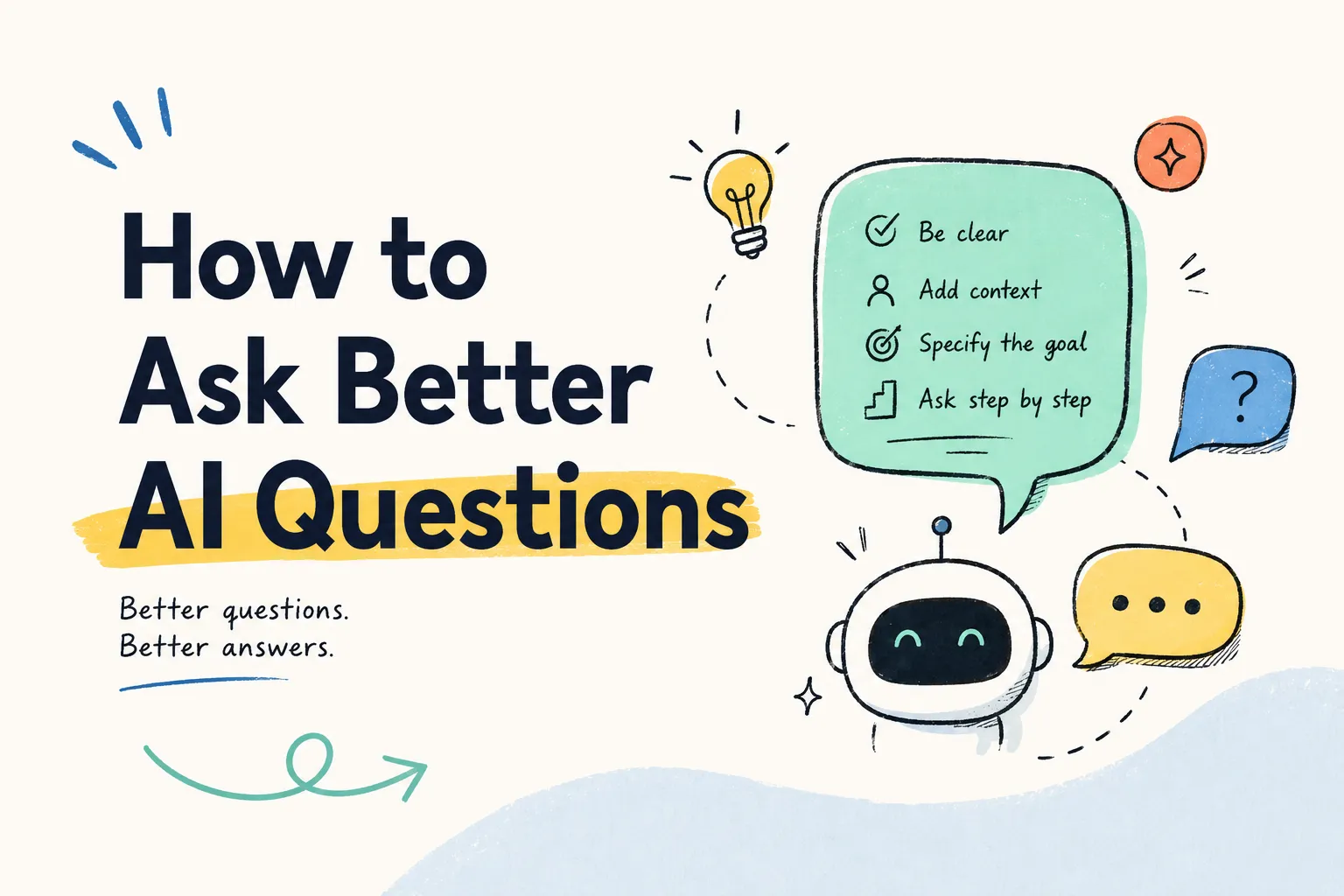
You do not need a 500-word “perfect prompt” to get good results. In many cases, a shorter prompt with better context works better.
Give It the Material First
If the answer depends on a document, spreadsheet, transcript, or set of notes, provide the source material before spending time writing elaborate instructions.
Instead of:
Act as an expert financial analyst. Carefully reason step by step and create a comprehensive report...
Try:
Review this report. Summarize revenue changes, margin changes, major risks, and anything management says about next quarter. Put the numbers in a table and separate facts from your interpretation.
The second prompt is shorter, but it gives the model a clearer job.
Ask for a Specific Output
“Analyze this” is vague. “Give me a five-row comparison table and three risks that are supported by the document” is much easier to evaluate.
Useful output constraints include:
- number of points;
- table columns;
- required sections;
- what evidence to cite;
- what not to infer;
- desired tone or audience.
Break High-Stakes Work into Stages
For important tasks, do not ask for the final answer immediately. Ask the model to extract facts first, then review those facts, and only then produce a recommendation.
This makes it easier to spot where an error entered the process.
Use the Right Interface for the Job
A normal chat works well for one-off questions. A document workspace is better when you repeatedly work with files. A multi-model interface can be useful when you want to compare answers or switch to a model with a different style of reasoning.
The model matters, but the interface around it often determines how much time you actually save.
GPT-5.5 Pricing, Availability, and API Access
GPT-5.5 can be used through OpenAI’s own products and API, while third-party tools may also provide access as part of a broader workflow.
For individual users, the right option depends on how you work:
- Chat interface: best for direct questions, writing, brainstorming, and general problem solving.
- API: best for developers building GPT-5.5 into products or automated systems.
- Workflow tools: useful when the job starts with documents, research collections, or repeatable business processes.
- Multi-model tools: useful if you frequently compare models or want more control over which model handles a conversation.
Pricing and model availability can change, so it is worth checking the provider’s current plan details before choosing a subscription or building around a specific API endpoint.
Conclusion
GPT-5.5 is a meaningful upgrade, but the most useful improvements are not the ones that look best in a benchmark chart.
What matters in day-to-day use is that the model is easier to work with: it holds context better, follows complicated instructions more reliably, produces cleaner structured output, and needs less prompt babysitting during multi-step tasks.
For research, document analysis, structured writing, coding, and knowledge work, those changes can remove a surprising amount of friction.
The best way to evaluate it is simple: take a task you already do regularly, give the same source material and instructions to GPT-5.5, and compare how much correction is needed before the output is genuinely usable.
Frequently Asked Questions
What is GPT-5.5?
GPT-5.5 is an updated OpenAI model focused on stronger reasoning, long-context handling, structured output, multimodal work, and more reliable execution of multi-step instructions.
Is GPT-5.5 better than GPT-5?
For many practical tasks, yes. The biggest improvements are easier to notice in longer, more structured work than in simple one-line questions. It is particularly useful when a task involves several constraints, documents, or output requirements.
Can GPT-5.5 handle long documents and PDFs?
Yes. Long-document work is one of the areas where GPT-5.5 is most useful. It can summarize, extract information, compare sections, and reorganize material into structured formats. Important conclusions should still be checked against the original source.
How does GPT-5.5 compare with Claude and Gemini?
All three are capable general-purpose models. Claude is often preferred for long-form writing and reading, Gemini fits naturally into Google-centered workflows, and GPT-5.5 is a strong all-round option for reasoning, structured output, coding, and mixed workflows. The best choice depends on the task.
Is GPT-5.5 available through an API?
GPT-5.5 is designed to be available through OpenAI’s broader product and developer ecosystem. Availability and pricing can change, so check the current provider documentation before making implementation decisions.
Do I need complex prompts to use GPT-5.5?
Usually not. Clear context, a specific task, and an explicit output format are often more useful than a long prompt template.
What is the best way to use GPT-5.5 for work?
Start with a repetitive task that already takes too much time—document review, research synthesis, meeting follow-up, comparison work, or first-pass drafting. Give the model the source material, define the output you need, and verify the result before making it part of a repeatable workflow.