
Uploading product images to Amazon is easy. Uploading images that remain sharp, meet listing requirements, and help shoppers understand the product takes more work.
Many older guides still repeat rules that are no longer accurate, such as saying every image must be exactly 1600 × 1600 pixels or that PNG is always the preferred format.
Amazon's current guidance is more practical: use high-resolution images, meet the main-image rules, and provide enough visual information for shoppers to judge the product.
This guide explains the 2026 workflow and the image checks worth making before you publish.
Amazon Image Requirements at a Glance
For most product listings, use these rules as your working baseline:
- Use at least 1,000 pixels on the longest side if you want to support zoom.
- Aim for 1,600 pixels or more on the longest side when your source image is sharp enough.
- JPEG is generally the preferred format. Amazon also accepts common formats such as PNG, TIFF, and GIF in supported listing workflows.
- The main image should use a pure white background: RGB 255, 255, 255.
- The product should fill most of the main image, typically at least 85% of the frame.
- The main image should show the actual product clearly.
- Avoid adding logos, promotional text, watermarks, borders, badges, or unrelated props to the main image.
- Use additional images to show context, details, scale, dimensions, use cases, and important features.
Category-specific requirements can be stricter, so always check the rules for your product category in Seller Central.
How to Upload Pictures to an Existing Amazon Listing
For a listing that already exists:
- Sign in to Seller Central.
- Go to Inventory and open Manage All Inventory.
- Find the product you want to update.
- Choose the image-management option or open Edit and go to the Images section.
- Upload the main image and additional images.
- Save your changes.
- Check the live detail page after Amazon processes the update.
Image changes are not always immediate. Processing can take time, especially when Amazon needs to validate the files or when the detail page combines contributions from multiple sellers.
How to Upload Images in Bulk
If you manage a large catalog, uploading images one listing at a time is inefficient.
Seller Central provides bulk image-upload workflows under the catalog tools. You can prepare image files using Amazon's naming requirements and upload them together.
Before a bulk upload:
- Confirm the ASIN or SKU mapping
- Check image type and suffix rules
- Remove duplicate or outdated files
- Use consistent image dimensions
- Test a small batch before updating the entire catalog
Bulk uploading is a workflow advantage. It does not make a low-resolution image sharper or bypass Amazon's image-quality rules.
Main Image vs. Additional Images
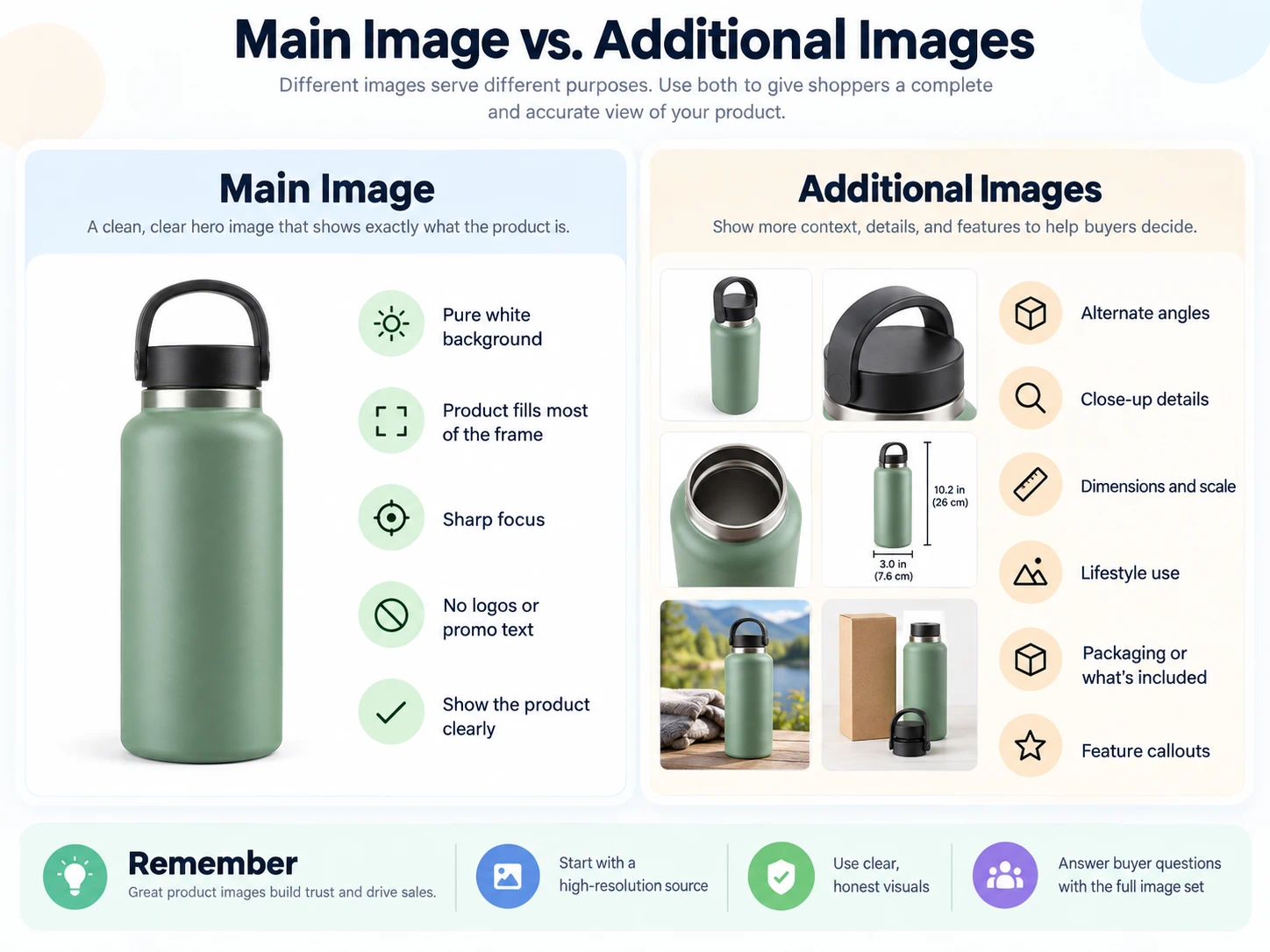
Main image
Use:
- Pure white background
- Clear product view
- Accurate color
- Large product coverage
- Professional lighting
- No distracting graphics
Do not use the main image as an advertising banner.
Additional images
Additional images can answer questions the main image cannot.
Useful types include:
- Side and back views
- Close-ups
- Scale references
- Lifestyle images
- Product-in-use images
- Packaging
- Dimensions
- Feature callouts
- Material details
- Comparison information where permitted
Amazon has encouraged sellers to provide a fuller image set rather than relying on one or two pictures. Six useful images plus video, where available, can give shoppers a much better understanding of the product.
Why Do Amazon Images Look Blurry?
A file can look fine on your computer and still appear soft online.
Here are the most common causes.
1. The original file is too small
If the source photo is only 600 pixels wide, enlarging it to 1,600 pixels does not create real detail.
Start with a high-resolution original.
2. The image was repeatedly compressed
Saving, sending through messaging apps, downloading, editing, and re-saving the same JPEG can reduce quality.
Keep a master file and export the Amazon version directly from it.
3. The crop is too aggressive
A high-resolution photo can become low resolution after a tight crop.
Check final pixel dimensions after cropping, not before.
4. Text inside the image is too small
Feature callouts may be sharp at full size but unreadable on a phone.
Preview additional images at mobile size. If shoppers must zoom to understand the message, simplify it.
5. You are checking an old cached version
Amazon may take time to update processed images. Check again after the new image has propagated before assuming the upload failed.
Is 1600 × 1600 Required?
No. It is better to think in terms of usable pixel dimensions than one mandatory square size.
A 1,600-pixel-or-larger longest side is a good target for detailed product photography because it supports a strong zoom experience when the source is sharp.
But the correct aspect ratio depends on the product and category. A tall bottle, wide furniture item, and square accessory do not need identical crops.
Do not stretch an image just to make it square.
JPEG or PNG for Amazon?
For normal product photography, JPEG is usually the practical default and is commonly recommended by Amazon.
Use PNG when you have a specific reason, such as certain graphics workflows where lossless output matters.
The important point is not to assume PNG automatically means better marketplace quality. A clean, properly exported JPEG from a high-resolution source can be more than sufficient.
Does DPI Matter?
Sellers often focus on 72 DPI, 300 DPI, or another print-style resolution value.
For online listing images, pixel dimensions are much more important than the DPI metadata embedded in the file.
A 1600 × 1600 image does not become more detailed because you change a metadata field from 72 DPI to 300 DPI.
Focus first on:
- Real pixel dimensions
- Sharp focus
- Good lighting
- Accurate color
- Clean export
- Correct composition
A Better Image Set for Amazon
Instead of asking “How many images can I upload?”, ask “What questions does a buyer need answered?”
A strong sequence could be:
- Main white-background product image
- Alternate angle
- Close-up of the key feature
- Dimensions or scale
- Lifestyle use case
- Material or construction detail
- Packaging or what is included
For some categories, a video can answer fit, movement, installation, or size questions better than another still image.
How to Check an Image Before Uploading
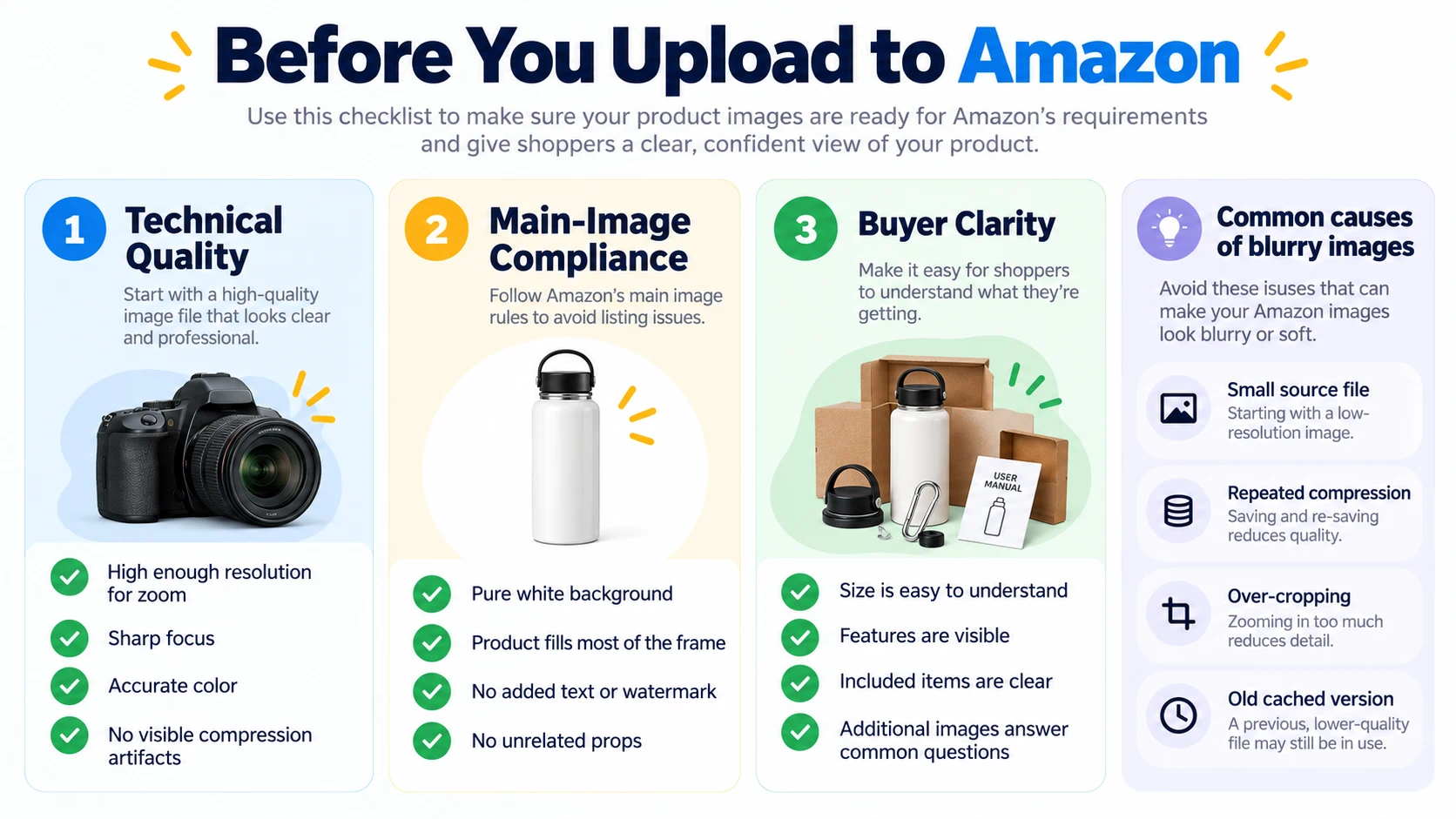
Technical quality
- Final file is large enough
- Product is in focus
- No visible compression artifacts
- White balance is accurate
- Shadows look natural
- No accidental background objects
Main-image compliance
- Background is pure white
- Product fills the frame appropriately
- No added promotional text
- No watermark
- No border
- No unrelated props
Buyer clarity
- Size is understandable
- Important features are visible
- Color looks accurate
- Included items are clear
- Additional images answer common questions
You can also use an AI Image Summarizer to describe what is actually visible in an image and compare that description with the message you intended to communicate. It is not a replacement for Amazon compliance review, but it can help identify missing context.
What About AI-Generated Product Images?
AI can be useful for background cleanup, retouching, concept development, and lifestyle creative, but the image still needs to represent the product accurately.
Do not let generative editing change:
- Product dimensions
- Included accessories
- Color
- Texture
- Quantity
- Functional details
Amazon has also added disclosure requirements in some content contexts for photorealistic AI-generated people. Because marketplace policies continue to evolve, check the current Seller Central guidance before publishing synthetic lifestyle imagery at scale.
For Amazon product images in 2026, do not optimize for one magic file size.
Start with a sharp high-resolution source, use at least 1,000 pixels on the longest side for zoom-capable images, target 1,600+ pixels when practical, and follow the strict main-image rules.
Then use the rest of the image set to answer buyer questions.
Clear images are not only a technical requirement. They are part of the product page's sales argument.