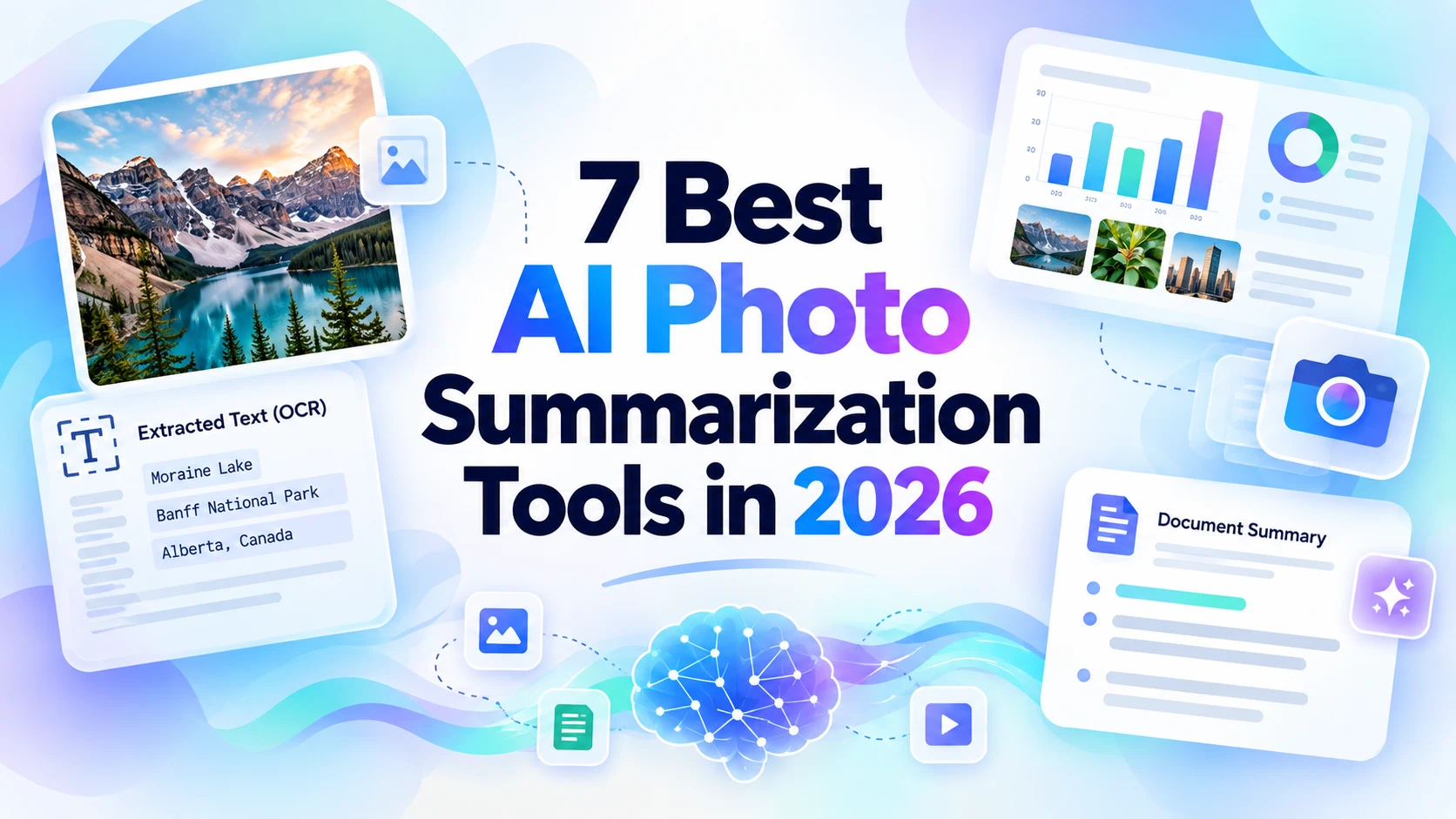
“Photo summarization” can mean very different things.
A student may want a summary of a photographed textbook page. A product manager may need the main message from a dashboard screenshot. A developer may want an API that detects text, objects, and labels across thousands of images.
Those are not the same task.
The best AI photo summarization tool therefore depends on whether you need a readable natural-language summary, OCR, visual reasoning, or structured computer-vision output.
This 2026 comparison separates those use cases so you can choose the right type of tool.
Quick Comparison
| Tool | Best for | What it can extract | Best user type |
|---|---|---|---|
| iWeaver | Structured image summaries | Text, visual context, charts, notes | Knowledge workers and students |
| ChatGPT | Conversational image analysis | Text, objects, diagrams, screenshots | General users |
| Gemini | Image Q&A and visual understanding | Photos, text, visual context | General users |
| Adobe Acrobat AI Assistant | Scanned documents and PDF images | OCR plus document-level context | PDF-heavy users |
| Google Cloud Vision | OCR and machine vision APIs | Text, labels, objects, landmarks | Developers |
| Azure AI Vision | OCR, captions, image analysis | Text, captions, objects | Developers and enterprises |
| Amazon Rekognition | Large-scale image detection | Labels, objects, text, moderation signals | Developers and AWS teams |
1. iWeaver — Best for Structured Image Summaries
iWeaver's AI Image Summarizer is designed for people who want to understand an image rather than only detect what is inside it.
You can use it with:
- Screenshots
- Charts
- Visual notes
- Scanned pages
- Infographics
- Presentation slides
- Images containing text
The useful difference is output structure. Instead of returning only OCR text or labels, the tool can turn the image into key points, explanations, notes, or follow-up answers.
That makes it a practical option for research, study, business review, and knowledge workflows.
Choose it when: you want a human-readable summary you can continue working with.
2. ChatGPT — Best for Conversational Image Analysis
ChatGPT can analyze uploaded images and answer questions about visible content.
This is useful when the first summary leads to more questions.
For example:
Summarize this dashboard in five bullets.
Then:
Which metric changed the most?
Then:
Turn those findings into a short update for my team.
The same approach works with diagrams, screenshots, photographed documents, and many other visual inputs.
Its strength is flexibility rather than a fixed photo-summary format.
For high-stakes details, check numbers, labels, and small text against the original image.
Choose it when: you want to discuss an image interactively and transform the result into another output.
3. Gemini — Best for General Image Q&A
Gemini supports image uploads and can answer questions about photos and visual content.
For everyday use, that makes it suitable for tasks such as:
- Explaining what a screenshot shows
- Reading text from an image
- Summarizing a photographed page
- Identifying visible elements
- Comparing several visual details
Google's visual ecosystem also benefits from its long history with Lens and image understanding.
As with any multimodal assistant, a good prompt should separate observation from interpretation.
Try:
First list what is visibly present. Then summarize the main message. Mark any text you cannot read clearly.
Choose it when: you need a general-purpose visual assistant for quick analysis.
4. Adobe Acrobat AI Assistant — Best for Scanned Documents
A “photo” is often really a document page captured as an image.
If your input is a scanned PDF, report, contract, or archived document, Adobe Acrobat AI Assistant may be a better fit than a general photo analyzer.
The workflow combines OCR and document context, allowing users to move from scanned text to summaries and questions without separating the file into individual images.
This is particularly useful when page order and document structure matter.
Choose it when: your images are primarily pages inside PDFs.
5. Google Cloud Vision — Best for OCR and Image APIs
Google Cloud Vision is not a consumer summary writer. It is a computer-vision service for developers.
It can detect printed or handwritten text and return structured information about images, including labels and other visual signals.
That makes it useful when you need to build your own summarization pipeline.
A typical workflow is:
Image → Cloud Vision OCR/labels → structured data → language model → final summary
This gives developers control over extraction, storage, confidence checks, and downstream processing.
It is especially useful for large-scale automation where a manual upload tool would not be practical.
Choose it when: you are building an application that needs image understanding through an API.
6. Azure AI Vision — Best for Enterprise Computer Vision
Azure AI Vision provides OCR and image-analysis capabilities for Microsoft-oriented development environments.
Depending on the service and model used, it can extract text, identify visual elements, and generate descriptive information that can be passed into a larger AI workflow.
For enterprise teams, the main value is integration. Image analysis can become one component in a broader Azure architecture involving storage, search, automation, and language models.
It is not the same experience as uploading one screenshot and receiving a polished study summary.
Choose it when: your organization is building image processing into an Azure-based system.
7. Amazon Rekognition — Best for AWS Image Detection Workflows
Amazon Rekognition is another developer-focused option.
It can detect labels, objects, text, and other visual signals across images. Teams already using AWS can connect that structured output to databases, moderation systems, search pipelines, or language models.
For “summarization,” Rekognition usually acts as the perception layer rather than the final writing layer.
That distinction is important. A computer-vision API may tell you that an image contains a person, bicycle, road, and text. A multimodal language tool is better suited to turning those observations into a natural-language explanation.
Choose it when: you need scalable image analysis inside an AWS workflow.
Image Summarizer vs. OCR Tool: What Is the Difference?
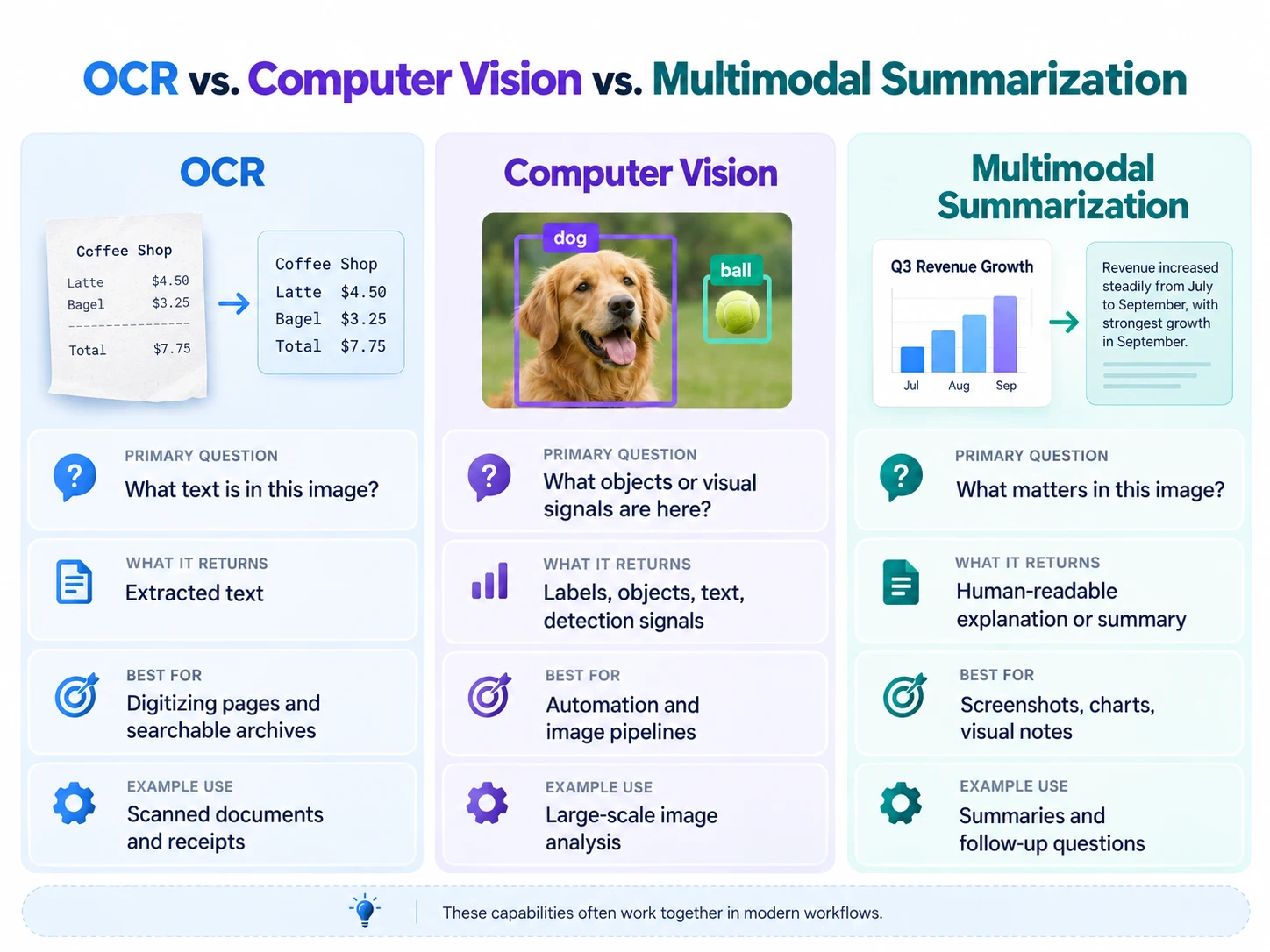
OCR answers:
What text is in this image?
An image summarizer answers:
What is important about this image?
A multimodal assistant can go further:
What does the image imply in the context of my question?
These capabilities overlap, but they are not identical.
If you only need to digitize printed text, OCR may be enough. If you need a concise explanation of a screenshot, chart, or visual note, use a tool that understands both text and layout.
For a step-by-step workflow, see how to summarize text from an image.
How to Choose the Right Tool
Ask four questions.
1. Is the important information mostly text?
If yes, prioritize OCR quality.
For handwritten material, use a specialized AI Handwriting Recognition workflow or another OCR tool designed for handwriting.
2. Does layout matter?
For charts, dashboards, slide decks, and infographics, text extraction alone is not enough.
Choose a multimodal tool that can reason about position, labels, legends, and visual relationships.
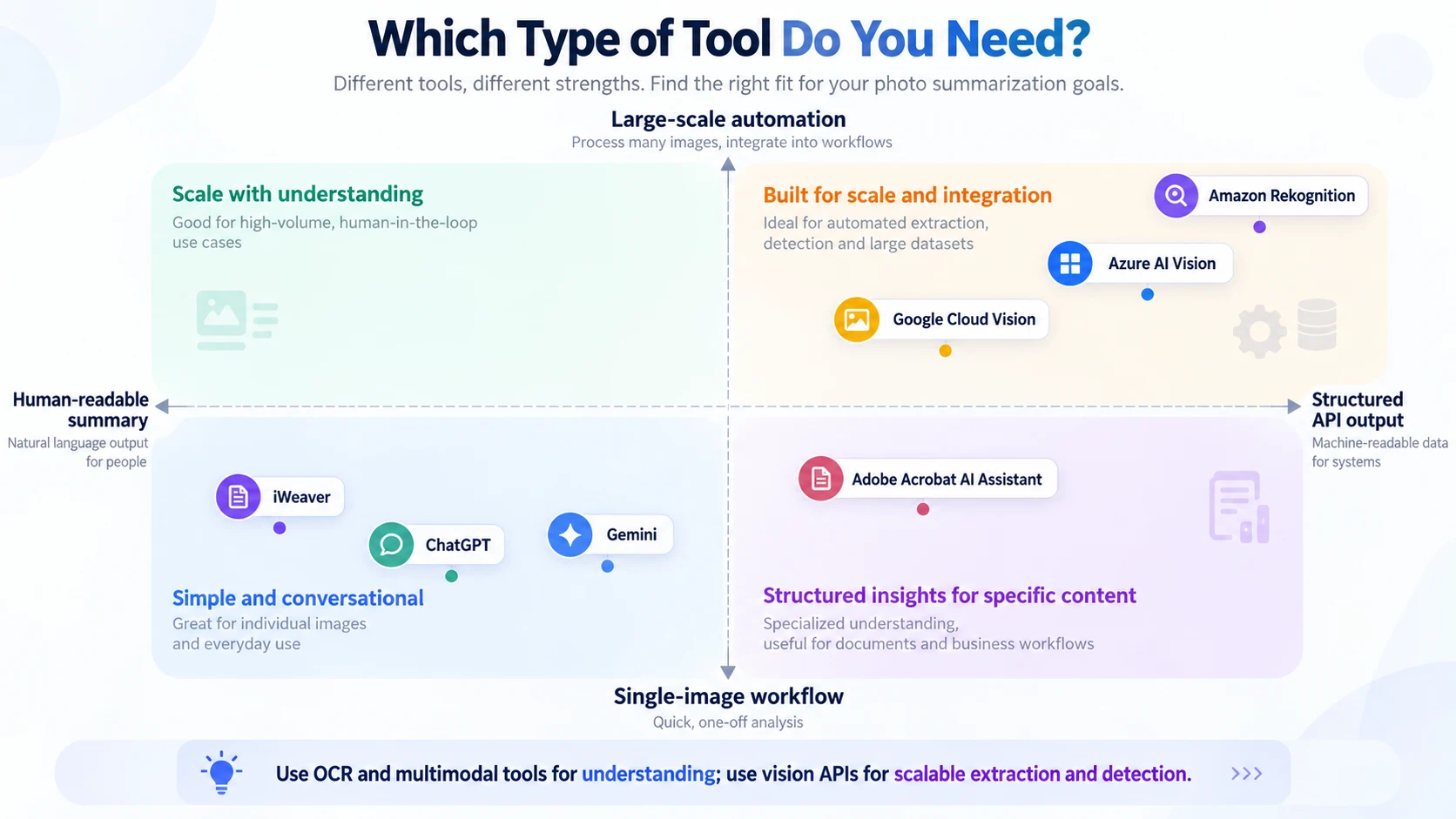
3. Do you need one image or thousands?
For occasional manual analysis, a user-facing summarizer is simpler.
For thousands or millions of images, an API such as Google Cloud Vision, Azure AI Vision, or Amazon Rekognition is more appropriate.
4. What do you need after the summary?
If you want to ask follow-up questions, compare images, generate notes, or turn findings into another document, choose a tool with a conversational workflow.
If you only need structured labels for a software system, an API may be enough.
Prompt Examples for Better Photo Summaries
For a dashboard:
Summarize the dashboard in five bullets. Keep the visible date range and exact metric values. Separate observations from possible explanations.
For a scanned page:
Extract the text, then summarize the main argument. Keep proper nouns, dates, and quotations unchanged. Mark unreadable text instead of guessing.
For a chart:
Explain the axes, groups, trend, highest and lowest values, and any visible anomalies. Do not infer causation from correlation.
For a set of screenshots:
Summarize each screenshot separately first. Then identify repeated issues, differences, and the three most important conclusions across all images.
Specific prompts reduce the chance that the tool focuses on visually obvious but unimportant details.
Privacy Matters
Before uploading an image, check what else it contains.
Screenshots can expose names, email addresses, internal dashboards, customer information, account numbers, or private messages.
Crop or redact information that is not necessary for the task, and follow your organization's approved data-handling policy for confidential images.
The best AI photo summarization tool depends on the job.
Choose iWeaver, ChatGPT, or Gemini when you want a readable explanation and follow-up. Use Adobe when the “photos” are really scanned documents. Choose Google Cloud Vision, Azure AI Vision, or Amazon Rekognition when you are building image understanding into software.
The key distinction is simple: OCR extracts text, computer vision detects visual elements, and multimodal summarization turns those signals into meaning.